
Time Card Calculator
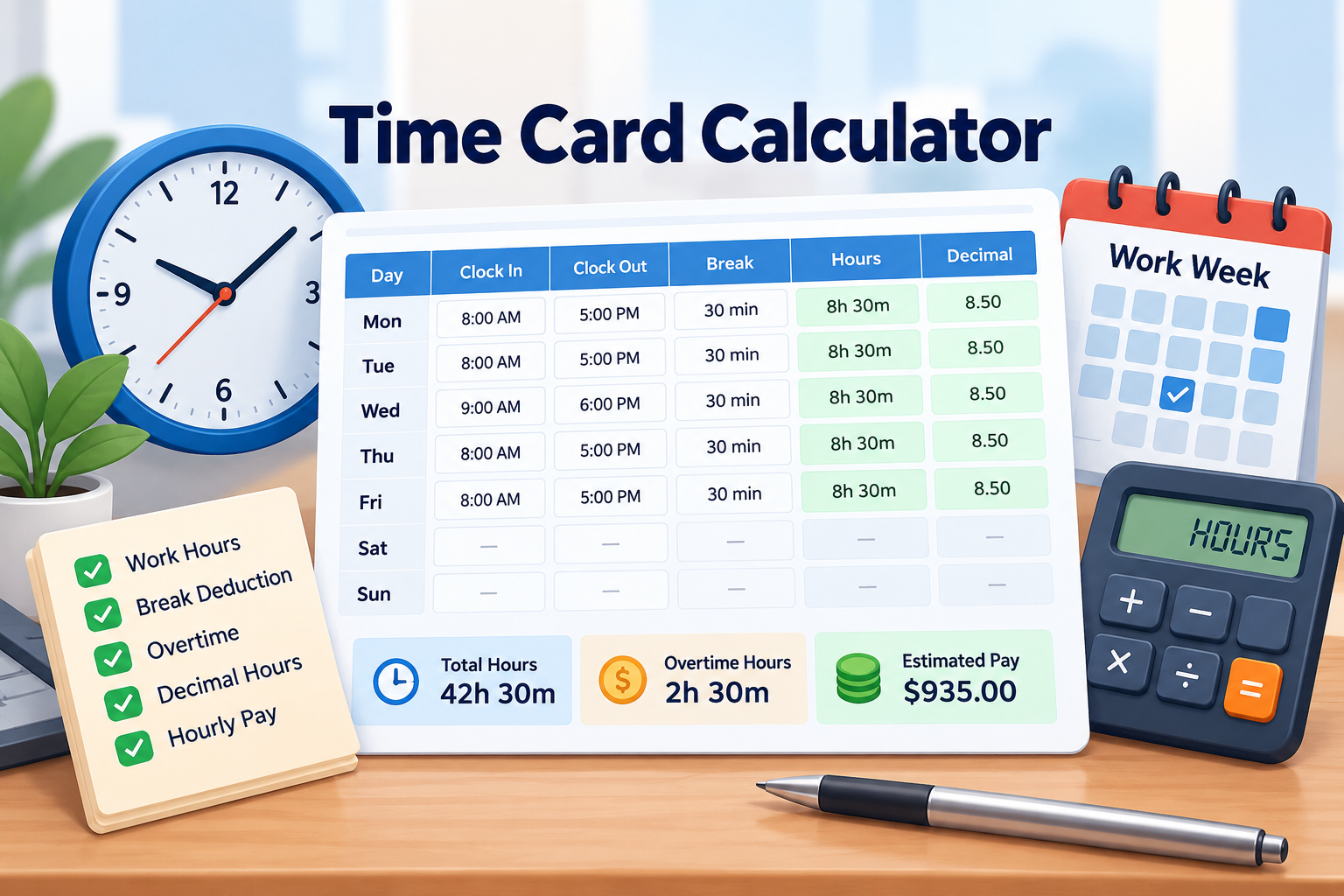
Use our Time Card Calculator to calculate daily and weekly work hours from clock-in and clock-out times. Add break deductions, view decimal hours, calculate overtime, and optionally estimate gross pay using your hourly rate.
The calculator is useful for employees, freelancers, contractors, managers, payroll staff, and anyone who needs a quick way to check a weekly time card.
How to Use the Time Card Calculator
To calculate your work hours:
- Enter your Clock In time.
- Enter your Clock Out time.
- Add your break time in minutes.
- Repeat for each workday.
- Click Calculate Time Card.
- View your total hours and decimal hours.
You can also enable overtime and hourly pay options when needed.
For example:
Clock In: 8:00 AMClock Out: 5:00 PMBreak: 30 minutes
Total shift:
9 hours
After the break:
8 hours 30 minutes worked
Decimal hours:
8.50 hours
Weekly Time Card Calculator
The calculator lets you enter work hours for the full week.
By default, Monday through Friday are displayed. You can also enable Show Weekend to add Saturday and Sunday.
Each workday can include:
- Clock-in time
- Clock-out time
- Break duration
- Daily worked hours
- Decimal hours
The weekly result combines all valid daily entries into one total.
How Are Work Hours Calculated?
The basic calculation is:
Worked Time = Clock Out − Clock In − Break
Example:
8:00 AM to 5:00 PM
equals:
9 hours
Subtract a 30-minute break:
9 hours − 30 minutes = 8 hours 30 minutes
So the final result is:
8h 30m
or:
8.50 decimal hours
Time Card Calculator With Lunch Break
If you take an unpaid lunch or break, enter the break duration in minutes.
For example:
Clock In: 9:00 AMClock Out: 5:30 PMBreak: 30 minutes
Total shift:
8 hours 30 minutes
After subtracting the break:
8 hours worked
You can also switch to Break Start / End mode if you prefer entering the exact break times.
Decimal Hours Calculator
Payroll systems often use decimal hours instead of hours and minutes.
For example:
8h 30m = 8.50 hours
8h 15m = 8.25 hours
8h 45m = 8.75 hours
The calculator first totals the actual worked minutes and then converts the final value to decimal hours.
This helps avoid errors caused by adding rounded daily decimal values.
Time Card Calculator With Overtime
You can enable overtime calculations under More Options.
Available options include:
- No overtime
- Overtime after 40 hours per week
- Overtime after 8 hours per day
- Custom weekly overtime threshold
For example:
If your weekly worked time is:
43 hours
and overtime begins after:
40 hours
then:
Regular Hours = 40
Overtime Hours = 3
Overtime rules vary by employer and location, so choose the option that matches the rules that apply to you.
Hourly Pay Calculator
You can also estimate gross pay from your time card.
Enable:
Calculate Pay
Then enter your hourly rate.
Example:
Regular Hours: 40Hourly Rate: $20
Regular Pay:
$800
If overtime is enabled, the calculator can also apply an overtime multiplier.
For example:
Overtime Hours: 3Hourly Rate: $20Overtime Rate: 1.5×
Overtime Pay:
$90
Estimated Gross Pay:
$890
This is an estimate before taxes, deductions, benefits, or other payroll adjustments.
Overtime Pay Multiplier
The calculator supports an adjustable overtime multiplier.
Common examples include:
1.0×
1.5×
2.0×
You can enter the multiplier that matches your payroll arrangement.
The tool does not assume that one overtime rate applies everywhere.
Overnight Shift Calculator
The Time Card Calculator can also calculate overnight work.
For example:
Clock In: 10:00 PMClock Out: 6:00 AM
The calculator treats the clock-out time as occurring on the following day.
Total shift:
8 hours
If there is a 30-minute break:
Worked Time = 7h 30m
This makes the tool useful for night shifts and late work schedules.
12-Hour and 24-Hour Time
The calculator supports both common time formats.
12-Hour Format
Examples:
8:00 AM
5:00 PM
24-Hour Format
Examples:
08:00
17:00
You can switch between formats without changing the underlying work-hour calculation.
Time Rounding
Under More Options, you can choose whether clock times should be rounded.
Available settings include:
- No rounding
- 5 minutes
- 6 minutes
- 10 minutes
- 15 minutes
By default, the calculator uses No Rounding so your entered times are used as they are.
Copy Monday to Weekdays
If you work the same schedule throughout the week, use Copy Monday to Weekdays.
For example, enter:
8:00 AM → 5:00 PM
with:
30-minute break
on Monday.
Then copy that schedule to Tuesday through Friday instead of entering the same times repeatedly.
Quick Work Schedule Presets
The tool also includes common schedule presets such as:
9–5
8–4
8–5 with a 30-minute break
7–3 with a 30-minute break
These can make setting up a regular workweek faster.
Break Start and End Times
By default, the calculator uses a simple break-duration field.
You can switch to exact break times.
Example:
Break Start: 12:30 PMBreak End: 1:00 PM
The calculator determines:
30-minute break
and subtracts it from the shift automatically.
What Happens If a Day Is Blank?
A completely blank workday is treated as a non-working day and adds zero hours to the weekly total.
If you enter a clock-in time but do not enter a clock-out time, the calculator asks you to complete the row.
This prevents incomplete shifts from silently producing incorrect totals.
Can Break Time Be Longer Than the Shift?
No.
For example, if the shift lasts:
1 hour
but the entered break is:
90 minutes
the calculator shows an error because break time cannot be longer than the total shift.
Why Use a Time Card Calculator?
A time card calculator can help with:
- Weekly timesheets
- Employee work hours
- Payroll preparation
- Freelance hour tracking
- Contractor billing
- Overtime checks
- Break deductions
- Decimal-hour conversion
- Night-shift calculations
- Gross pay estimates
It is especially helpful when you want to verify a timesheet before submitting it.
Frequently Asked Questions
How do I calculate hours worked?
Subtract the clock-in time from the clock-out time, then subtract unpaid break time.
Can I calculate a full workweek?
Yes. The tool supports Monday through Friday by default and can also include Saturday and Sunday.
Does the calculator subtract lunch breaks?
Yes. Enter the break duration or use break start/end times.
Can I calculate decimal hours?
Yes. The weekly and daily totals can be displayed in decimal-hour format.
Does it calculate overtime?
Yes. You can use weekly, daily, or custom overtime thresholds.
Can I calculate hourly pay?
Yes. Enable pay calculation and enter an hourly rate.
Does it support overnight shifts?
Yes. If the clock-out time is earlier than the clock-in time, the calculator treats the clock-out as occurring the next day.
Can I use 24-hour time?
Yes. Both 12-hour and 24-hour time formats are supported.
Can I include weekends?
Yes. Enable Show Weekend to display Saturday and Sunday.
Does the calculator calculate taxes?
No. Pay results are gross estimates and do not include taxes, deductions, benefits, or payroll withholding.
Calculate Your Weekly Work Hours
Use the Time Card Calculator to quickly calculate daily and weekly hours, subtract breaks, convert hours to decimal format, and estimate overtime or pay when needed.
The tool supports:
Clock In and Clock Out
Break Deductions
Weekly Time Cards
Decimal Hours
Overnight Shifts
Overtime Calculations
Hourly Pay
12-Hour and 24-Hour Time
and:
Weekend Work