
Currency Converter
Convert between currencies using a rate you enter — handy when you know today's rate.
Convert Currency Using Your Own Exchange Rate
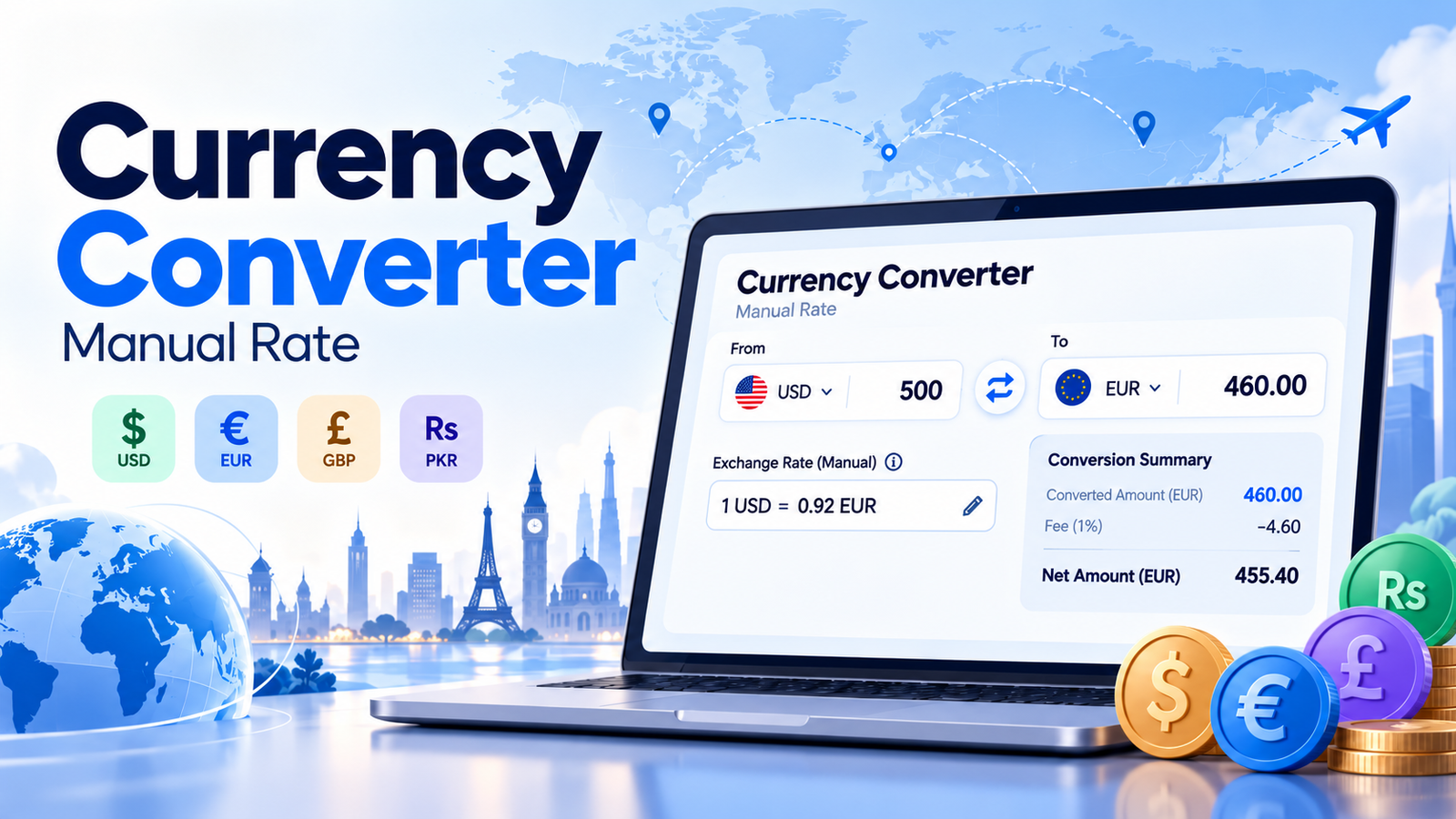
Use the Currency Converter above to convert money between international currencies using a manually entered exchange rate. Enter an amount, select your currencies, calculate the converted value, and estimate optional transaction fees instantly.
What Is a Currency Converter (Manual Rate)?
A Currency Converter (Manual Rate) is an online calculator that converts an amount from one currency into another using an exchange rate entered by the user.
Unlike a live currency converter, which retrieves exchange rates from external financial data providers, a manual currency converter allows you to control the exchange rate used in the calculation.
This is especially helpful when you already have an exchange rate from a bank, payment service, currency exchange provider, or international business agreement.
For example, suppose you want to convert 500 US dollars into euros using the example rate:
1 USD = 0.92 EUR
The calculation is:
500 × 0.92 = 460
Your converted amount is 460 EUR before any transaction fees.
The Skills Elevate Currency Converter also provides additional features:
- Convert amounts between 40 supported currencies.
- Enter your own exchange rate.
- Calculate currency conversions instantly.
- Swap source and destination currencies.
- Calculate reverse exchange rates.
- Include optional percentage and fixed transaction fees.
- View estimated amounts after fees.
- Explore example conversions using the entered rate.
- Copy conversion results.
- Reset the calculator to its default example.
Important: This tool does not provide live or automatically updated exchange rates. All conversions use the rate you enter.
How to Use the Currency Converter
Our free manual Currency Converter is designed to make international currency calculations quick and straightforward.
Step 1: Enter the Amount You Want to Convert
Start by entering the amount in the Amount to Convert field.
For example:
500
The calculator accepts zero and positive amounts within its supported input range.
Step 2: Select Your Source Currency
Under From Currency, choose the currency you want to convert.
For example:
USD — US Dollar
The tool supports commonly used currencies, including USD, EUR, GBP, PKR, INR, AED, CAD, AUD, and JPY.
Step 3: Choose Your Destination Currency
Under To Currency, select the currency you want to receive.
For example:
EUR — Euro
Your conversion direction is now USD to EUR.
Step 4: Enter Your Manual Exchange Rate
Enter the exchange rate provided by your bank, payment provider, or another source.
For example:
0.92
This means:
1 USD = 0.92 EUR
Always check that your rate matches the selected currency direction.
If the rate is quoted in reverse, you will need to invert it before using that direction.
Step 5: Calculate the Converted Amount
Click Convert Amount or simply update the inputs to see the calculation refresh.
With our example:
500 USD × 0.92 = 460 EUR
Your result will display:
€460.00
The result panel also shows the manual rate and its reverse equivalent.
Step 6: Add Conversion Fees (Optional)
If your payment provider charges fees, expand Conversion Fees (Optional).
Enable the fee option and enter:
- Percentage fee, such as 2%.
- Fixed fee, such as €1.50.
The calculator deducts these amounts from the gross converted value to estimate the amount remaining after fees.
Both fee inputs are treated as charges in the destination currency.
Step 7: Review the Calculation Details
Expand Calculation Formula & Conversion Examples to understand how the conversion was performed.
This section shows the formula and conversions of example amounts such as 1, 10, 100, and 1,000 source currency units.
Step 8: Swap, Copy, or Reset
Use Swap Currencies to reverse the currency direction and calculate the inverse exchange rate.
Select Copy Conversion to save the results, or Reset to return to the default example.
How Does a Currency Converter Work?
A Currency Converter works by multiplying an amount of money by an exchange rate.
The exchange rate represents how much of the destination currency you receive for one unit of the source currency.
For example:
1 USD = 0.92 EUR
This means that every US dollar corresponds to 0.92 euros at the entered rate.
When you enter 500 USD, the calculator multiplies 500 by 0.92 to determine the equivalent amount in euros.
If you change the rate to 0.95, the same 500 USD converts to 475 EUR.
This makes a manual currency converter useful for comparing different exchange-rate offers.
The calculation is based entirely on the numbers you provide. The tool does not predict exchange rates or determine which provider offers the best deal.
Currency Conversion Formula
The standard currency conversion formula is:
Converted Amount = Original Amount × Exchange Rate
Where:
- Original Amount: The money you want to convert.
- Exchange Rate: The amount of destination currency per one unit of source currency.
- Converted Amount: The resulting amount in the destination currency.
Example: Convert USD to EUR
Suppose:
- Original amount: 500 USD
- Exchange rate: 0.92 EUR per USD
Apply the formula:
Converted Amount = 500 × 0.92
Converted Amount = 460 EUR
The calculation is complete.
Example: Convert EUR to USD
Suppose you want to convert 250 EUR to USD using a hypothetical manual rate of:
1 EUR = 1.10 USD
Then:
250 × 1.10 = 275
Converted Amount = 275 USD
These exchange rates are examples for calculation purposes and are not current market quotes.
What Is a Manual Exchange Rate?
A manual exchange rate is a currency conversion rate supplied directly by the user rather than obtained automatically from a live exchange-rate service.
For example, you might receive a rate from:
- Your bank.
- An international payment platform.
- A foreign exchange provider.
- A currency exchange counter.
- An international supplier or customer.
- A business accounting or invoicing record.
You can enter that rate into the calculator to estimate the amount converted.
Manual Exchange Rate vs. Live Exchange Rate
| Feature | Manual Rate Converter | Live Rate Converter |
|---|---|---|
| Exchange rate source | Entered by user | Retrieved from a data service |
| Internet needed for rate lookup | No | Usually yes |
| Custom exchange rates | Yes | Depends on tool |
| Bank-specific offered rates | Can be entered manually | May differ from displayed rate |
| Automatic rate updates | No | Usually |
| Best used for | Custom quotations, invoices, fee estimates | Checking current market reference rates |
A manual converter is most useful when you need a calculation based on a particular known rate rather than a general market reference.
How to Calculate a Reverse Exchange Rate
A reverse exchange rate converts the same currency pair in the opposite direction.
For example, if you know:
1 USD = 0.92 EUR
The reverse rate is:
1 EUR = 1 ÷ 0.92 USD
Calculate:
1 ÷ 0.92 = 1.08695652...
Therefore:
1 EUR ≈ 1.08695652 USD
Reverse Exchange Rate Formula
Reverse Rate = 1 ÷ Original Exchange Rate
Our calculator automatically displays the reverse exchange rate beneath the converted amount.
When you use the Swap button, it also reverses the selected currencies and the rate.
For example:
500 USD × 0.92 = 460 EUR
After swapping:
460 EUR × (1 ÷ 0.92) = 500 USD
This is a mathematical reversal of the gross conversion. Actual buy and sell rates offered by financial providers may differ because of spreads or additional fees.
How to Calculate Currency Conversion Fees
International currency transactions may include processing charges, exchange fees, or payment service fees.
The Skills Elevate Currency Converter supports two optional fee types.
1. Percentage Conversion Fee
A percentage fee is calculated as a percentage of the gross converted amount.
The formula is:
Percentage Fee = Gross Converted Amount × Fee Percentage ÷ 100
For example:
- Converted amount: €460
- Percentage fee: 2%
Percentage Fee = 460 × 2 ÷ 100
Percentage Fee = €9.20
2. Fixed Conversion Fee
A fixed fee is a set amount deducted from the converted value.
For example:
Fixed Fee = €1.50
The amount remains the same regardless of the percentage fee.
3. Calculate the Amount After Fees
To estimate the amount remaining after fees:
Net Amount = Gross Converted Amount − Percentage Fee − Fixed Fee
Using the previous example:
| Description | Amount |
|---|---|
| Original amount | $500.00 |
| Manual exchange rate | 0.92 EUR per USD |
| Gross converted amount | €460.00 |
| Percentage fee (2%) | −€9.20 |
| Fixed fee | −€1.50 |
| Estimated amount after fees | €449.30 |
The calculation is:
460 − 9.20 − 1.50 = 449.30
Therefore, the estimated amount after the entered fees is:
€449.30
This is a simplified fee estimate. Actual payment providers may deduct fees before conversion, use different exchange rates, or charge additional fees that are not included in this model.
Real-Life Examples of Currency Conversion
Example 1: Freelancer Receiving International Payments
Sophia is a freelance designer working with an international client.
She receives a $500 payment and wants to estimate its value in euros using her payment provider's offered rate.
- Amount: 500 USD
- Manual rate: 0.92 EUR per USD
- Gross amount: 460 EUR
- Percentage fee: 2%
- Fixed fee: 1.50 EUR
Her estimated amount after fees is 449.30 EUR.
The converter helps her understand the expected payment amount before completing the transaction.
Example 2: Traveler Planning a Trip
A traveler has a budget of 1,000 USD and wants to estimate the amount in Japanese yen.
Suppose the manually entered example rate is:
1 USD = 150 JPY
The calculation is:
1,000 × 150 = 150,000
Converted Amount = ¥150,000
The traveler can use this estimate for trip budgeting.
Example 3: Small Business Owner Paying a Supplier
A business owner receives an invoice for 2,000 EUR and needs to estimate its cost in US dollars.
Suppose the agreed conversion rate is:
1 EUR = 1.08 USD
Calculate:
2,000 × 1.08 = 2,160
Converted Amount = $2,160
The owner can use this estimate when preparing a payment budget.
Example 4: Comparing Two Exchange Rate Offers
Suppose you want to convert 1,000 USD into euros.
Two providers offer different illustrative rates.
| Provider | EUR per USD | Gross Result |
|---|---|---|
| Provider A | 0.92 | €920 |
| Provider B | 0.94 | €940 |
The difference is:
940 − 920 = 20 EUR
Provider B produces 20 EUR more before fees.
However, the provider with the better exchange rate may not always offer the highest final payout if its fees are higher.
Which Currencies Does the Converter Support?
The calculator supports 40 international currencies, including several commonly used currencies.
| Currency Code | Currency Name |
|---|---|
| USD | US Dollar |
| EUR | Euro |
| GBP | British Pound |
| PKR | Pakistani Rupee |
| INR | Indian Rupee |
| AED | UAE Dirham |
| SAR | Saudi Riyal |
| CAD | Canadian Dollar |
| AUD | Australian Dollar |
| JPY | Japanese Yen |
| CNY | Chinese Yuan |
| CHF | Swiss Franc |
| SGD | Singapore Dollar |
| NZD | New Zealand Dollar |
| KWD | Kuwaiti Dinar |
| QAR | Qatari Riyal |
| BHD | Bahraini Dinar |
| ZAR | South African Rand |
Additional currencies are available in the dropdown menus.
Regardless of the selected currencies, the calculation uses your manual rate and the same basic formula.
Why Do Currency Exchange Rates Change?
Exchange rates may move because of several economic and financial factors, including:
- Supply and demand for currencies.
- Inflation and interest-rate differences.
- Economic growth expectations.
- International trade and capital flows.
- Monetary policy decisions.
- Political and financial uncertainty.
These changes can affect how much one currency is worth relative to another.
The Skills Elevate Manual Rate Currency Converter does not track these movements automatically.
To estimate a conversion at a new rate, enter the updated rate yourself.
Difference Between Exchange Rate and Conversion Fee
An exchange rate and a conversion fee affect a transaction in different ways.
The exchange rate determines how much destination currency corresponds to the source amount.
A conversion fee is an additional cost charged for carrying out or processing the transaction.
For example, suppose you convert 500 USD into EUR at 0.92.
The exchange rate produces 460 EUR.
If your provider also charges a 2% fee, the amount received will be lower.
Understanding both elements helps you compare conversion offers more accurately.
Common Currency Conversion Mistakes
Entering the Exchange Rate in the Wrong Direction
If 1 USD equals 0.92 EUR, entering 1.08695652 as the USD-to-EUR rate would reverse the intended direction.
Always check the dynamic rate description shown by the calculator.
Confusing Gross and Net Amounts
The gross converted amount does not include optional transaction deductions.
If fees apply, check the estimated amount after fees.
Assuming a Manual Rate Is Live
The rate displayed in this calculator is supplied by the user.
It is not automatically updated or verified against current currency markets.
Forgetting Provider Charges
A bank or payment processor may charge fees that affect the final amount received.
Enter known applicable fees when estimating the transaction.
Comparing Rates Without Considering Fees
A higher quoted conversion rate may still result in a smaller net payout if associated fees are higher.
Compare total amounts after all known costs.
Rounding the Exchange Rate Too Early
Small rounding differences can become more significant when converting large amounts.
Use as much reliable exchange-rate precision as your provider supplies.
Also remember that formatted currency displays may round very small values, even when the internal calculation retains additional precision.
Benefits of Using a Manual Currency Converter
A manual-rate converter is particularly useful when you need control and transparency in your calculations.
It allows you to use a negotiated rate, estimate international invoices, compare exchange offers, evaluate payment fees, and understand how the conversion was calculated.
Because you provide the rate, the mathematical assumptions remain clear.
The Skills Elevate Currency Converter also provides responsive controls for mobile and desktop devices, so you can calculate conversions without manually working through the formula.
Related Tools
Explore other Skills Elevate finance calculators:
- Inflation Calculator — Estimate changes in purchasing power over time.
- Interest Rate Calculator — Work with interest-rate calculations for financial planning.
- APR Calculator — Understand borrowing costs and annual percentage rates.
- Credit Card Interest Calculator — Estimate interest charges on credit card balances.
Frequently Asked Questions
What is a Currency Converter?
A Currency Converter calculates the equivalent amount of one currency in another currency using an exchange rate.
What is a Manual Rate Currency Converter?
A Manual Rate Currency Converter allows you to enter your own exchange rate instead of retrieving rates from a live exchange-rate service.
How do I calculate currency conversion manually?
Multiply the source currency amount by the exchange rate quoted in destination currency units per source currency unit.
Converted Amount = Amount × Exchange Rate
Does this Currency Converter use live exchange rates?
No. The Skills Elevate Currency Converter uses only the exchange rate you manually enter. It does not automatically retrieve current rates.
How do I convert USD to EUR?
Choose USD as the source currency and EUR as the destination currency. Enter your USD amount and the EUR-per-USD rate, then view the converted result.
Can I convert EUR to USD?
Yes. Select EUR as the source currency and USD as the destination, then enter the corresponding manual exchange rate.
How do I calculate a reverse exchange rate?
Divide 1 by the original exchange rate. For example, a rate of 0.92 has an inverse of approximately 1.08695652.
What happens when I click Swap Currencies?
The calculator exchanges the source and destination currencies, inverts the valid exchange rate, and uses the previous gross converted amount as the new source amount when possible.
Optional fees are reset because the new conversion direction may have different fee conditions.
Can I enter my bank's exchange rate?
Yes. You can enter the exchange rate provided by your bank or payment service, provided it is quoted in the same direction as your selected currencies.
Can I calculate currency conversion fees?
Yes. Enable the optional fee settings to include percentage and fixed fees.
The tool deducts both from the converted gross amount in the destination currency.
Are exchange rates and transaction fees the same?
No. An exchange rate determines the relative value of currencies, while transaction fees represent additional conversion or processing costs.
How many currencies does the tool support?
The Skills Elevate Manual Rate Currency Converter includes 40 currencies.
Can I use the converter for international invoices?
Yes. The calculator can estimate invoice amounts using an agreed or quoted exchange rate. For accounting purposes, use the exchange rate and transaction date required by your accounting policies.
Does the converter support decimal amounts?
Yes. You can enter decimal source amounts and exchange rates. The calculator performs the conversion and formats the resulting currency amount.
What if I enter a zero exchange rate?
The calculator requires a positive exchange rate. Zero and negative exchange rates are invalid.
Why does my bank's converted amount differ from the calculator?
Your bank may use a different exchange rate, charge additional fees, apply a spread, or round transaction values differently.
The calculator only models the manual rate and optional fees you provide.
Is the Currency Converter free?
Yes. The Skills Elevate Currency Converter is free to use and does not require registration for basic calculations.
Is the Currency Converter mobile-friendly?
Yes. The calculator is designed to work on smartphones, tablets, and desktop computers.
Can I copy my currency conversion result?
Yes. Click Copy Conversion to copy the source amount, exchange rate, converted amount, reverse rate, and any enabled fee estimates.
Does the calculator store my payment information?
The calculator runs its calculations locally in your browser. It does not require bank account details or provide permanent storage of your conversion entries.