
Estimate Your 401(k) Retirement Savings
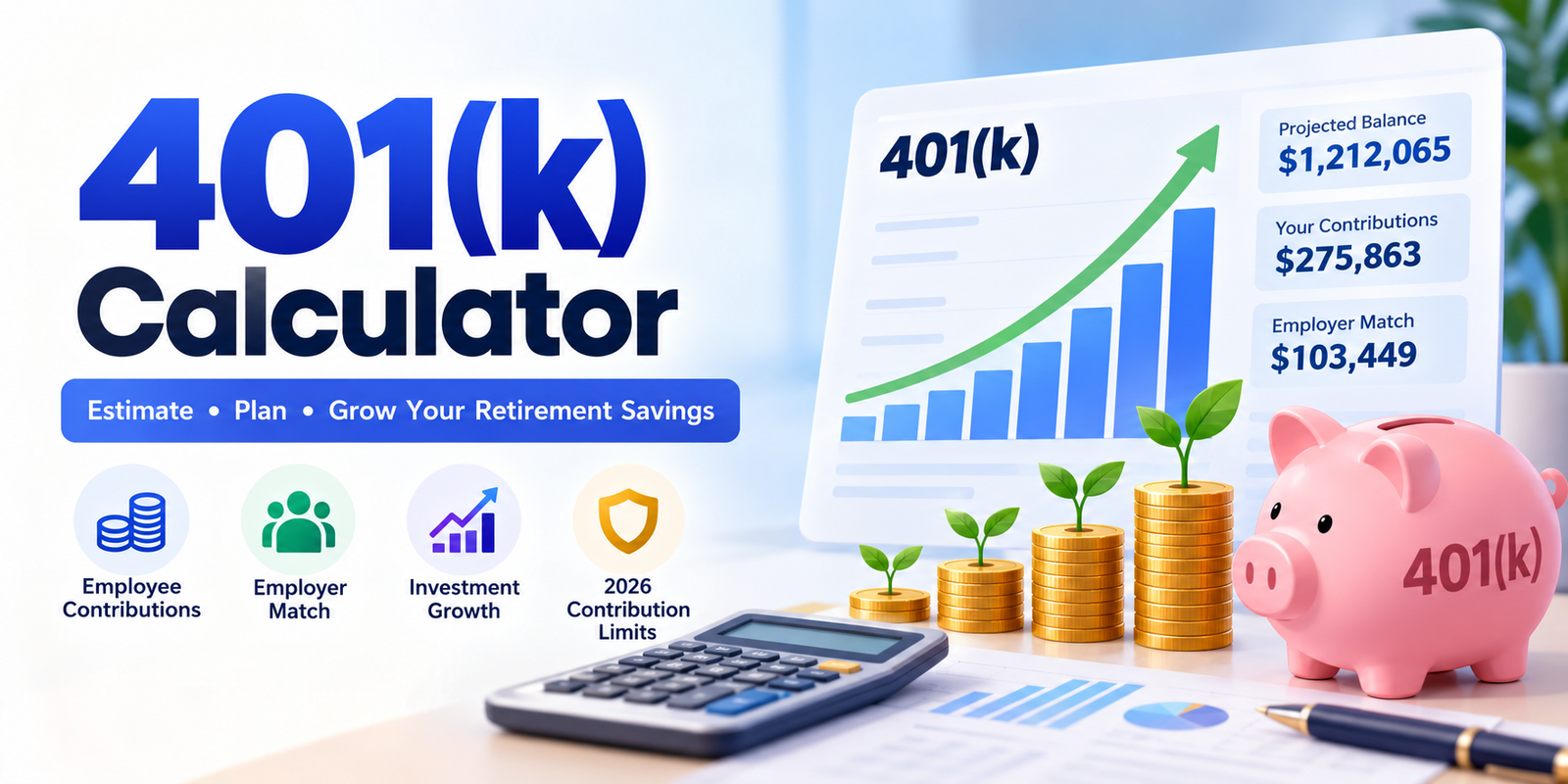
Use the 401(k) Calculator above to estimate your retirement balance, employer match, and investment growth based on your salary and contributions.
How to Use the 401(k) Calculator
Our free 401(k) Calculator helps you estimate how much your workplace retirement savings could grow before retirement.
It includes employee contributions, employer matching, salary increases, investment returns, and optional inflation adjustments.
Step 1: Enter Your Current Age and Retirement Age
Enter your current age and the age when you expect to retire.
For example, if you are 35 and plan to retire at 65, the calculator models 30 years of retirement savings.
Step 2: Enter Your Annual Salary
Enter your current yearly salary before taxes. For example, $85,000.
This amount helps calculate percentage-based employee contributions and employer matching.
Step 3: Add Your Current 401(k) Balance
Enter the amount already saved in your 401(k) account. If you are just starting, enter $0.
Step 4: Choose Your Contribution Amount
Select either a percentage of your salary or a fixed monthly dollar contribution.
For example, contributing 8% of an $85,000 salary equals $6,800 per year.
Step 5: Enter Your Employer Match
If your employer offers matching contributions, enter the match percentage and the portion of your salary eligible for matching.
Step 6: Set Your Expected Investment Return
Enter an assumed annual return, such as 6%. This is a planning assumption, not a guaranteed investment return.
Step 7: Calculate Your Retirement Savings
Click Calculate 401(k) Savings to estimate your retirement balance, total contributions, employer matching, investment growth, and inflation-adjusted purchasing power.
You can then explore advanced settings and compare different contribution strategies.
What Is a 401(k) Retirement Plan?
A 401(k) is an employer-sponsored retirement savings plan available through many workplaces in the United States.
Eligible employees can contribute a portion of their earnings to a retirement account, and some employers contribute additional money through matching or other employer contributions.
401(k) plans generally provide tax advantages intended to encourage long-term retirement saving.
Two common contribution types are:
- Traditional 401(k): Eligible contributions are generally made on a pre-tax basis, with distributions typically subject to income tax.
- Roth 401(k): Contributions are made using after-tax income, while qualified distributions can be tax-free.
The investment choices and matching arrangements depend on the employer's plan.
Our calculator focuses on retirement account growth and contributions, not individualized tax calculations.
How Much Will My 401(k) Be Worth at Retirement?
Your future 401(k) balance depends on several factors, including your current savings, future contributions, employer matching, investment performance, and years until retirement.
For example, consider someone with the following details:
| 401(k) Detail | Example |
|---|---|
| Current Age | 35 |
| Retirement Age | 65 |
| Annual Salary | $85,000 |
| Current 401(k) Balance | $40,000 |
| Employee Contribution | 8% |
| Employer Match | 50% up to 6% of salary |
| Expected Annual Return | 6% |
| Annual Salary Growth | 2% |
| Investment Fees | 0% |
Using the calculator's monthly projection model, the estimated results are:
| Retirement Result | Projected Amount |
|---|---|
| Starting 401(k) Balance | $40,000.00 |
| Future Employee Contributions | $275,862.94 |
| Future Employer Contributions | $103,448.60 |
| Investment Growth | $792,753.47 |
| Projected Balance at Age 65 | $1,212,065.01 |
Under these assumptions, the account could grow to approximately $1.21 million by retirement.
This is an illustrative projection, not a guarantee. Actual investment returns, contribution amounts, fees, and employer benefits will vary.
Understanding Your 401(k) Calculator Results
The calculator breaks your projected retirement savings into several components.
| Result | What It Means |
|---|---|
| Projected Retirement Balance | Estimated total account value at retirement |
| Employee Contributions | Total future contributions made from your salary |
| Employer Contributions | Total modeled employer matching contributions |
| Investment Growth | Growth or loss produced by the assumed investment returns and fees |
| Today's-Dollar Value | Estimated purchasing power of the future balance after inflation |
| Current Annual Contribution | First modeled year's employee contribution |
| Current Annual Match | First modeled year's employer contribution |
Projected Retirement Balance
This is the main result.
It combines your starting balance, future employee contributions, employer contributions, and projected investment growth.
Your Contributions
This shows the total amount you contribute during the modeled savings period.
If you contribute a percentage of salary, your annual contribution generally increases as your modeled salary rises, subject to the selected contribution-limit assumption.
Employer Contributions
Employer contributions represent the additional amounts your employer is assumed to deposit under the matching formula.
These deposits may also earn investment returns over time.
Investment Growth
Investment growth is the difference between your projected ending balance and the total starting balance plus future contributions.
It can be positive or negative, depending on the assumed return and fees.
Balance in Today's Dollars
The calculator also estimates the purchasing power of your future balance.
This helps distinguish the nominal amount shown in your retirement account from what that amount might be worth in today's purchasing power.
How Does a 401(k) Employer Match Work?
An employer match is a contribution your employer makes based on your eligible 401(k) contributions.
The employer's formula determines how much additional money is contributed.
One common arrangement is a 50% match on contributions up to 6% of salary.
For example, suppose you earn $85,000 annually and contribute 8% of your salary.
| Calculation | Amount |
|---|---|
| Annual Salary | $85,000 |
| Your Contribution (8%) | $6,800 |
| Salary Portion Eligible for Match (6%) | $5,100 |
| Employer Match Rate | 50% |
| Employer Annual Match | $2,550 |
| Combined Annual Contribution | $9,350 |
Although you contribute 8% of your salary, the employer only matches contributions within the first 6% under this example's formula.
Employer Matching Formula
The calculator uses:
Employer Match = Minimum(Employee Contribution, Salary × Match Limit) × Match Rate
For example:
Minimum($6,800, $5,100) × 50% = $2,550
Actual employer plans may use different matching rules, eligibility conditions, vesting schedules, or payroll-based calculations.
How Much Should You Contribute to Get the Full Employer Match?
Under a simple employer matching arrangement, you generally need to contribute at least the eligible salary percentage required by the employer's matching formula to receive the maximum available match.
For example:
| Your Contribution | Annual Employee Deposit | Employer Match |
|---|---|---|
| 3% | $2,550 | $1,275 |
| 6% | $5,100 | $2,550 |
| 8% | $6,800 | $2,550 |
| 10% | $8,500 | $2,550 |
Assumes an $85,000 salary and a 50% match on the first 6% contributed.
Increasing your contribution beyond 6% increases your own retirement savings, but does not increase the employer match in this example.
Some plans use more complicated formulas, so check your employer's actual 401(k) plan documents.
401(k) Contribution Limits for 2026
The IRS places annual limits on employee elective deferrals to traditional and Roth 401(k) plans.
For 2026, the standard employee elective-deferral limit is $24,500 for eligible participants in regular 401(k) plans.
Additional catch-up contributions may be available based on age and plan rules.
| Participant Age | 2026 Employee Contribution Limit |
|---|---|
| Under 50 | $24,500 |
| 50–59 | $32,500 |
| 60–63 | $35,750 |
| 64 and older | $32,500 |
These amounts include applicable catch-up contributions when permitted by the plan.
Additional 2026 Contribution Rules
The general defined-contribution annual additions limit for 2026 is $72,000, excluding qualifying catch-up contributions and subject to other restrictions.
The annual compensation limit for determining contributions is $360,000.
The rules may also be affected by other retirement plan contributions, employer plan restrictions, and employee eligibility.
Beginning in 2026, certain employees whose previous-year wages with the plan sponsor exceeded the applicable $150,000 threshold must make catch-up contributions on a Roth basis.
How Our Calculator Applies Contribution Limits
Under Advanced Settings, you can choose between:
Fixed 2026 IRS Limits
The calculator uses the 2026 employee contribution limits throughout the hypothetical projection.
As your modeled age increases, the applicable age-based catch-up allowance changes.
Uncapped Hypothetical Projection
This option removes IRS dollar caps from the mathematical projection, while retaining the calculator's modeled salary restriction.
It is useful for comparing contribution scenarios, but does not represent legally permitted contributions.
Important: Future IRS limits are unknown. The calculator does not predict how contribution limits will change over the next 10, 20, or 30 years.
The first projected year also represents 12 complete contribution months, not the remaining months of the current calendar year.
How Is 401(k) Growth Calculated?
Our calculator uses a monthly retirement savings projection.
Each month, the account balance is adjusted using the assumed investment return and then receives employee and employer contributions.
The simplified formula is:
[B_{m+1}=B_m(1+r_m)+C_e+C_m]
Where:
| Symbol | Meaning |
|---|---|
| B | Current 401(k) balance |
| r | Assumed monthly net investment return |
| Ce | Monthly employee contribution |
| Cm | Monthly employer contribution |
The monthly return is modeled as:
Monthly Net Return = (Annual Return − Annual Fees) ÷ 12
For example, a 6% annual return and 0% fees produces a modeled monthly return of 0.50%.
Contributions are assumed to occur at the end of each month.
Actual investment results will differ because markets fluctuate, fees may be deducted differently, and contributions may occur on payroll dates.
How Compound Growth Affects Your 401(k)
One of the most important factors in long-term retirement savings is compound growth.
As your retirement investments generate returns, those gains may remain invested and participate in future market growth.
Over a long period, this can create a substantial difference between the amount deposited and the account's projected value.
For example, in our default 30-year calculation:
Starting Balance: $40,000
Employee Contributions: $275,862.94
Employer Contributions: $103,448.60
Investment Growth: $792,753.47
Under these assumptions, projected investment growth represents a significant portion of the final retirement balance.
However, compounding does not guarantee positive returns. Investments can lose value, including over extended periods.
What If You Increase Your 401(k) Contribution?
Increasing your retirement contribution can substantially change your projected savings, especially when you have many years remaining until retirement.
Our What If You Save More? section compares your selected contribution with lower and higher alternatives.
Consider the default example with an $85,000 salary and 30 years until retirement.
| Employee Contribution | Starting Annual Contribution | Projected Retirement Balance |
|---|---|---|
| 6% | $5,100 | $1,035,490 |
| 8% | $6,800 | $1,212,065 |
| 10% | $8,500 | $1,388,640 |
All scenarios assume the same starting balance, employer matching formula, 6% annual return, 2% salary growth, and zero fees.
Increasing the starting contribution rate from 8% to 10% produces approximately $176,575 more in projected retirement savings.
The difference reflects additional employee contributions and the modeled investment growth on those contributions.
It does not represent guaranteed earnings.
How Much Does Employer Matching Add to Retirement Savings?
Employer matching can make a substantial difference over a long retirement savings period.
Our calculator includes an Employer Match Impact section that compares the same plan with and without employer matching contributions.
Using the default example:
| Projection | Estimated Retirement Balance |
|---|---|
| Without Employer Match | $947,202.65 |
| With Employer Match | $1,212,065.01 |
| Additional Projected Balance | $264,862.36 |
The difference is larger than the total employer contributions alone because the calculation also includes investment growth on the employer's deposits.
Actual employer contributions may depend on plan eligibility, contribution timing, and vesting requirements.
Percentage Contributions vs. Fixed Monthly Contributions
The calculator supports two ways to define your employee contributions.
Percentage of Salary
Under this method, you choose a percentage of your annual salary.
For example:
Annual Salary: $85,000
Contribution Rate: 8%
Annual Contribution: $6,800
Approximate Monthly Contribution: $566.67
If the modeled salary increases, the dollar amount contributed also increases while the contribution percentage remains unchanged, subject to applicable modeling caps.
Fixed Monthly Dollar Contribution
You can also enter a specific monthly amount.
For example, contributing $500 per month produces $6,000 in annual deposits before any applicable limits.
By default, this monthly amount remains fixed even when your salary increases.
Advanced Settings allows you to enter an annual growth assumption for fixed-dollar contributions.
This gives you more control over how future deposits are modeled.
How Annual Salary Growth Affects Your 401(k)
Salary growth can influence retirement savings when employee contributions are based on a percentage of income.
Suppose your starting salary is $85,000 and you assume annual salary growth of 2%.
| Modeled Year | Annual Salary | 8% Employee Contribution |
|---|---|---|
| Year 1 | $85,000 | $6,800 |
| Year 2 | $86,700 | $6,936 |
| Year 3 | $88,434 | $7,075 |
| Year 4 | $90,203 | $7,216 |
Values are rounded for display.
As salary increases, an unchanged 8% contribution rate can generate larger annual retirement deposits.
The calculator also adjusts the employer's simple matching formula according to the modeled salary, subject to selected contribution-limit assumptions.
Future salary increases are uncertain and may not occur at a constant rate.
How Investment Fees Affect 401(k) Growth
Many retirement accounts involve investment or administrative costs.
Fees can reduce the amount of money that remains invested and may affect long-term growth.
Our calculator provides an optional annual investment fee input.
For example, if you enter:
Expected Annual Investment Return: 6%
Annual Investment Fees: 0.5%
The calculator models a net annual return assumption of 5.5%, divided into monthly periods.
This is a simplified estimate.
Real fees may be assessed as a percentage of account assets, through expense ratios, or using other arrangements.
The calculator does not reproduce every type of actual fee schedule.
401(k) Balance at Retirement: Nominal vs. Today's Dollars
A projected retirement account balance of $1 million or more can sound substantial.
However, the purchasing power of that money may be lower in the future if consumer prices increase.
Our calculator therefore displays both the future nominal account balance and an inflation-adjusted estimate.
For example:
| Retirement Detail | Value |
|---|---|
| Projected Balance at Age 65 | $1,212,065.01 |
| Years Until Retirement | 30 |
| Assumed Annual Inflation | 2.5% |
| Today's-Dollar Equivalent | $577,843.13 |
The inflation adjustment uses:
[\text{Today's-Dollar Value}=\frac{\text{Future Balance}}{(1+i)^n}]
Where i is the assumed inflation rate and n is the number of years.
The result helps estimate purchasing power. It does not represent the amount you would receive after taxes or retirement withdrawals.
How to Read the 401(k) Growth Chart
The 401(k) Savings Growth by Age chart illustrates how the projected retirement balance changes over time.
It compares the total account balance with the cumulative amount represented by your starting savings and future contributions.
The chart updates automatically when you change your salary, contribution rate, retirement age, employer match, investment return, or other settings.
It helps show how contributions and investment growth may influence savings over a long period.
Understanding the Year-by-Year Retirement Projection
The calculator also provides a detailed annual breakdown of your retirement savings.
| Column | What It Shows |
|---|---|
| Age / Year | Modeled age and projection year |
| Annual Salary | Estimated salary for that year |
| Your Contribution | Employee retirement deposits |
| Employer Match | Employer deposits under the selected formula |
| Investment Growth | Estimated growth or loss during the year |
| Ending Balance | Projected account value at year-end |
The table initially displays the first 10 years.
Select Show All Years to view the complete projection through your selected retirement age.
The annual amounts are based on the calculator's monthly projection assumptions.
Traditional 401(k) vs. Roth 401(k)
Traditional and Roth 401(k) contributions can receive different tax treatment.
| Feature | Traditional 401(k) | Roth 401(k) |
|---|---|---|
| Employee Contributions | Generally pre-tax | After-tax |
| Tax Treatment of Qualified Withdrawals | Generally taxable | Generally tax-free |
| Employer Matching | Subject to plan rules | Subject to plan rules |
| Investment Growth | Tax-advantaged | Tax-advantaged |
| Contribution Limits | Shared elective-deferral limit | Shared elective-deferral limit |
The total employee elective-deferral limit generally applies across traditional and Roth 401(k) salary deferrals combined.
The calculator estimates account growth without separately modeling contributions based on their tax treatment.
It does not calculate a personalized after-tax retirement balance.
Common Mistakes When Calculating 401(k) Savings
Forgetting Employer Matching
Ignoring employer contributions can underestimate projected retirement savings when a match is available.
Assuming Investment Returns Are Guaranteed
A constant projected return is a mathematical assumption. Actual investment markets experience gains and losses.
Confusing Salary Percentage With Employer Match Percentage
An employee contributing 8% of salary does not necessarily receive an 8% employer contribution.
The actual matching formula determines the employer deposit.
Ignoring Contribution Limits
Retirement plans are subject to annual contribution restrictions.
The calculator includes fixed-2026-limit and uncapped hypothetical scenarios, but does not determine an individual's complete legal eligibility.
Forgetting Inflation
A future retirement balance may have less purchasing power than the same dollar amount today.
Overlooking Investment Fees
Even modest fees can affect long-term outcomes.
Treating the Projected Balance as Guaranteed Retirement Income
A retirement account balance is not the same as guaranteed monthly income.
Withdrawal rates, taxes, market conditions, and retirement expenses can all affect how long savings last.
How Accurate Is the 401(k) Calculator?
The calculator follows a consistent mathematical projection using your inputs.
It models employee contributions, a simple employer matching formula, monthly investment growth, salary changes, assumed fees, inflation, and selected contribution limits.
However, it cannot predict actual future account performance.
Results may differ because of:
- Investment market fluctuations
- Changes in salary or employment
- Employer matching rules
- Vesting schedules
- Changes to future IRS contribution limits
- Actual fees and investment expenses
- Contribution timing
- Tax treatment and withdrawals
- Individual plan restrictions
The result should be used as a starting estimate for retirement planning rather than an exact prediction.
Related Retirement & Savings Calculators
Explore these related Skills Elevate tools to estimate long-term savings, investment growth, and purchasing power.
- Retirement Savings Calculator — estimate retirement savings using starting balances, contributions, and investment returns.
- Roth IRA Calculator — estimate potential Roth IRA growth and explore contribution eligibility.
- Compound Interest Calculator — understand how savings and investments may grow through compounding.
- Inflation Calculator — estimate how inflation affects future money values and purchasing power.
- Savings Calculator — project savings growth through regular contributions and interest.
Frequently Asked Questions
What is a 401(k) Calculator?
A 401(k) Calculator estimates the future balance of an employer-sponsored retirement account using your current savings, salary, contributions, employer match, expected investment returns, and retirement age.
How do I calculate my 401(k) balance at retirement?
Enter your current age, expected retirement age, annual salary, existing 401(k) balance, contribution amount, employer matching information, and assumed investment return.
The calculator projects how these amounts could grow over the selected period.
How much should I contribute to my 401(k)?
The appropriate amount depends on your income, financial obligations, retirement goals, and employer matching rules.
You can compare contribution percentages using the calculator to see how different savings rates affect your projected retirement balance.
What does a 50% employer match up to 6% mean?
It means the employer contributes 50 cents for each eligible dollar you contribute, up to employee contributions equal to 6% of salary.
Under this simplified formula, contributing 6% of salary produces an employer contribution equal to 3% of salary.
How much can I contribute to a 401(k) in 2026?
The standard employee elective-deferral limit for 2026 is $24,500 for eligible participants in regular 401(k) plans.
Additional catch-up contributions may be permitted for participants age 50 or older, subject to age and plan rules.
What is the 401(k) catch-up contribution limit for 2026?
The general catch-up contribution amount is $8,000 for eligible participants age 50 or older.
For qualifying participants ages 60–63, the higher catch-up contribution amount is $11,250.
Does the employer match count toward my employee contribution limit?
Employer matching contributions generally do not count toward the employee elective-deferral limit.
However, employee and employer contributions are subject to separate overall annual additions restrictions.
Can I contribute to both a traditional and Roth 401(k)?
If your plan offers both, you may be able to divide eligible employee contributions between traditional and Roth accounts.
Your combined elective deferrals generally share the applicable annual employee contribution limit.
How much will my 401(k) grow in 20 years?
Growth depends on your starting balance, contribution amounts, employer match, investment returns, and fees.
Enter a retirement age 20 years above your current age to calculate a hypothetical 20-year projection.
Can my 401(k) lose money?
Yes. A 401(k) is a retirement account that commonly holds investments subject to market risk.
Investment values can rise or fall, and positive returns are not guaranteed.
Does the calculator account for inflation?
Yes. Advanced Settings includes an expected annual inflation rate.
The calculator uses this assumption to estimate your projected retirement balance in today's purchasing power.
Can I calculate a 401(k) without employer matching?
Yes. Disable Include Match to remove employer contributions from the projection.
Can I contribute a fixed amount instead of a percentage?
Yes. Select Monthly Dollars and enter your intended monthly employee contribution.
The calculator can also model optional annual growth in that amount.
Does the calculator use future IRS contribution limits?
No. The fixed-limit mode repeats the 2026 contribution limits in future modeled years as a planning assumption.
It does not predict future legal contribution limits.
What happens if I reach retirement age?
When your entered retirement age equals your current age, the calculator does not model additional contribution years.
It displays your existing account balance without adding future contributions.
Does this calculator estimate monthly retirement income?
No. The tool estimates account value at retirement, not a guaranteed monthly income or a withdrawal schedule.
Are the results before or after taxes?
The projected balances are before retirement withdrawal taxes.
The tool does not separately calculate traditional versus Roth taxation or individualized retirement tax liabilities.
Is the 401(k) Calculator free?
Yes. The Skills Elevate 401(k) Calculator is free to use for estimating retirement savings, employer contributions, investment growth, and alternative savings strategies.