
Subnet Calculator
Calculate network address, broadcast address and host range from an IP and CIDR.
Subnet Calculator – CIDR, Subnet Mask & IP Range
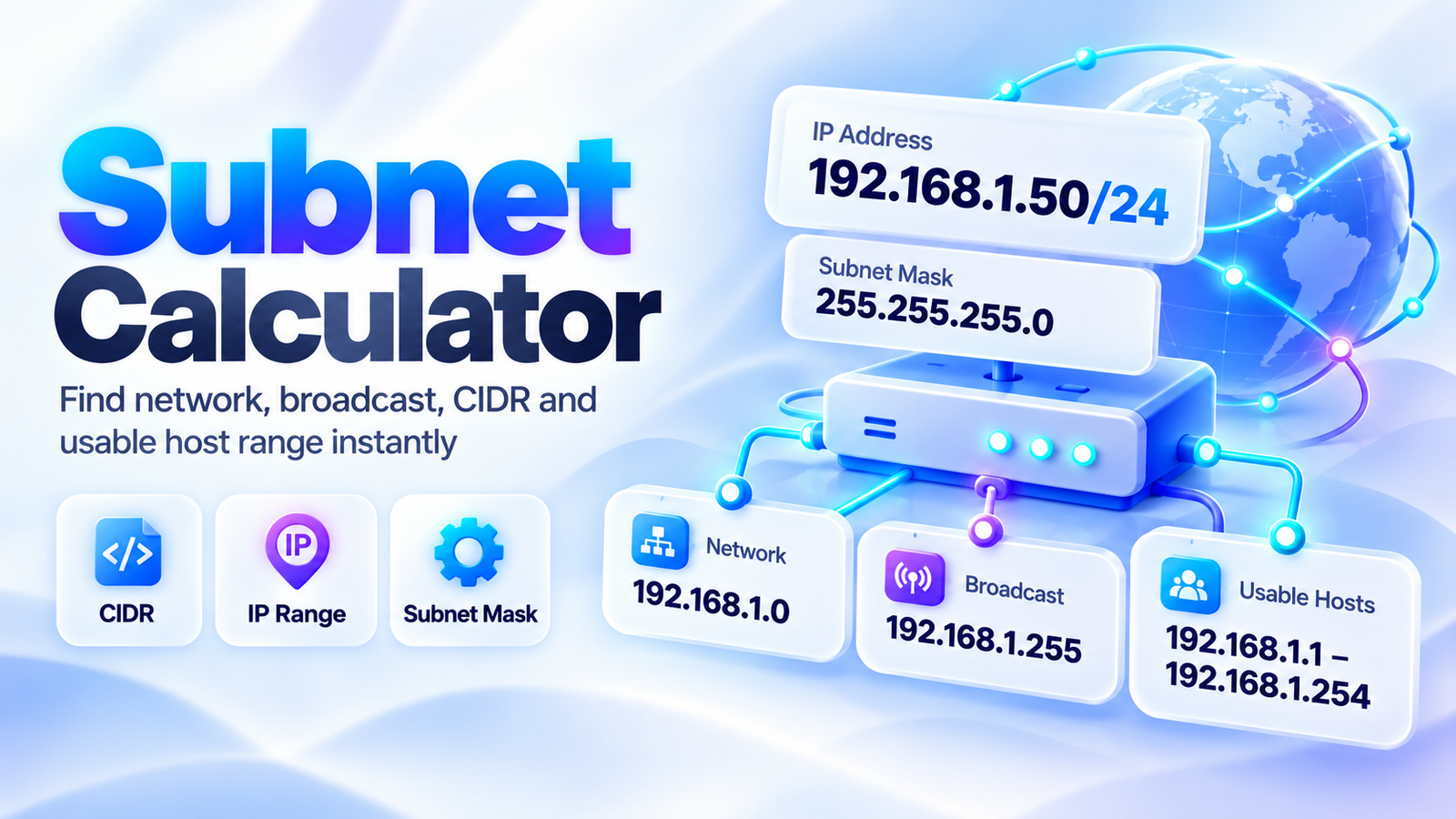
Use the Subnet Calculator to calculate an IPv4 network from an IP address and CIDR prefix. Enter an IPv4 address such as 192.168.1.50 and a prefix such as /24 to instantly find the network address, broadcast address, subnet mask, wildcard mask, usable host range, total addresses, and host count.
The calculator also shows the subnet in binary, separates network bits from host bits, identifies common IPv4 address types, and displays nearby subnet blocks. It is useful for networking students, system administrators, IT support teams, network engineers, cybersecurity learners, cloud professionals, and anyone working with IPv4 addressing.
What Is a Subnet Calculator?
A subnet calculator determines the network information associated with an IPv4 address and subnet prefix.
For example, suppose you enter:
IP address: 192.168.1.50CIDR: /24
The calculator determines:
Network address: 192.168.1.0Broadcast address: 192.168.1.255Subnet mask: 255.255.255.0First usable address: 192.168.1.1Last usable address: 192.168.1.254Total addresses: 256Traditional usable hosts: 254
Instead of manually converting IP addresses and masks to binary, the calculator performs the subnetting calculations automatically.
How to Use the Subnet Calculator
1. Enter an IPv4 Address
Enter an address using four decimal octets.
Example:
192.168.1.50
Each octet must be between 0 and 255.
2. Enter the CIDR Prefix
Enter a prefix from:
/0 to /32
For example:
24
represents:
/24
and corresponds to the subnet mask:
255.255.255.0
3. Use a Subnet Mask if Needed
The tool also displays and synchronizes the corresponding subnet mask.
For example:
/16 → 255.255.0.0
/24 → 255.255.255.0
/26 → 255.255.255.192
4. Calculate the Subnet
Select Calculate Subnet to view the network details.
The calculator provides the most important information first, followed by more technical IPv4 details.
IPv4 Subnet Example
Consider:
IP address: 192.168.1.50
CIDR prefix: /24
A /24 means that the first 24 bits identify the network and the remaining 8 bits are available in the host portion.
The corresponding mask is:
255.255.255.0
The resulting subnet is:
192.168.1.0/24
Its address range runs from:
192.168.1.0
through:
192.168.1.255
Under conventional IPv4 subnetting, the first address identifies the network and the final address is the broadcast address.
The traditional usable host range is therefore:
192.168.1.1 – 192.168.1.254
What Is CIDR?
CIDR stands for Classless Inter-Domain Routing.
CIDR notation places a slash and number after an IP address:
192.168.1.50/24
The number after the slash tells you how many of the 32 IPv4 bits belong to the network prefix.
For example:
| CIDR | Network Bits | Host Bits | Total Addresses |
|---|---|---|---|
| /8 | 8 | 24 | 16,777,216 |
| /16 | 16 | 16 | 65,536 |
| /24 | 24 | 8 | 256 |
| /25 | 25 | 7 | 128 |
| /26 | 26 | 6 | 64 |
| /27 | 27 | 5 | 32 |
| /28 | 28 | 4 | 16 |
| /29 | 29 | 3 | 8 |
| /30 | 30 | 2 | 4 |
| /31 | 31 | 1 | 2 |
| /32 | 32 | 0 | 1 |
A larger CIDR number means more network bits and fewer addresses in each subnet.
CIDR to Subnet Mask
A subnet mask calculator is useful because CIDR prefixes and dotted-decimal masks represent the same network boundary in different formats.
Common conversions include:
| CIDR | Subnet Mask |
|---|---|
| /8 | 255.0.0.0 |
| /16 | 255.255.0.0 |
| /20 | 255.255.240.0 |
| /22 | 255.255.252.0 |
| /24 | 255.255.255.0 |
| /25 | 255.255.255.128 |
| /26 | 255.255.255.192 |
| /27 | 255.255.255.224 |
| /28 | 255.255.255.240 |
| /29 | 255.255.255.248 |
| /30 | 255.255.255.252 |
| /31 | 255.255.255.254 |
| /32 | 255.255.255.255 |
The calculator converts the CIDR prefix automatically so you do not need to memorize every value.
What Is a Subnet Mask?
A subnet mask separates the network portion of an IPv4 address from the host portion.
Consider:
IP: 192.168.1.50Mask: 255.255.255.0
In binary:
IP address
11000000.10101000.00000001.00110010
Subnet mask
11111111.11111111.11111111.00000000
The 1s in the subnet mask identify the network bits.
The 0s identify the host bits.
Because this mask contains 24 consecutive 1 bits, it is represented as:
/24
What Is the Network Address?
The network address identifies the subnet itself.
For:
192.168.1.50/24
the network address is:
192.168.1.0
The host portion has been set to zero.
Devices within the same subnet share the same network prefix.
For example, addresses such as:
192.168.1.10
192.168.1.50
and
192.168.1.200
all belong to 192.168.1.0/24, assuming the same /24 prefix.
What Is the Broadcast Address?
The broadcast address is traditionally the final address in an IPv4 subnet.
For:
192.168.1.0/24
the broadcast address is:
192.168.1.255
For conventional /0 through /30 IPv4 subnets, this address is not assigned to an ordinary host.
The calculator determines the broadcast address automatically.
How to Find the Usable Host Range
For conventional IPv4 subnets from /0 through /30, the usable host range generally begins one address after the network address and ends one address before the broadcast address.
Example:
Network: 192.168.1.0Broadcast: 192.168.1.255
Therefore:
First usable host: 192.168.1.1
Last usable host: 192.168.1.254
The calculator shows this range directly so you can quickly determine which addresses fall inside the subnet.
How Are Total Addresses Calculated?
IPv4 addresses contain 32 bits.
If the network prefix uses n bits, then:
Host bits = 32 − prefix
The total number of addresses is:
2^(host bits)
For /24:
Host bits = 32 − 24 = 8
Therefore:
2⁸ = 256 total addresses
For a conventional /24 subnet:
256 − 2 = 254 traditional usable host addresses
The two excluded addresses are the network and broadcast addresses.
Example: 192.168.1.130/26
This example demonstrates why an IP subnet calculator is helpful when the subnet does not start at .0.
Enter:
192.168.1.130/26
A /26 uses:
26 network bits
and:
6 host bits
Total addresses:
2⁶ = 64
A /26 divides the final octet into blocks of 64:
192.168.1.0 – 192.168.1.63
192.168.1.64 – 192.168.1.127
192.168.1.128 – 192.168.1.191
192.168.1.192 – 192.168.1.255
Because .130 falls inside the third range:
Network address: 192.168.1.128
Broadcast address: 192.168.1.191
First traditional usable host: 192.168.1.129
Last traditional usable host: 192.168.1.190
Total addresses: 64
Traditional usable hosts: 62
Understanding the Wildcard Mask
A wildcard mask is the inverse of the subnet mask.
For example:
Subnet mask: 255.255.255.0
becomes:
Wildcard mask: 0.0.0.255
Another example:
Subnet mask: 255.255.255.192
corresponds to:
Wildcard mask: 0.0.0.63
Wildcard masks are commonly encountered in network configuration and access-control contexts.
The calculator displays the wildcard mask automatically alongside the normal subnet mask.
Binary Representation of a Subnet
Binary can help explain how subnet boundaries are calculated.
Consider:
192.168.1.50/24
The IPv4 address in binary is:
11000000.10101000.00000001.00110010
The /24 mask is:
11111111.11111111.11111111.00000000
The resulting network address is:
11000000.10101000.00000001.00000000
which converts back to:
192.168.1.0
The subnet calculator provides binary representations so students and networking learners can verify how the calculation works.
Network Bits vs. Host Bits
Every IPv4 address contains 32 bits.
The CIDR prefix determines how those bits are divided.
For:
/24
there are:
24 network bits
and:
8 host bits
For:
/28
there are:
28 network bits
and:
4 host bits
For:
/16
there are:
16 network bits
and:
16 host bits
As the number of network bits increases, the subnet becomes smaller.
What Is a /30 Subnet?
A /30 subnet has:
2 host bits
Total addresses:
2² = 4
Traditionally:
- 1 network address
- 2 usable host addresses
- 1 broadcast address
The subnet mask is:
255.255.255.252
Historically, /30 networks have often been used for small point-to-point IPv4 links.
What Is a /31 Subnet?
A /31 contains only two addresses.
Subnet mask:
255.255.255.254
In ordinary traditional subnet calculations, subtracting a network and broadcast address would leave no host addresses.
However, /31 has special use for point-to-point links, where both addresses can be used when the network is configured according to the relevant point-to-point addressing rules.
For this reason, the calculator treats /31 differently from conventional /0 through /30 host subnets.
What Is a /32 Address?
A /32 contains exactly one IPv4 address.
Its subnet mask is:
255.255.255.255
A /32 is commonly used to represent an individual host address or host route rather than a normal multi-host subnet.
For example:
192.168.1.50/32
represents only:
192.168.1.50
Private IPv4 Address Ranges
The calculator can also identify common private IPv4 addresses.
The private IPv4 ranges are:
10.0.0.0/8
Range:
10.0.0.0 – 10.255.255.255
172.16.0.0/12
Range:
172.16.0.0 – 172.31.255.255
192.168.0.0/16
Range:
192.168.0.0 – 192.168.255.255
These addresses are commonly used inside private networks rather than being directly routed as ordinary public Internet addresses.
Private vs. Public IPv4 Addresses
A private IPv4 address belongs to one of the designated private ranges.
Examples include:
10.1.5.20
172.20.10.5
192.168.1.50
A typical public IPv4 address falls outside the private ranges and certain other reserved or special-purpose ranges.
The calculator provides an address classification to make it easier to identify what kind of IPv4 address has been entered.
Other IPv4 Address Types
Not every non-private address should automatically be treated as an ordinary public host address.
Some IPv4 ranges have special purposes.
Examples include:
127.0.0.0/8 — loopback
169.254.0.0/16 — link-local addressing
100.64.0.0/10 — shared address space often associated with carrier-grade NAT
224.0.0.0/4 — multicast
The calculator can help distinguish several common address categories.
Why Subnet Boundaries Matter
Subnet boundaries determine which addresses belong to the same IPv4 network.
For example:
192.168.1.10/24
and:
192.168.1.200/24
belong to the same /24 subnet.
But:
192.168.1.10/25
and:
192.168.1.200/25
belong to different /25 subnets.
That is because a /25 divides the /24 address space into:
192.168.1.0 – 192.168.1.127
and:
192.168.1.128 – 192.168.1.255
Knowing the subnet boundary is important when planning networks or troubleshooting communication between devices.
Why Use an IPv4 Subnet Calculator?
Manual subnetting is useful to learn, but it can be easy to make mistakes when working quickly.
A CIDR calculator helps verify:
- Network address
- Broadcast address
- CIDR prefix
- Subnet mask
- Wildcard mask
- First usable host
- Last usable host
- Total IPv4 addresses
- Traditional usable host count
- Network bits
- Host bits
- Binary values
- Nearby subnet boundaries
It can therefore be useful both for learning and for checking real network configurations.
Common Subnetting Mistakes
Using an Invalid IPv4 Address
Each IPv4 octet must be between 0 and 255.
For example:
192.168.1.50
is valid.
But:
192.168.300.50
is not.
Using a CIDR Prefix Above /32
IPv4 contains only 32 bits.
Valid prefixes therefore range from:
/0 to /32
Assuming Every Subnet Starts at .0
A subnet may start at values such as:
.32
.64
.96
.128
or another valid boundary depending on the prefix.
Forgetting the Broadcast Address
In conventional IPv4 subnets through /30, the highest address in the subnet is the broadcast address.
Always Subtracting Two Hosts
The traditional:
total addresses − 2
rule should not be applied blindly to /31 and /32, which have special addressing semantics.
Subnet Calculator for Networking Students
Subnetting is a core skill in networking education and certification preparation.
Students can use this calculator to verify exercises involving:
CIDR notation
subnet masks
network addresses
broadcast addresses
host ranges
binary subnetting
and:
subnet boundaries
The binary section is particularly useful when checking why a network starts or ends at a specific address.
Subnet Calculator for Network Administrators
Administrators can use the calculator to quickly verify network ranges when planning or troubleshooting IPv4 networks.
Typical uses include:
- Checking whether an address belongs to the expected subnet
- Confirming the correct network boundary
- Identifying broadcast addresses
- Checking available host ranges
- Converting CIDR prefixes to masks
- Reviewing wildcard masks
- Documenting subnet information
For production configurations, results should still be checked against the requirements of the specific network platform and architecture.
Frequently Asked Questions
What does a subnet calculator do?
A subnet calculator takes an IPv4 address and subnet prefix and calculates information such as the network address, broadcast address, subnet mask, usable host range, and total address count.
What does /24 mean?
/24 means the first 24 bits of the IPv4 address form the network prefix and the remaining 8 bits form the host portion.
Its subnet mask is:
255.255.255.0
How many addresses are in a /24?
A /24 has 8 host bits:
2⁸ = 256 total IPv4 addresses
For a conventional /24 subnet, 254 are traditionally available as host addresses.
What is the subnet mask for /26?
The subnet mask for /26 is:
255.255.255.192
A /26 contains:
64 total addresses
and conventionally:
62 usable host addresses
How do I find the network address?
The network address is calculated by applying the subnet mask to the IP address at the bit level.
The calculator performs this operation automatically.
How do I find the broadcast address?
The broadcast address is obtained by setting all host bits to 1 for a conventional IPv4 subnet.
The calculator displays it automatically.
How many usable hosts are in a subnet?
For conventional IPv4 subnets from /0 through /30, a common calculation is:
2^(host bits) − 2
The two traditionally excluded addresses are the network and broadcast addresses.
/31 and /32 require different handling.
Is /31 a valid subnet?
Yes. /31 is used for point-to-point addressing scenarios where both addresses can be usable.
What does /32 mean?
A /32 represents a single IPv4 address.
What is a wildcard mask?
A wildcard mask is the bitwise inverse of the subnet mask.
For:
255.255.255.0
the wildcard mask is:
0.0.0.255
Is this an IPv4 or IPv6 subnet calculator?
This version of the calculator is designed specifically for IPv4 subnetting.
Calculate Your IPv4 Subnet
Enter an IPv4 address and CIDR prefix into the Subnet Calculator to calculate the network address, broadcast address, subnet mask, wildcard mask, address range, and host information.
The calculator presents the important network details first and then provides additional information such as binary values, network and host bits, address classification, and nearby subnet blocks.
Whether you are checking a network configuration or learning subnetting, the tool provides a quick way to verify the structure of an IPv4 network.