
How to Download a YouTube Playlist: Options and Limitations
Found an entire playlist of helpful videos and wish you could save them for later? Here's what actually works, where the limits are, and how to download individual videos when you have permission.
Picture this: Alex finds a 20-part design course on YouTube. His internet connection is unreliable, so he thinks, “I'll download the whole playlist now and study offline later.” He copies the playlist link, pastes it into a downloader, and gets an error.
The first step is deciding whether you need the entire playlist available inside YouTube or separate video files.
Sound familiar? The issue isn't necessarily the link. Downloading one video and downloading an entire playlist are two different jobs. This guide explains the options without confusing promises or tricky shortcuts.
Quick answer
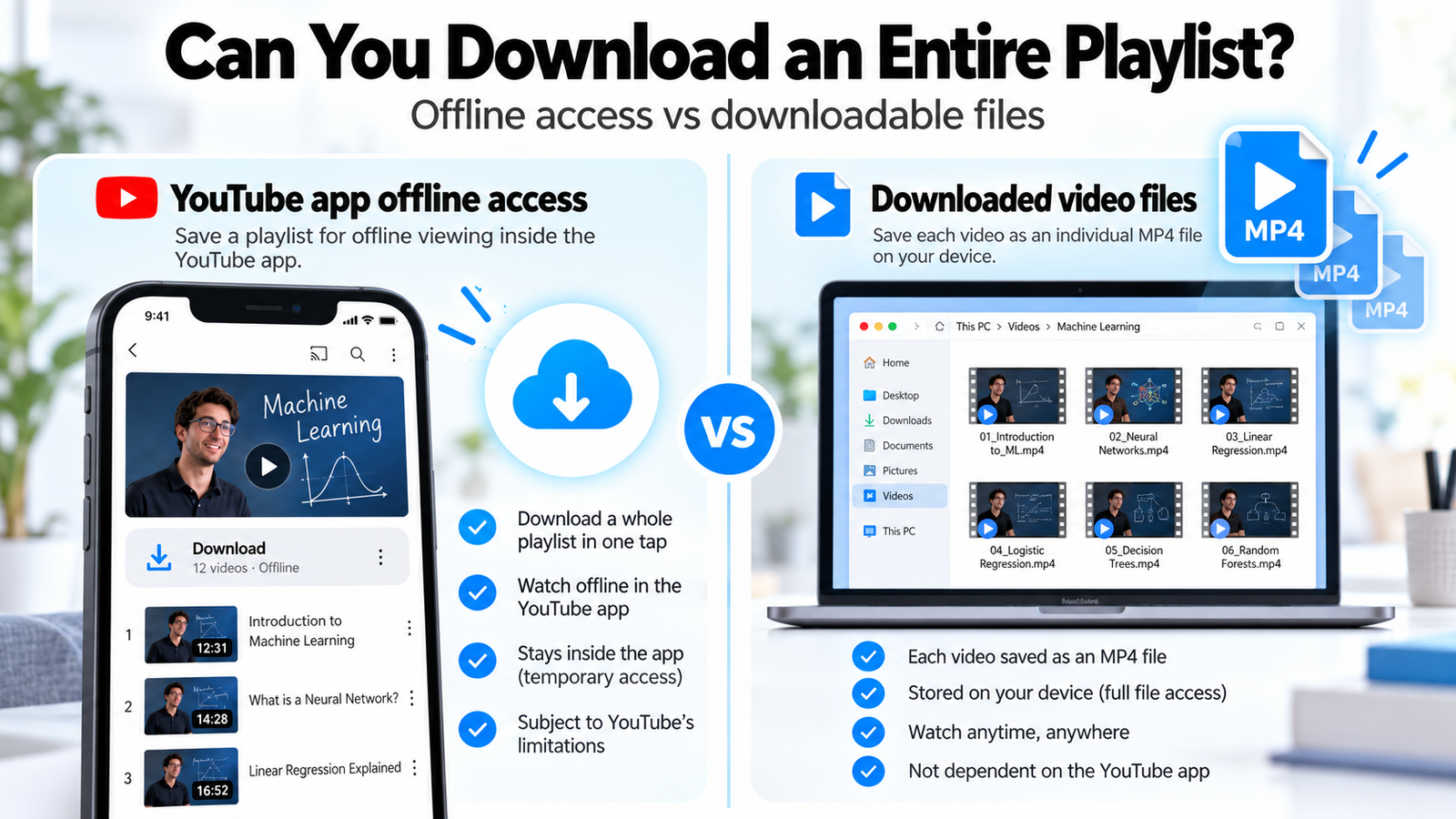
The key distinction is where the video lives: official offline access remains in YouTube, while a permitted file download can be stored on your device.
Can you download an entire YouTube playlist?
Sometimes, but the method matters. YouTube Premium can provide offline viewing of eligible videos within YouTube, subject to its availability and restrictions. For actual video files, permission and the capabilities of your chosen method matter. Skills Elevate currently downloads eligible individual video links, not entire playlists. Playlist and batch downloading are shown below as Coming Soon features, not available functions.
What is a YouTube playlist downloader?
A YouTube playlist is a collection of videos arranged in an order. A youtube playlist downloader generally refers to software or a service that can recognize that collection and handle multiple entries. A regular video downloader may recognize only one direct video URL at a time.
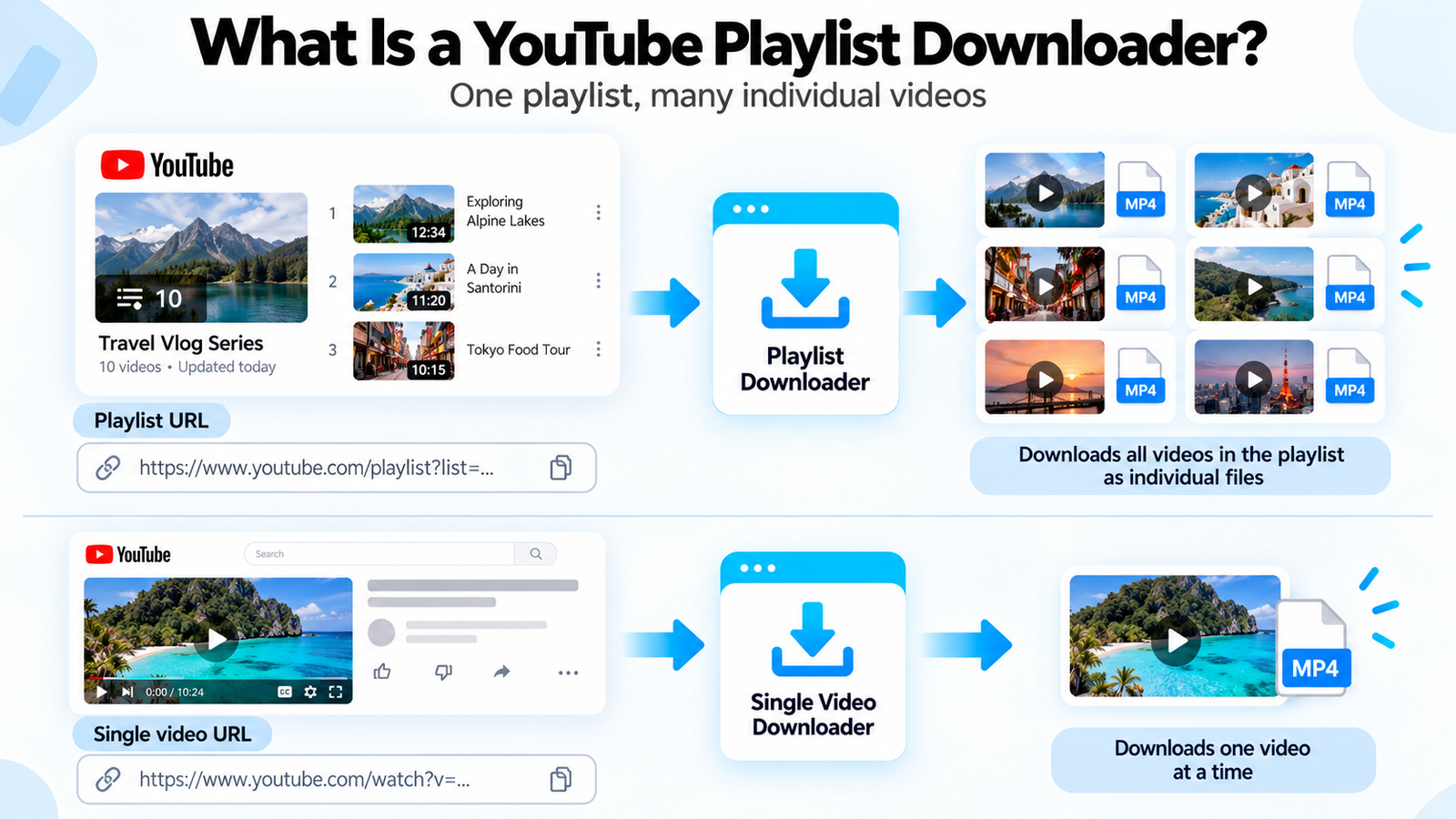
A playlist URL identifies a collection. Skills Elevate currently accepts direct individual-video links, so open the lesson you want before copying its URL.
For Alex, this distinction explains the earlier error: a downloader built for individual videos isn't automatically a batch downloader. Even if a playlist contains publicly visible videos, that does not by itself grant permission to download them as files.
How to download individual videos from a YouTube playlist
If you own a tutorial or have the creator's permission to save it, here's how the Skills Elevate YouTube Video Downloader works. The important move is to open the individual video first—not paste the playlist URL.
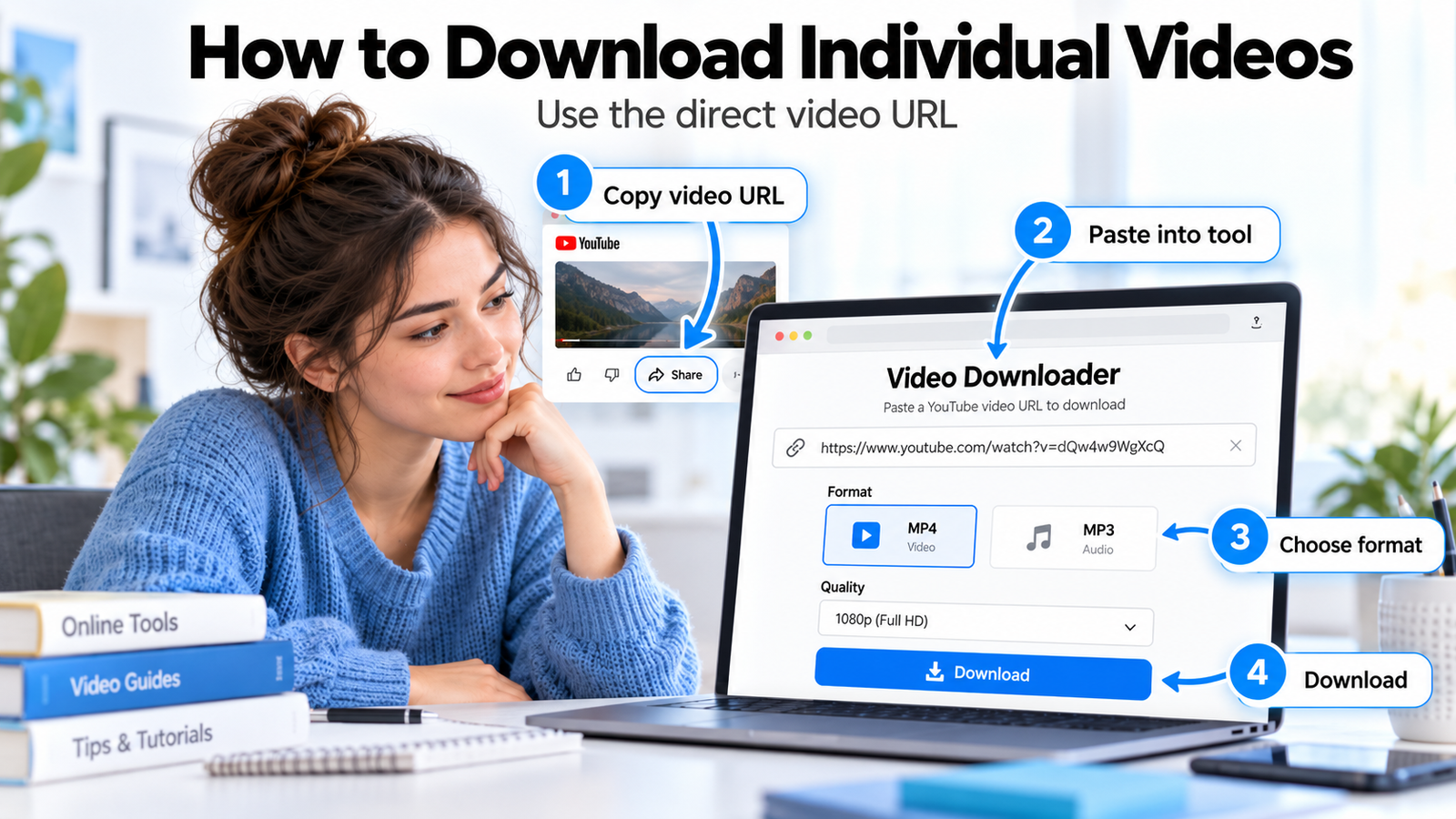
Follow the steps below using a direct video address. The illustration is a visual guide rather than a screenshot of the live tool interface.
STEP 01 — OPEN ONE VIDEO
Choose a video and copy its direct link
Open the playlist on YouTube, select an eligible video, and use Share → Copy. Make sure you have authorization to download that content. Avoid copying only the playlist address.
STEP 02 — FETCH THE VIDEO
Paste it into Skills Elevate
Visit the video download tool, paste the individual URL, and select Fetch Video. Check the video title, thumbnail and duration in the preview so you know you've selected the right lesson.
STEP 03 — PICK THE FORMAT
Select MP4 or MP3 and an available quality
Choose MP4 to preserve the picture and sound, or MP3 when you only need authorized audio. Available video quality depends on the source and may reach 1080p. The tool prepares the selected file before making it available.
STEP 04 — SAVE YOUR FILE
Download when preparation finishes
Once the file is ready, select Download. Check your browser's downloads list to find it. Prepared download links are temporary, so save the file promptly.
Ready to try it with a video you're allowed to save?
Open YouTube Video Downloader →Your options for saving playlist videos
Alex has more than one route, but each solves a slightly different problem. Think about whether you want offline viewing in an app or an actual file you can manage yourself.
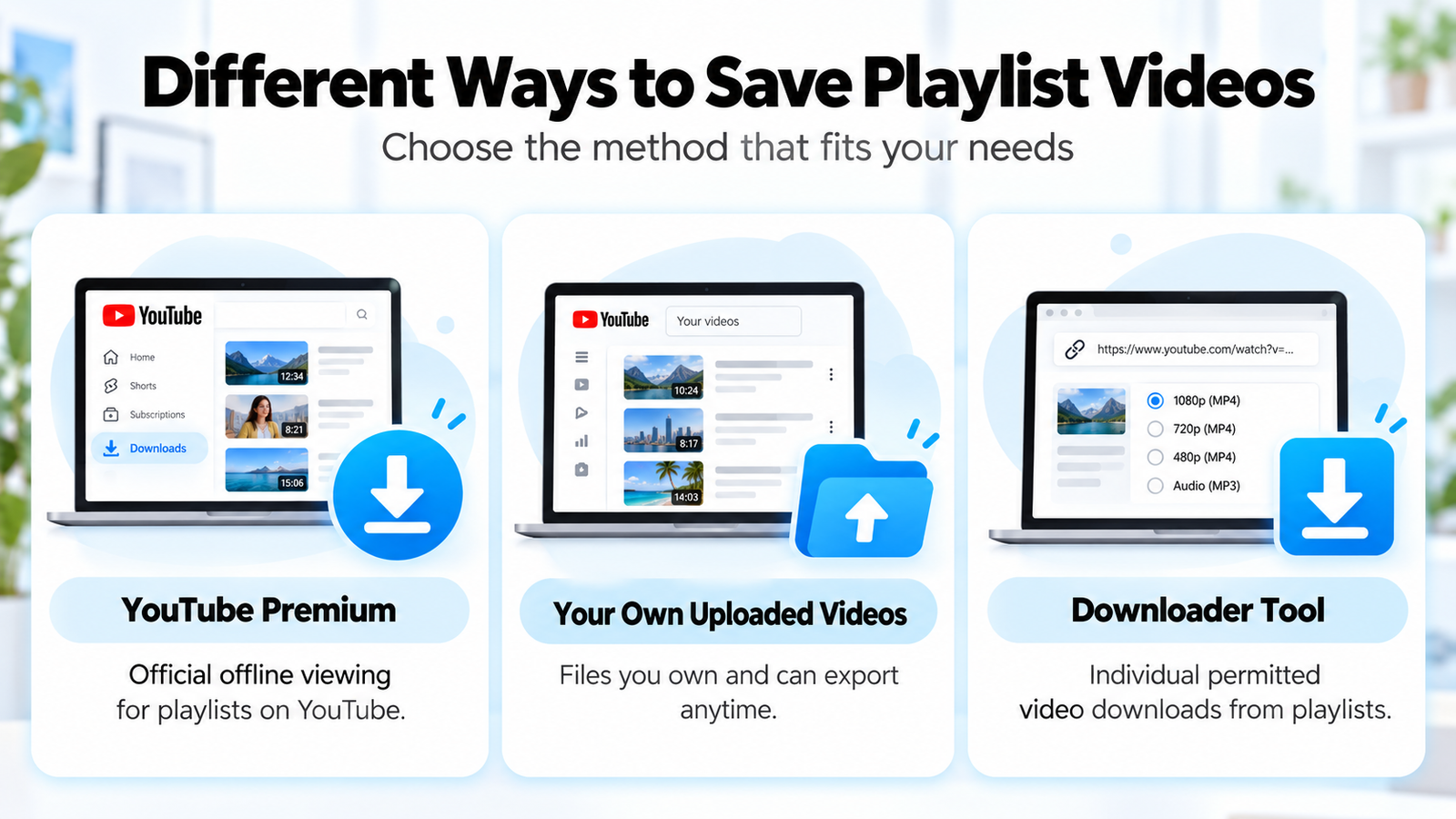
Each option solves a different need. The comparison below helps you choose based on whether you want in-app offline viewing or a file you are authorized to retain.
| Method | What you get | Key limitation |
|---|---|---|
| YouTube Premium | Offline viewing of eligible videos inside YouTube | Not a regular MP4 export; eligibility and availability vary |
| Your own YouTube uploads | Copies available through YouTube's creator export/download options | Applies to content you control; options differ by export method |
| Skills Elevate | MP4 or MP3 file from one supported video URL | No full playlist or batch download; only use when authorized |
A useful rule: offline access inside YouTube and downloading a transferable video file are not the same thing.
MP4 vs MP3: which format should you choose?
Suppose Alex has permission to save a software lesson. If the instructor demonstrates settings on screen, he needs the picture. If it's a spoken lecture without essential visuals, an audio file may be more practical.
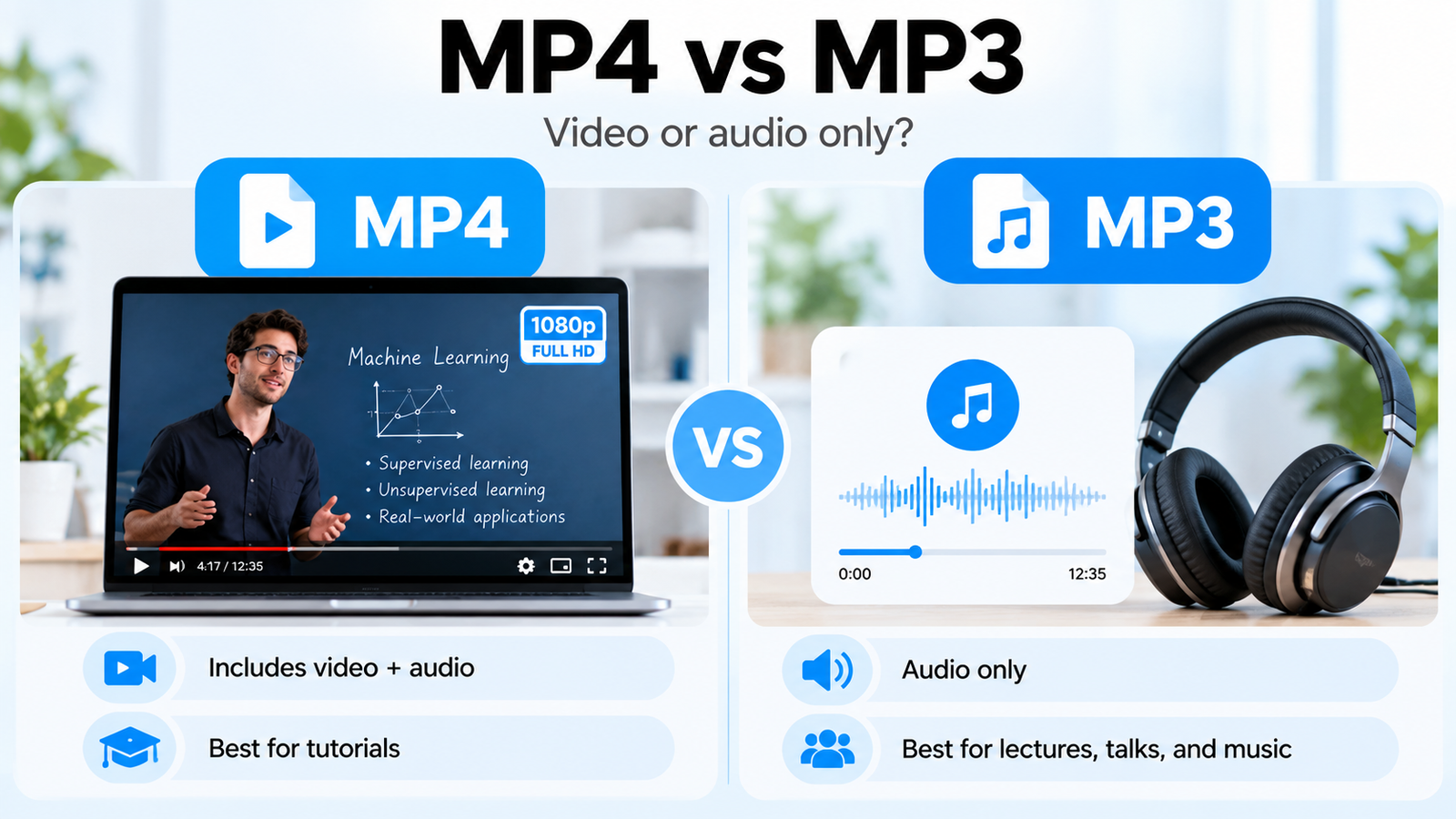
Choose MP4 when visuals matter, such as software demonstrations. MP3 can be useful for permitted audio-only lessons or talks.
▶ VIDEO + AUDIO
MP4
Best for visual tutorials, demonstrations, presentations and recordings where watching matters.
♫ AUDIO ONLY
MP3
Best for permitted spoken lessons and recordings you only need to listen to.
A higher number isn't always better. A 1080p option only appears when a compatible source is available, and a higher MP3 bitrate cannot restore missing sound detail. Choose based on what the content needs and the space you have.
Can you download multiple YouTube videos at once?
That's called batch downloading. Instead of opening every video separately, a batch-capable tool processes a collection of links or playlist entries. It's handy for large, authorized collections, but it isn't part of the current Skills Elevate downloader.
Full playlist & batch downloads
COMING SOONWe're planning expanded functionality for handling multiple eligible videos together. For now, use the existing tool with individual video links you own or are authorized to download.
No launch date is announced here, and this is not an active playlist download feature.
Where do downloaded videos go on your device?
You successfully saved a permitted video—great. But where is it? The answer depends on your browser, device and selected download location.
Windows or Mac
Open your browser's downloads list, then check the Downloads folder unless you chose another destination.
Android
Look in your browser's download history or the Downloads folder in your file manager. It may not appear in your gallery immediately.
iPhone or iPad
Check your browser's downloads and the Files app. A saved file may not automatically appear in Photos.
Remember: YouTube Premium offline videos stay within YouTube's offline viewing system rather than appearing as ordinary MP4 downloads.
Why is my YouTube playlist downloader not working?
An error doesn't always mean something is broken. Sometimes you're asking a single-video tool to do a playlist job; other times the video or prepared link isn't eligible. Here's where to look first.
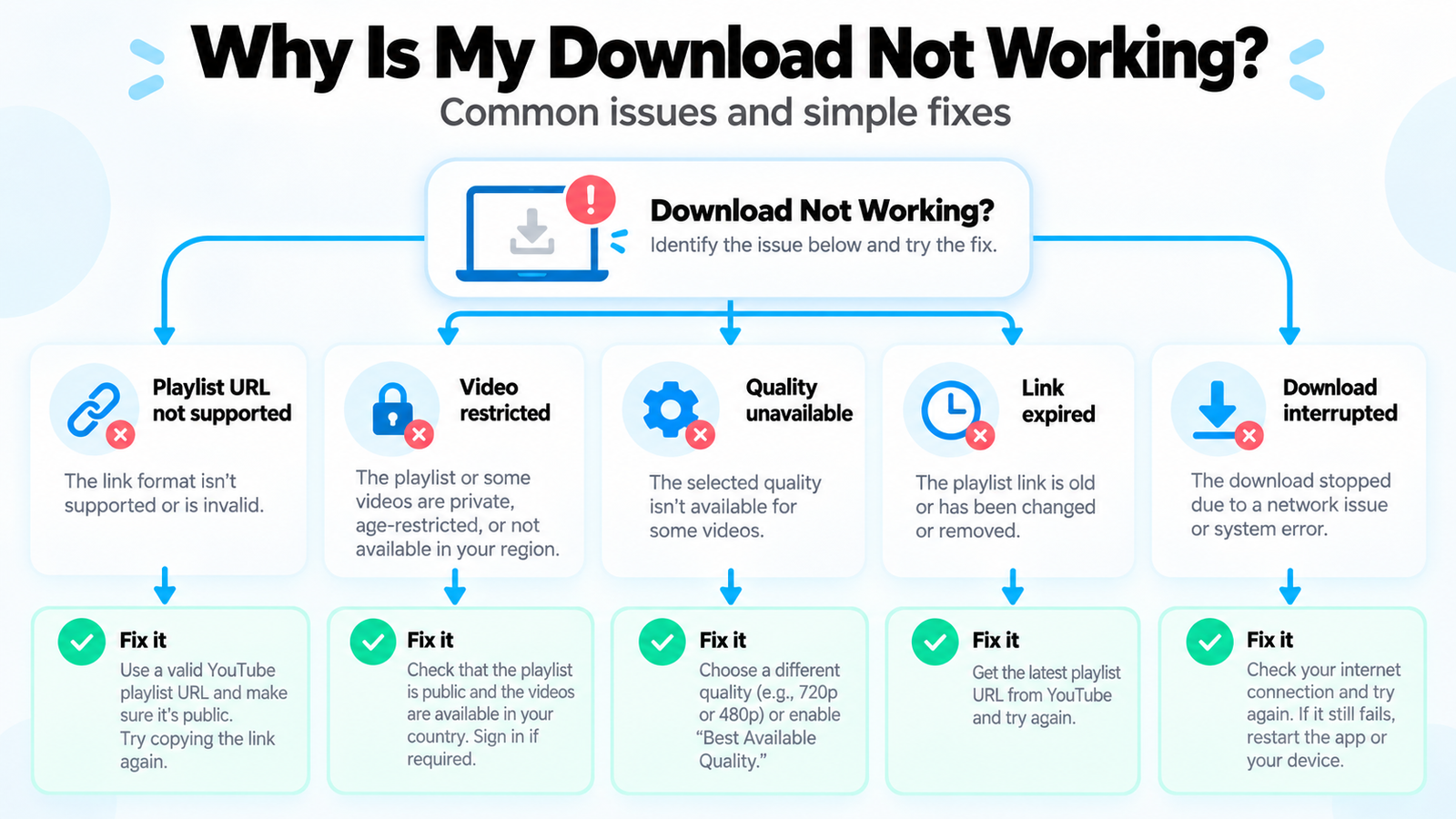
If you pasted a playlist link into Skills Elevate, start by opening an individual eligible video and copying its direct URL. Other problems may involve restrictions or unavailable quality settings.
| Problem | What to try |
|---|---|
| Playlist link is rejected | Open one eligible video, copy its direct URL, and try that link instead. |
| Video is private or restricted | Use a supported, accessible video that you're permitted to save. |
| 1080p isn't offered | Select an available quality; not all sources provide a supported 1080p format. |
| Video or file is too large | Try a shorter supported video or a smaller available quality. |
| Temporary download link expired | Fetch the video again and use the new download link promptly. |
Current tool limits: individual finished videos up to 30 minutes; the tool also lists size limits and temporary links that may expire within 15 minutes. Check the live tool for current limits before processing.
Is downloading a YouTube playlist safe and legal?
It depends on what you're downloading, whether you have permission, the method you use, YouTube's terms and applicable law. A video being public does not automatically mean you can download or redistribute it.
For the safest approach, use YouTube's official offline features when available, retrieve your own uploads through creator tools, or download content when the owner has authorized it and the method complies with the applicable rules.
Avoid suspicious installers, fake “Download” advertisements, and websites requesting unrelated permissions or passwords. If a service can't clearly explain what it does, that's a good reason to reconsider.
Skills Elevate features: available now and coming soon
Here's a transparent look at what you can use today versus the functionality we hope to introduce later. Coming Soon labels indicate intended future functionality, not an active service or guaranteed release.
| Feature | Status |
|---|---|
| Individual eligible video downloads | Available Now |
| MP4 video and MP3 audio | Available Now |
| Available resolutions up to 1080p | Available Now |
| Browser-based workflow | Available Now |
| Complete playlist downloads | Coming Soon |
| Batch / multiple-video downloads | Coming Soon |
| 4K video downloads | Coming Soon |
| Live-stream downloading | Coming Soon |
Frequently asked questions
Still have questions? These are the ones most people ask before trying a playlist downloader.
Can I download an entire YouTube playlist at once?
Some options can provide playlist offline access, depending on eligibility. Skills Elevate does not currently download complete playlists. Its playlist-download feature is labeled Coming Soon.
Is there a free YouTube playlist downloader?
Different services offer different capabilities and restrictions. Skills Elevate provides a browser-based tool for supported individual videos, not complete playlist downloading. Always check authorization and service terms first.
How can I download a single video from a playlist?
Open the video itself, copy its direct URL, paste it into Skills Elevate, select an available format, and download once prepared—provided you own the content or have permission.
Can Skills Elevate download several videos at once?
Not yet. Multiple-video batch downloads are marked Coming Soon. Today, supported videos need to be handled individually.
Can I save playlist videos as MP3?
For individual permitted videos supported by the tool, you can choose MP3 for audio-only output. It does not currently convert an entire playlist into a batch of MP3 files.
Why doesn't my playlist URL work?
The current Skills Elevate tool expects an individual video URL rather than a playlist or channel link. Try opening an eligible video first and copying its direct link.
Where do downloads go on Android or iPhone?
Start with your browser's downloads list. Android users can check their file manager; iPhone and iPad users can check Files. Your save location may differ if you've changed browser settings.
Is downloading a public YouTube video automatically allowed?
No. Public visibility is not the same as permission to download, modify or redistribute. Follow applicable rules, the content owner's authorization and YouTube's terms.
Start with the videos you can save today
Alex learned that an entire playlist and one video aren't the same download job. Now you know the difference too. If you have a video you own or are authorized to save, use the Skills Elevate tool to prepare it as MP4 or MP3. Full playlist and batch features are marked Coming Soon.
Download an Individual YouTube Video →