
How to Download YouTube Videos as MP4
You found the YouTube video. You copied its link. But how do you turn that link into an MP4 file you can actually play on your laptop or phone?
Imagine it's 9:30 PM. Alex has an important presentation tomorrow. A few weeks ago, he uploaded a tutorial showing how to build a spreadsheet dashboard. Now he wants a local copy so he can play it without relying on an internet connection.
He opens YouTube, copies the link, and realizes something: a video URL isn't a video file.
Then come more questions. Should he choose MP4 or MP3? Is 720p good enough? Where will the file go after he downloads it?
If you've been asking the same questions, you're in the right place. This guide explains how to download supported YouTube videos as MP4, how to choose the right quality, and what to do when something doesn't work.
Quick Answer: How to Download YouTube Videos as MP4
To save a YouTube video you own or have permission to download, follow these five steps:
- Copy the YouTube video link.
- Open the Skills Elevate YouTube Downloader.
- Paste the URL and select Fetch Video.
- Choose MP4 and an available video quality.
- Download your file and check the picture and sound.
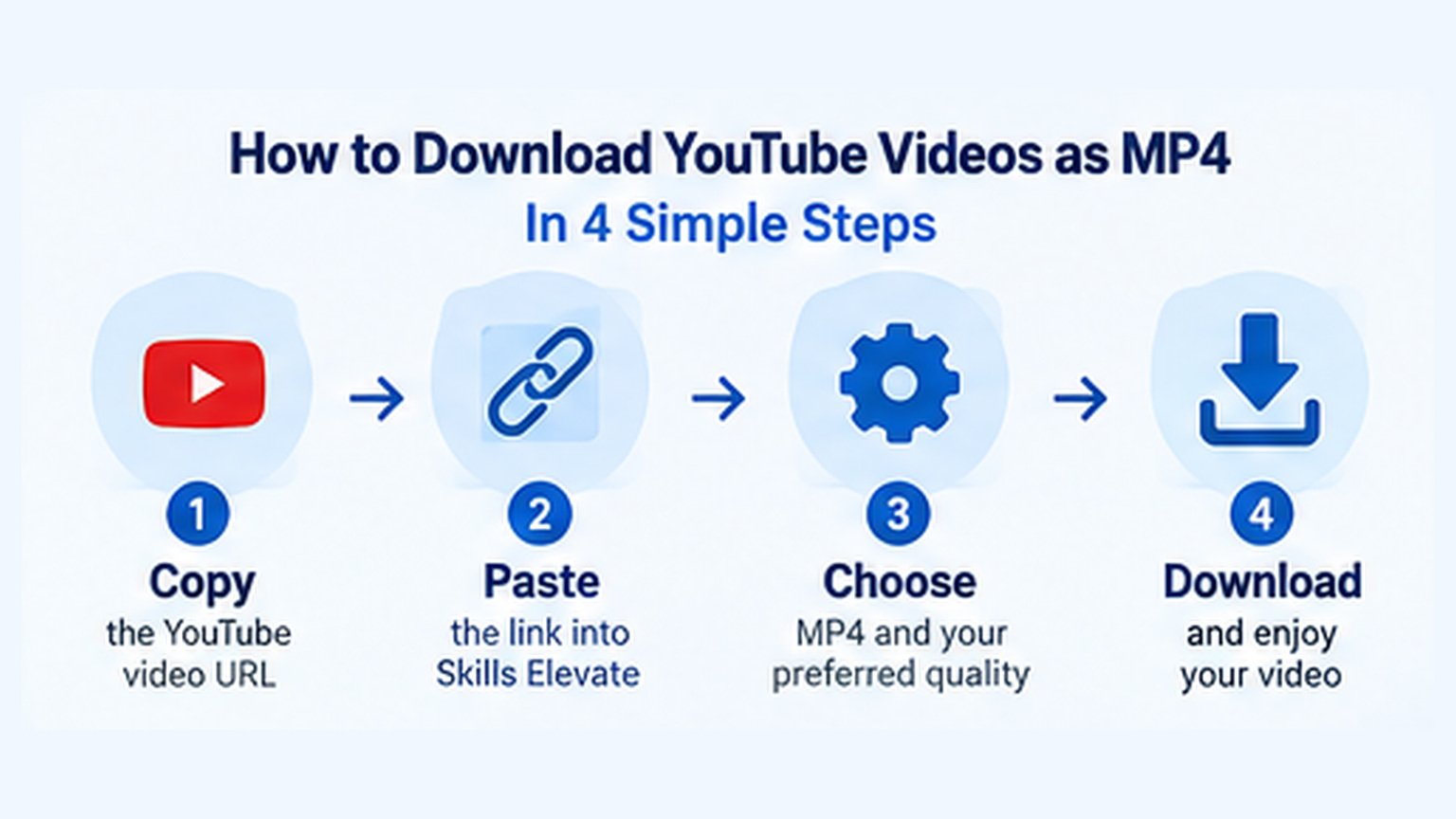
The tool currently offers supported MP4 video downloads up to 1080p. Higher resolutions are not available.
MP4 vs MP3: What's the Difference?
Before downloading anything, Alex encounters his first problem.
He sees two options: MP4 and MP3.
They sound almost identical, but they serve different purposes.
MP4 is a multimedia container that commonly holds both video and audio. MP3 is an audio-only format.
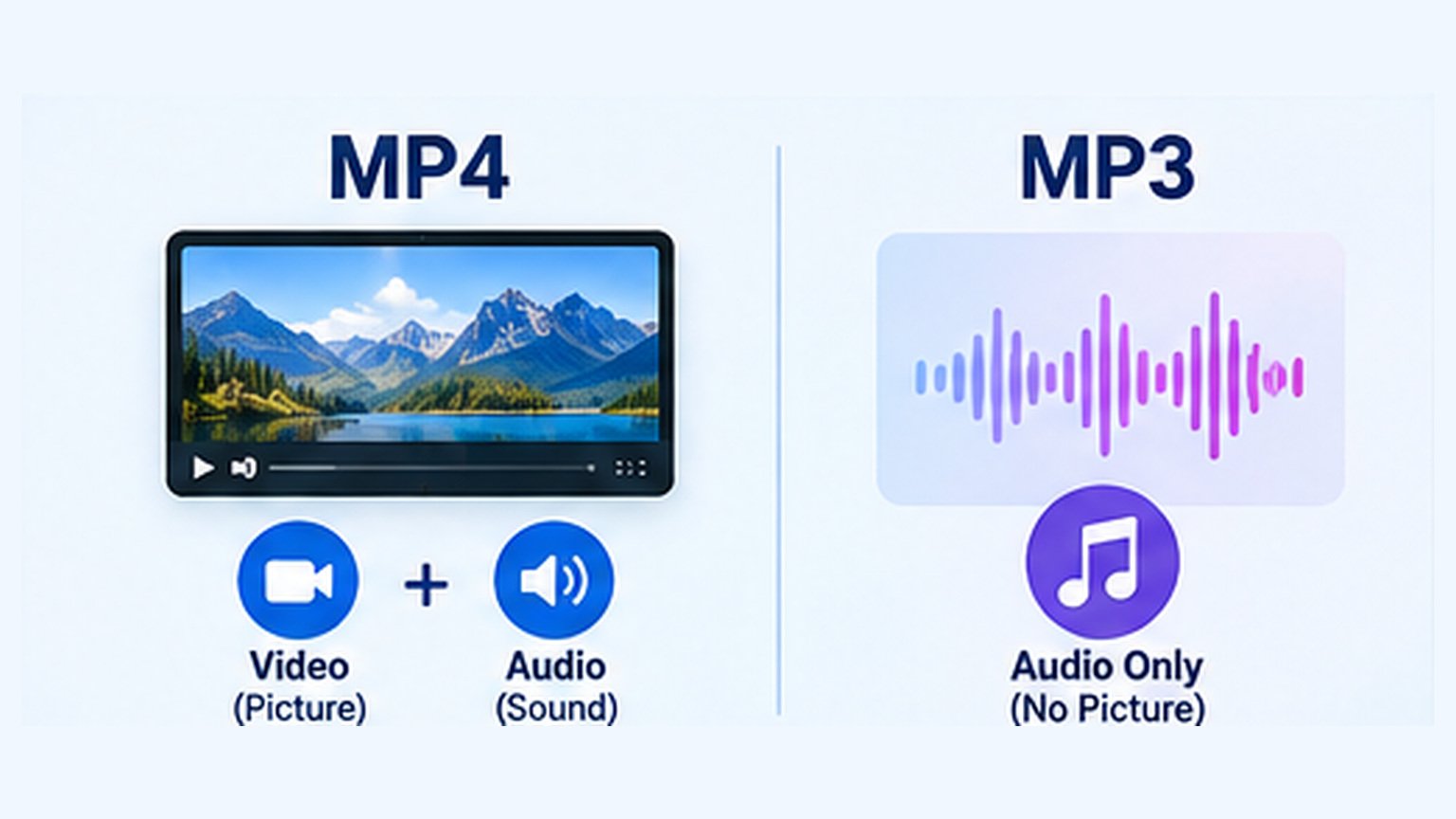
Video + audio
Best for tutorials, demonstrations, presentations, and videos where the picture matters.
Audio only
Useful for permitted spoken lessons and recordings when you don't need the picture.
Since Alex needs his audience to see spreadsheet cells and mouse movements, MP4 is the right choice.
Interactive: Which Format Should You Choose?
Choose what you want to keep, and we'll suggest the most suitable format.
MP4 keeps the moving picture and sound together.
How to Download YouTube Videos as MP4: Step-by-Step
Now that Alex knows which format he needs, it's time to download his own video.
We'll break the process into four simple steps.
Copy the YouTube Video Link
Open YouTube and locate the video you own or have permission to download.
On a computer, you can copy its address from your browser's address bar.
Another easy option is to click Share below the video, followed by Copy.
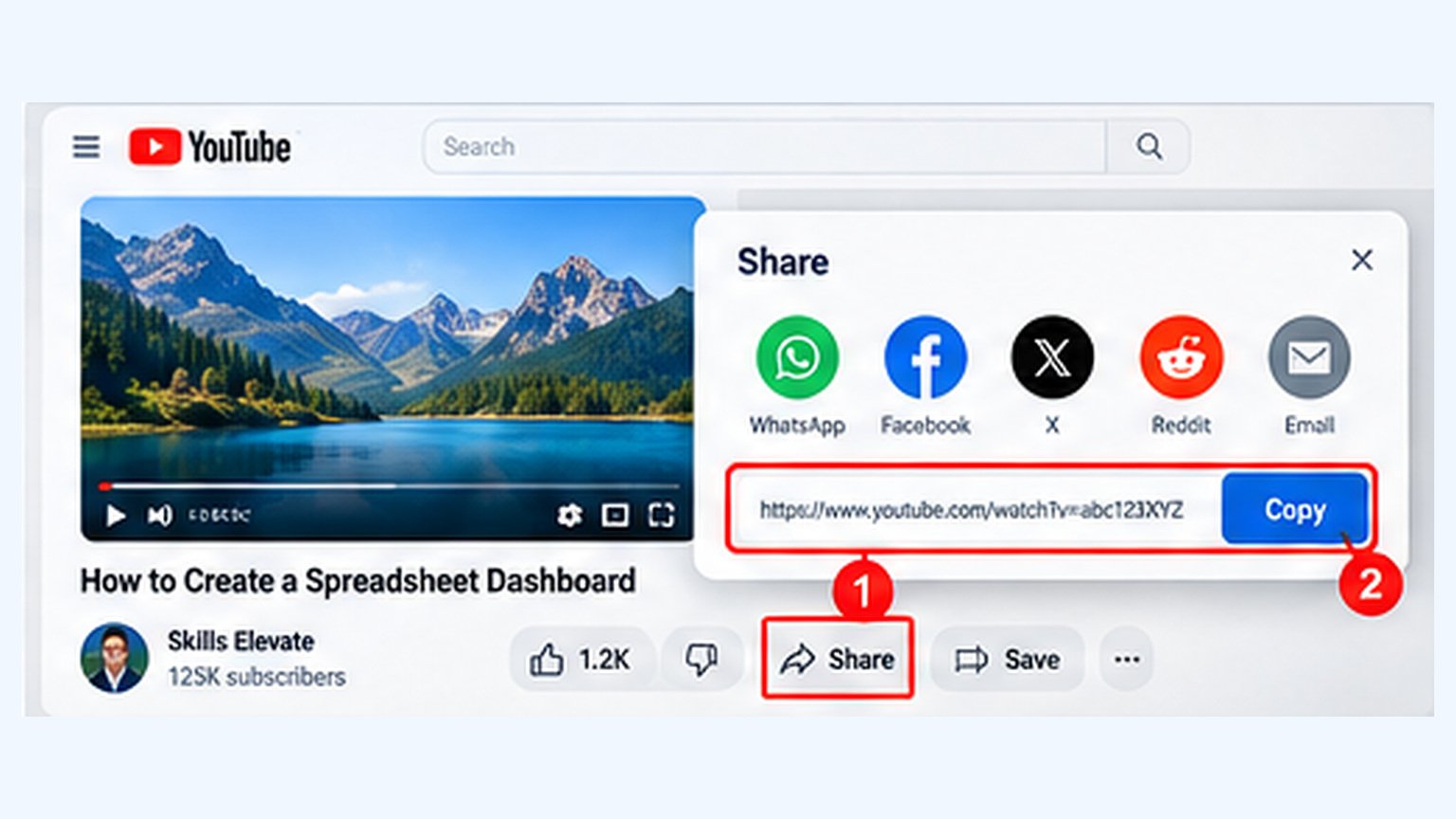
https://www.youtube.com/watch?v=VIDEO_ID
This is an example URL format, not an actual video.
Remember that copying a link doesn't download the file. The URL simply identifies the online video.
Paste the URL Into Skills Elevate
Next, Alex opens the browser-based downloader.
The process is straightforward:
- Open the Skills Elevate YouTube Downloader.
- Paste the copied video link into the URL input.
- Click Fetch Video.
- Review the available video information and formats.
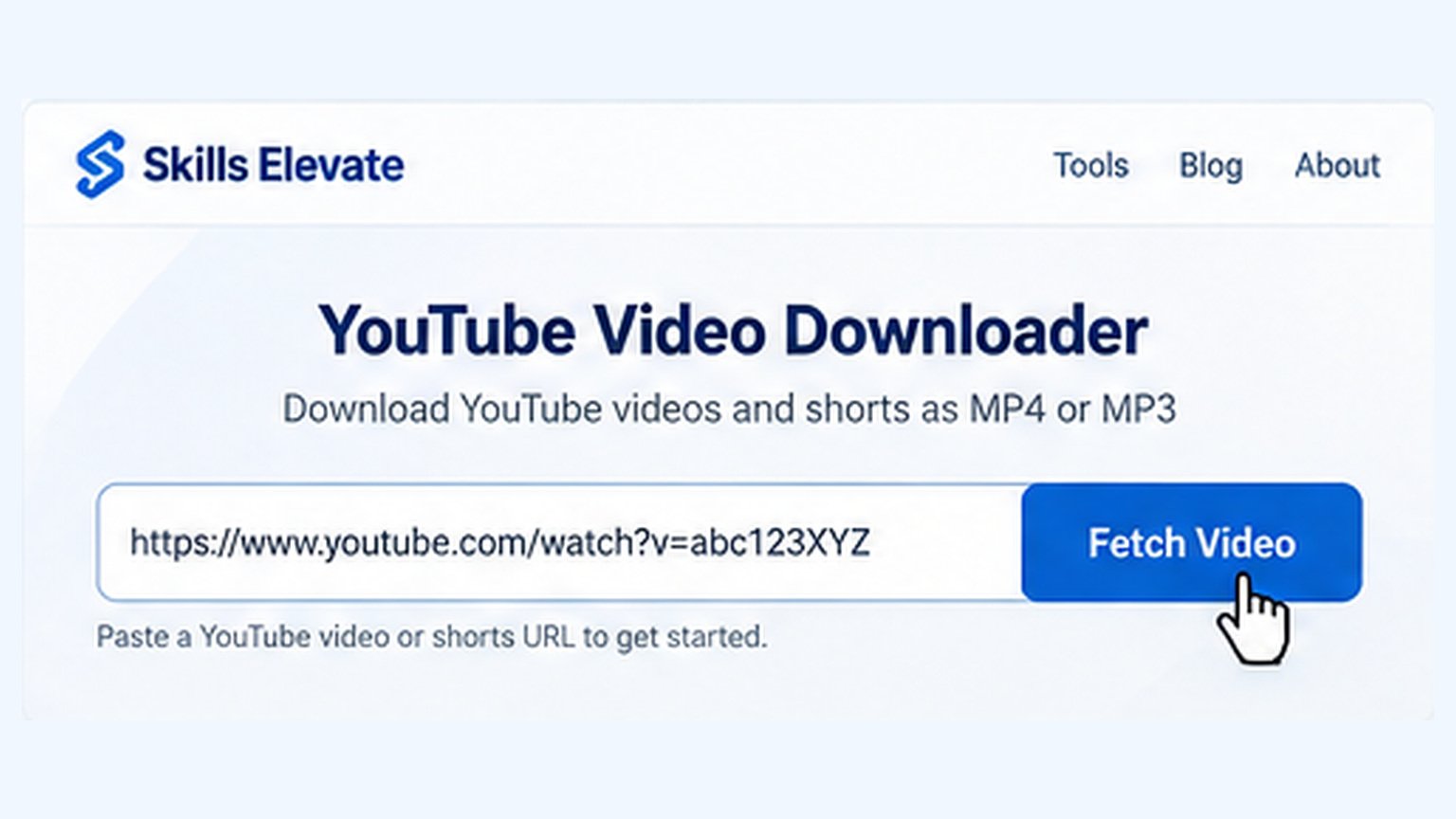
Use the actual tool to fetch video information and view supported MP4 download options.
Open Downloader →If the video is supported, its information helps you confirm that you've entered the intended URL before downloading anything.
Choose MP4 and Your Preferred Video Quality
When the supported formats appear, choose MP4.
Next, select your preferred available quality. For a detailed spreadsheet tutorial, Alex would choose 1080p if that resolution is offered.
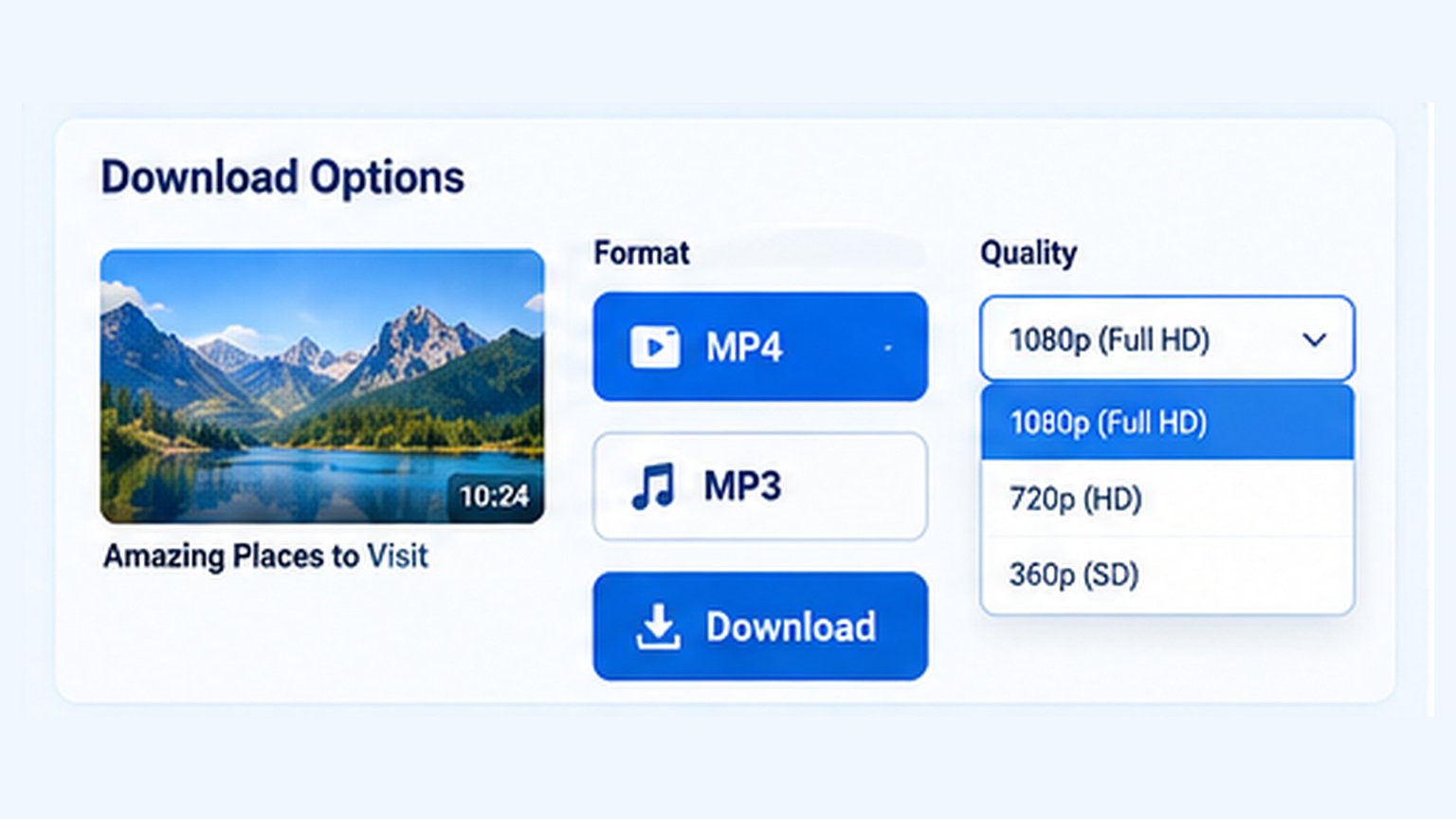
A practical choice for everyday viewing.
Good for tutorials with small text or details.
Not currently supported.
*Coming Soon is proposed feature messaging, not a confirmed release schedule.
Helpful tip: A higher output setting can't recover fine details that were never present in the source recording.
Download and Test Your MP4 File
Once preparation is complete, select Download and let your browser finish transferring the file.
But don't close everything immediately. One final check can save you from a problem later.
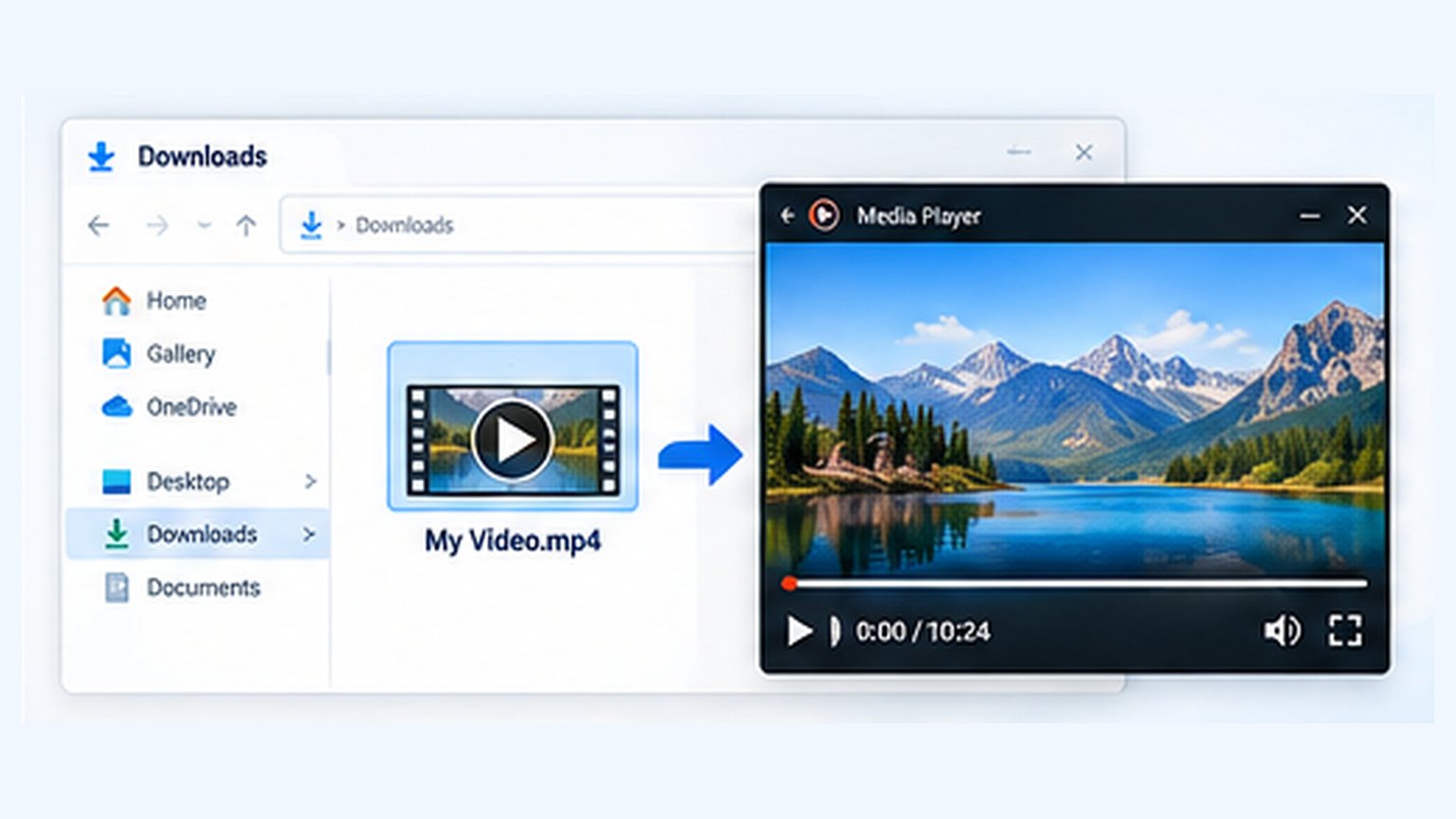
✓ File type: Confirm the filename ends in .mp4.
✓ Picture: Open the file and make sure the video displays correctly.
✓ Sound: Check that audio is present if the original video contains sound.
✓ Complete file: Skip toward the end and confirm the video plays normally.
Alex tests his tutorial, hears the narration, sees the formulas clearly, and knows the file is ready.
Where Do Downloaded YouTube MP4 Videos Go?
Alex clicks Download. His browser confirms that the download finished.
But there's one more problem: he can't find the video.
Sound familiar?
Downloaded files usually go to your browser's selected download location, which can differ across devices.
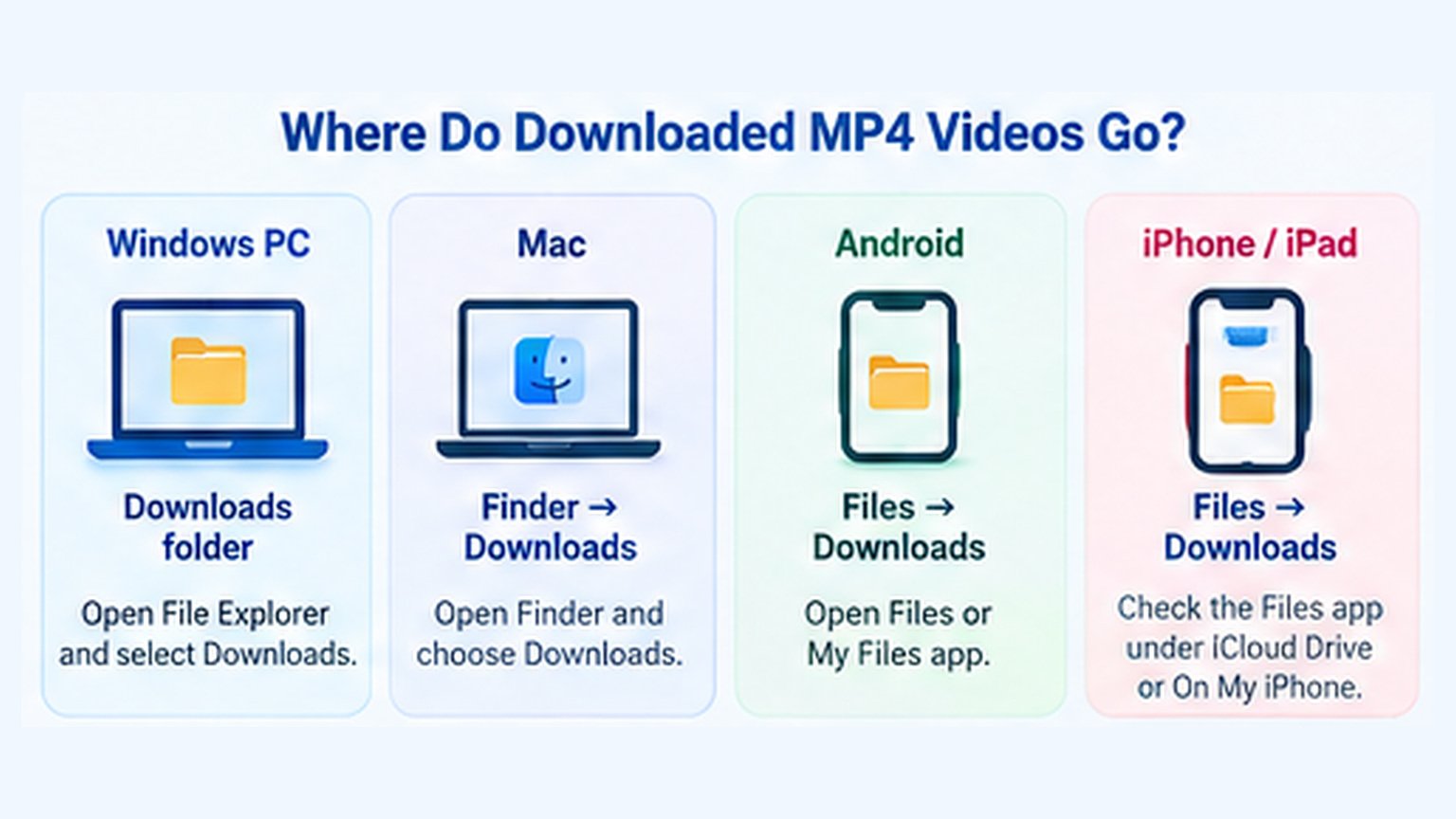
Interactive: Find Your Downloaded MP4
Choose your device to see where the file is commonly saved.
Open File Explorer and select Downloads. In many browsers, Ctrl + J opens your download history.
Why Isn't the Video in My Gallery?
On some phones, downloading an MP4 doesn't automatically add it to your Photos or Gallery app.
For example, iPhone downloads often appear in the Files app. Android devices commonly save them in a Downloads folder accessible through a file manager.
When in doubt, start with your browser's download history.
720p vs 1080p: Which MP4 Quality Should You Choose?
Imagine showing a spreadsheet tutorial on a large screen.
At 720p, the video may be perfectly watchable, but small text can be harder to read.
At 1080p, the same properly recorded tutorial can preserve more detail.
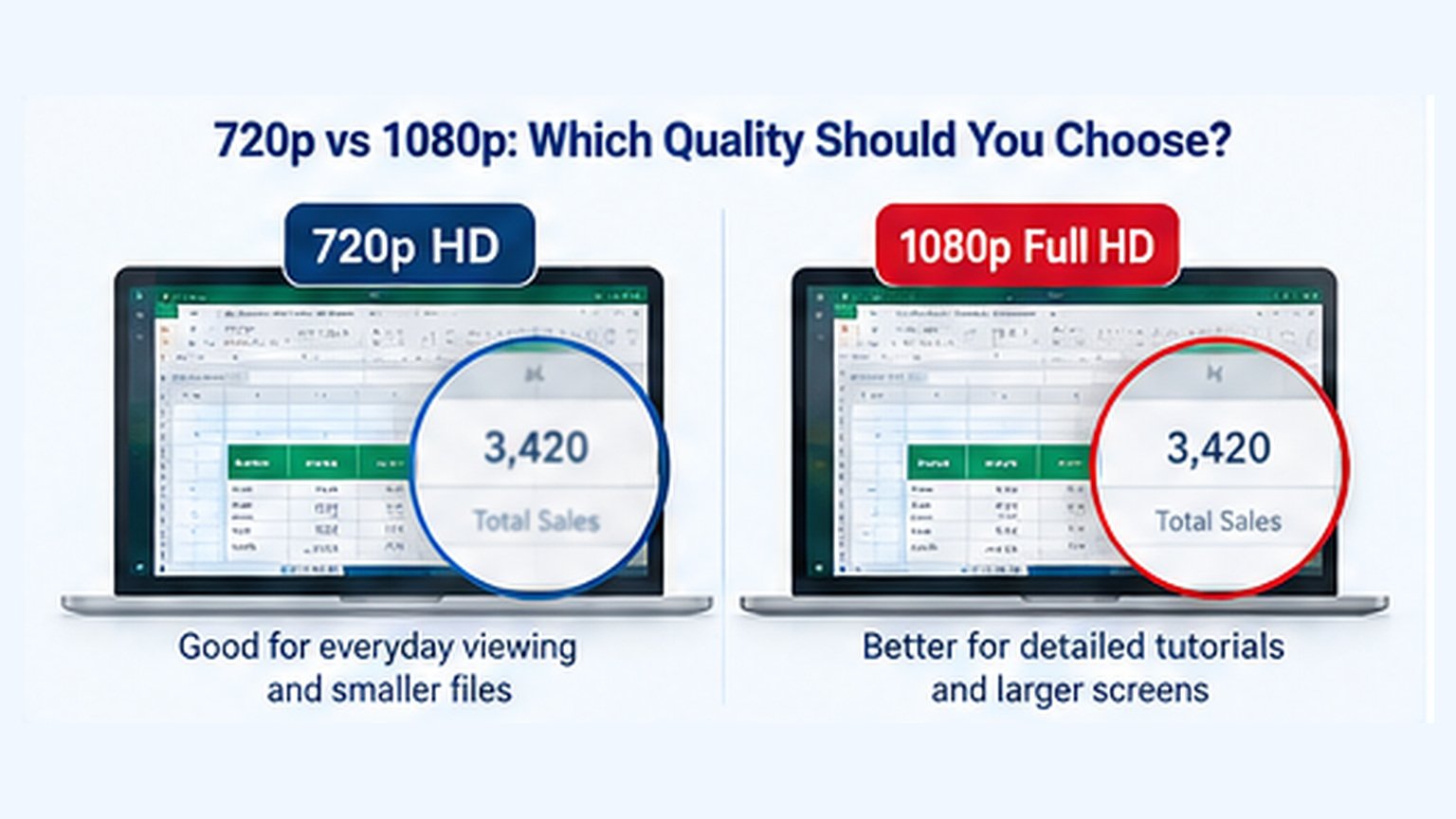
| Feature | 720p HD | 1080p Full HD |
|---|---|---|
| Resolution | 1280 × 720 | 1920 × 1080 |
| Total pixels | 0.92 million | 2.07 million |
| Potential detail | Good | Higher |
| Typical file size | Often smaller | Often larger |
| Best suited to | Phones, simple videos | Detailed tutorials, larger displays |
Is Higher Resolution Always Better?
Not necessarily. Bitrate, compression, source recording quality and viewing distance all influence how good a video looks.
A well-encoded 720p video can sometimes look better than a low-quality 1080p recording.
Practical advice: Choose the highest useful quality that the downloader actually offers and that your device can comfortably play.
Can You Download YouTube Shorts as MP4?
What if your video isn't horizontal?
What if it's a YouTube Short?
Here's something useful to know: MP4 is a file format, not a screen shape.
An MP4 can contain vertical, horizontal or square videos.
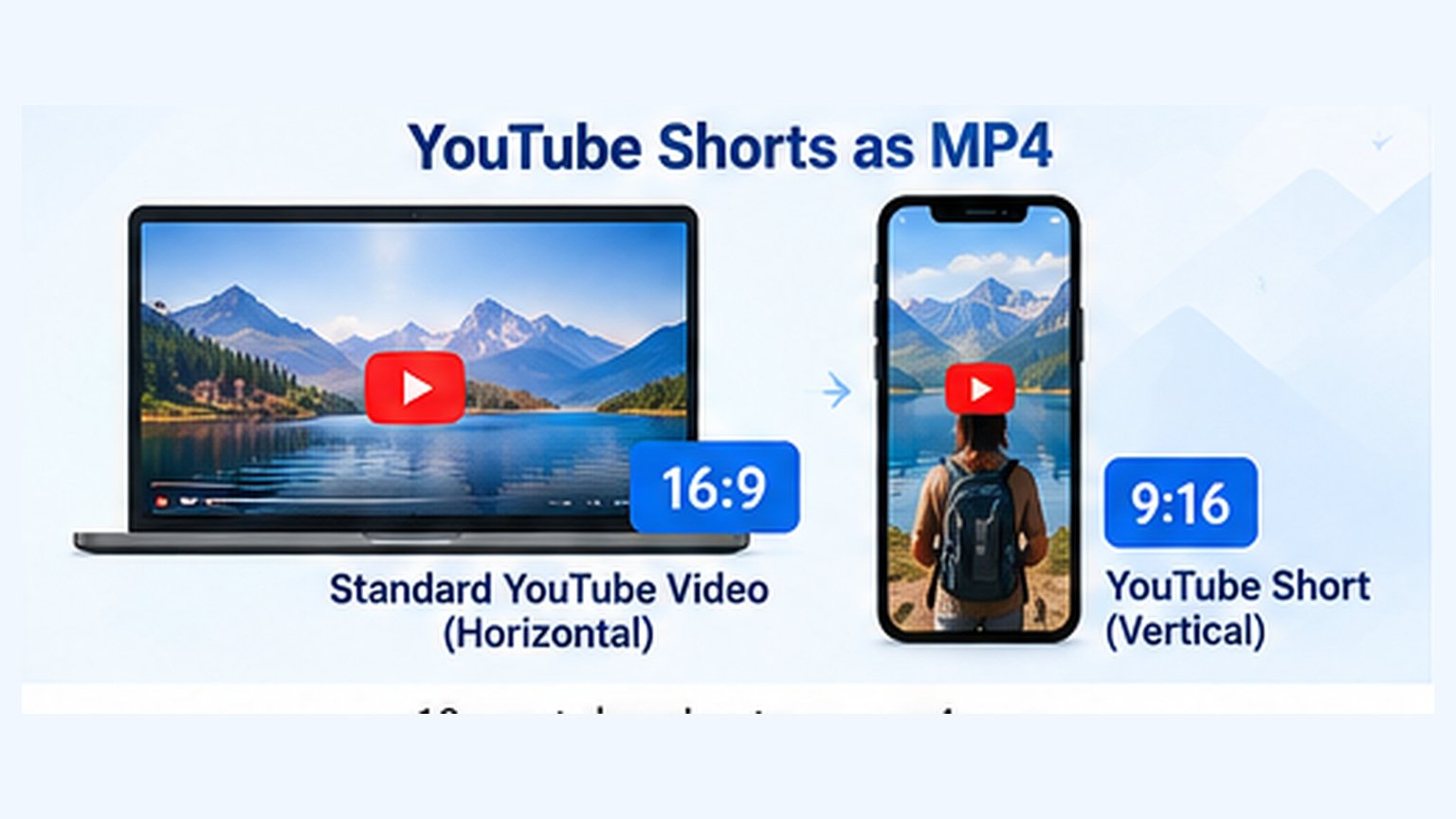
A standard YouTube video often uses a 16:9 horizontal layout, while Shorts commonly use a 9:16 vertical layout.
If you're authorized to download a Short, you can try its URL in the Skills Elevate YouTube Downloader and check which options are available.
Compatibility depends on the particular video, its URL and the download formats supported by the service. Not every Shorts link is guaranteed to work.
Why Is My YouTube MP4 Download Not Working?
Sometimes everything looks correct, but the download still doesn't work.
Maybe 1080p is missing. Maybe your video has no sound. Or perhaps the prepared link has expired.
The good news is that many common issues have understandable causes.
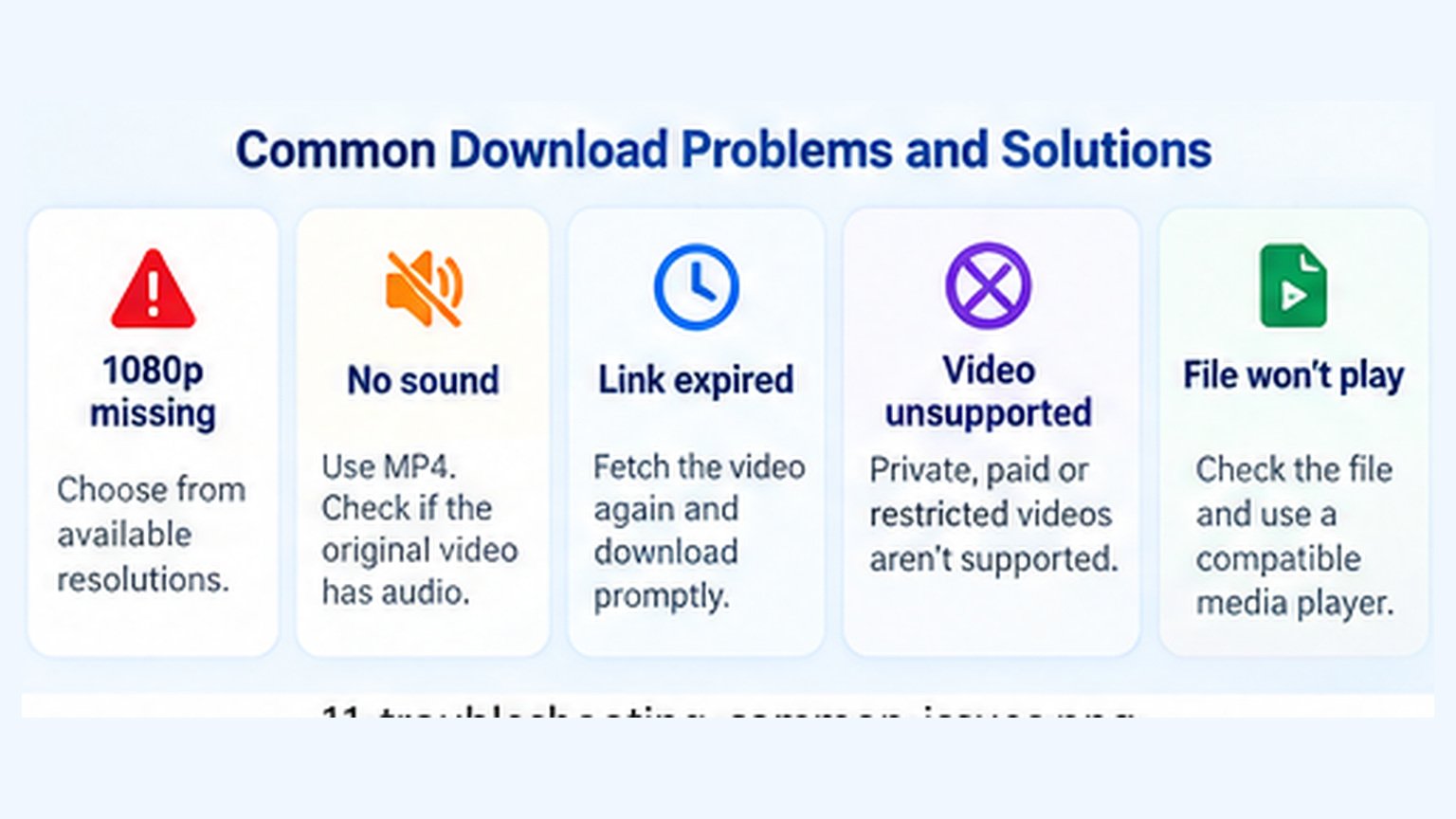
Interactive: MP4 Download Problem Solver
Select the issue you're experiencing for a suggested next step.
Choose from the supported resolutions offered for your video. Not every source provides 1080p.
Quick Troubleshooting Checklist
- Check the URL: Make sure it points to an individual supported video.
- Check permissions: Private, paid, members-only and age-restricted videos aren't supported by the tool.
- Choose an offered quality: Not every video provides the same resolutions.
- Download promptly: Temporary download links can expire.
- Check file completion: Don't open the video before the browser transfer finishes.
- Use a compatible player: Older media players may not support certain audio or video codecs.
Is It Safe and Legal to Download YouTube Videos as MP4?
Before downloading any video, understand the difference between being able to watch it and being authorized to save it.
A publicly accessible YouTube video isn't automatically free to download, edit or redistribute.
Download only videos you own, have permission to save, or are otherwise authorized to obtain. You should also follow applicable copyright laws and YouTube's terms.
- Check that you have the necessary download permissions.
- Never enter your YouTube password on an unfamiliar downloader website.
- Avoid suspicious extensions or software installers.
- Confirm that your downloaded file is the expected format.
- Don't assume saving a video grants permission to republish it.
YouTube MP4 Downloader Features: Available and Coming Soon
Before choosing a download option, it's important to understand which features are currently supported.
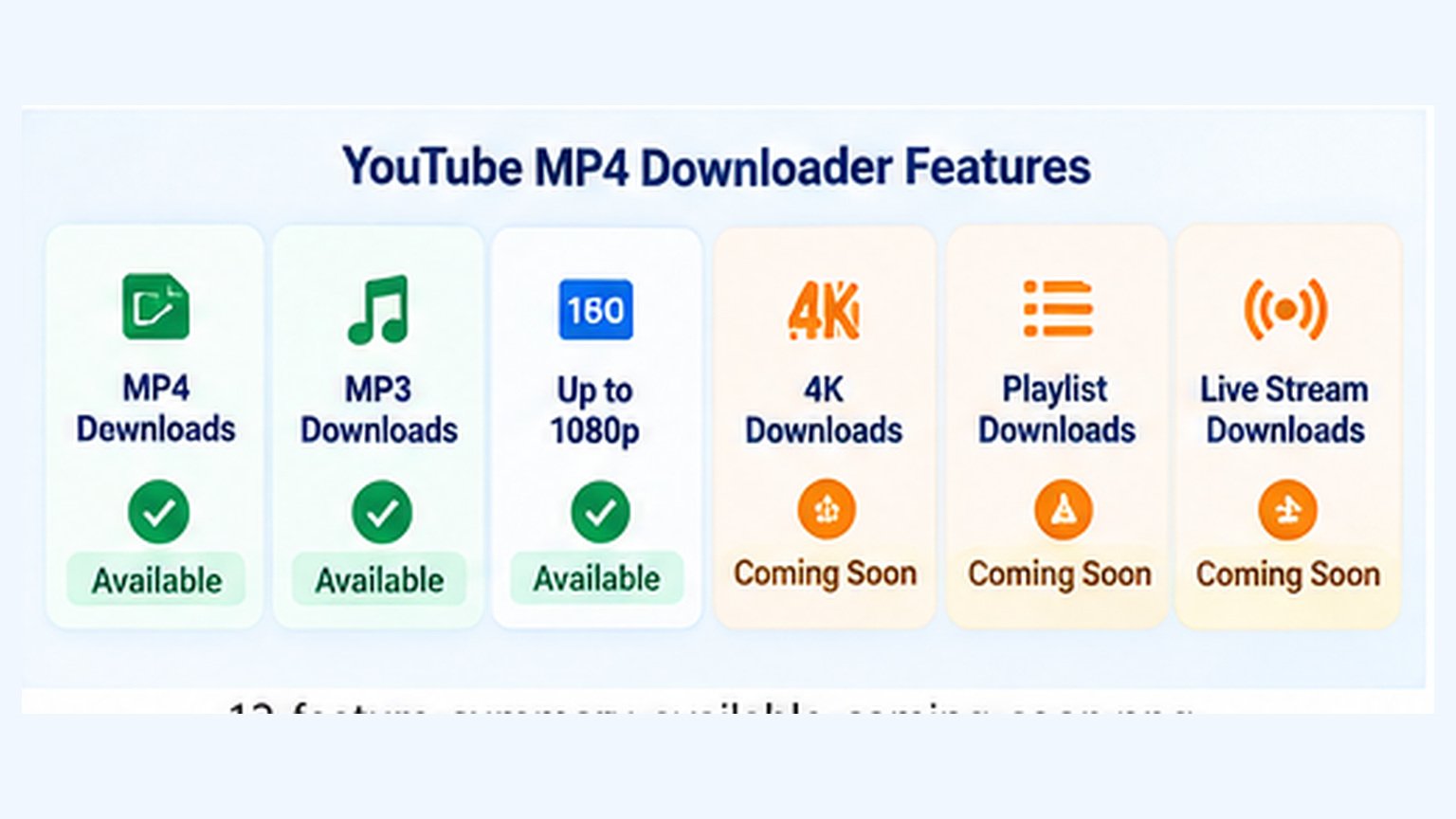
| Feature | Status |
|---|---|
| MP4 video with audio | Available |
| MP3 audio downloads | Available |
| Up to 1080p video quality | Available when supported |
| Video preview and format selection | Available |
| 1440p / 4K downloading | Coming Soon* |
| Entire playlist downloading | Coming Soon* |
| Batch video downloading | Coming Soon* |
| Ongoing live-stream downloading | Coming Soon* |
| AI video upscaling | Not available |
*The Coming Soon features are proposed roadmap items rather than confirmed launches. Publish these labels only for features that Skills Elevate plans to develop.
Current Tool Limitations
The downloader currently describes support for individual finished videos up to 30 minutes long. Prepared download links can expire within 15 minutes.
4K resolution, entire playlist downloading and ongoing live-stream downloads aren't available through the current tool.
The available formats may also differ depending on the source video and service compatibility.
Frequently Asked Questions About YouTube MP4 Downloads
What is a YouTube MP4 downloader?
A YouTube MP4 downloader is a tool that prepares supported YouTube videos as downloadable MP4 files. Available formats and resolutions depend on the tool and source video.
Does an MP4 include sound?
MP4 files can contain both video and audio. Choose an appropriate combined format when you need the picture and sound together.
Can I download a YouTube video as MP4 without installing software?
Skills Elevate offers a browser-based download tool, so you don't need to install a separate downloader application to use its supported features.
Can I download YouTube videos in 1080p?
Yes, when a supported 1080p format is available for that particular video. Otherwise, choose one of the available download qualities.
Can I download YouTube Shorts as MP4?
MP4 supports vertical videos, including the format commonly used by YouTube Shorts. Whether a specific Short can be processed depends on the tool's support for its URL and available formats.
Where are downloaded MP4 videos saved?
Most browsers save files in a Downloads folder unless you changed the destination. On mobile devices, check the Files app or your browser's download history.
Why is my MP4 download missing 1080p?
The source may have a lower resolution, or a compatible 1080p download format may not be available. The downloader cannot guarantee 1080p for every video.
Why did my download link expire?
Prepared links can expire within 15 minutes. Fetch the eligible video again, prepare a new link and download it promptly.
Can I download a complete YouTube playlist?
Not currently. Skills Elevate supports individual finished videos rather than entire playlist downloads. Playlist functionality is a possible future addition.
Will an MP4 file play without internet?
A completely downloaded MP4 file can generally play offline using a compatible local media player.
Final Thoughts: Save the Right Video in the Right Format
Remember Alex and his presentation?
He started with a YouTube link and a collection of confusing format options.
Now he understands the difference between MP4 and MP3, knows how to choose an available resolution, can locate his downloaded file, and understands how to check that it plays correctly.
That's the real purpose of this guide: helping you understand the process instead of blindly clicking download buttons.
If you have a video you own or are authorized to save, explore the MP4 and MP3 options offered by Skills Elevate.
Explore YouTube Video Downloader →