
How to Download YouTube Videos in 4K: Quality Explained
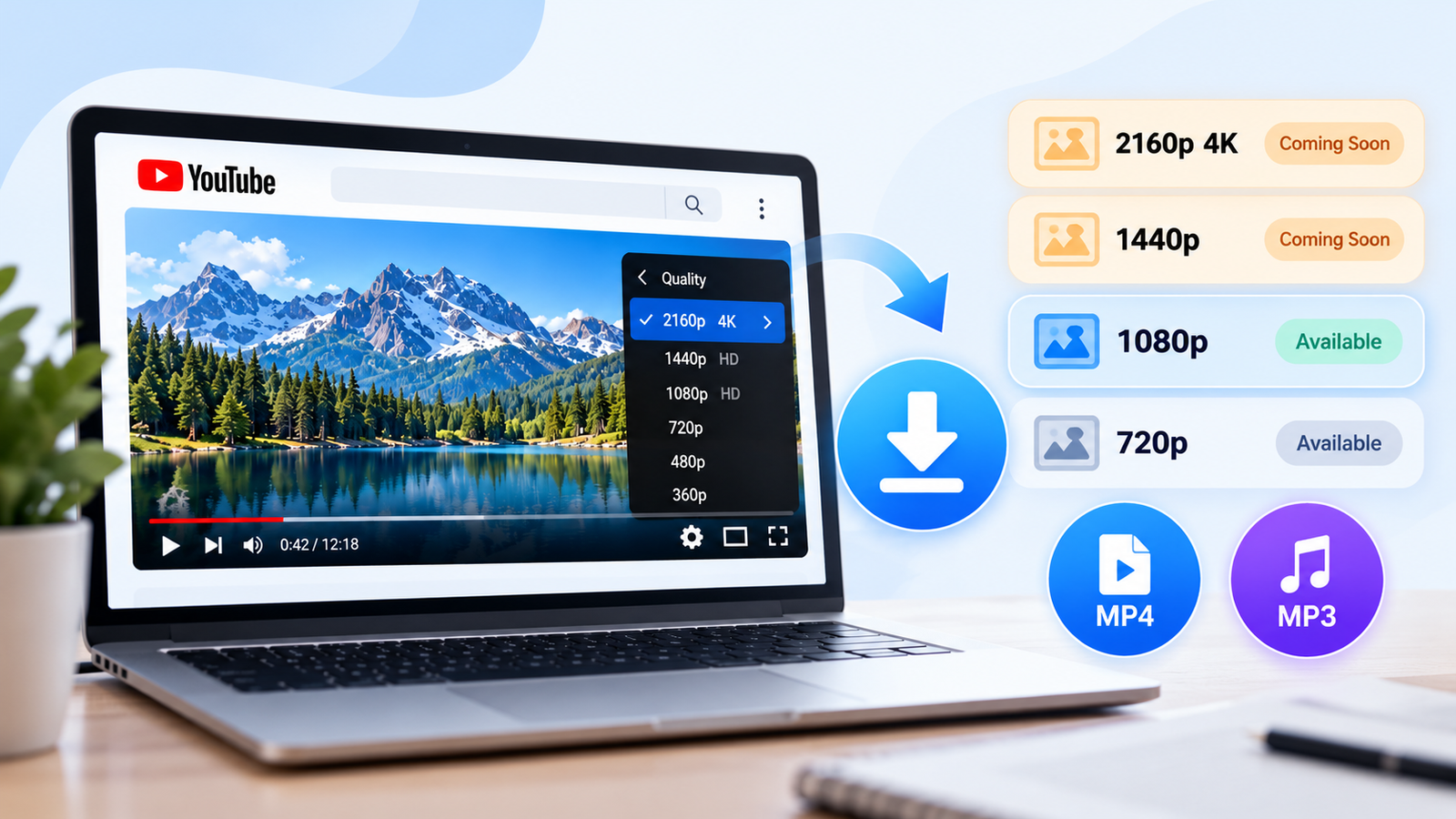
You found an incredible video on YouTube. The mountains look sharp, the colors are beautiful, and the player proudly displays 2160p 4K.
But the moment you try to download it, something strange happens.
The highest available quality is only 1080p.
Where did the extra pixels go? Is your downloader broken? Or is there something about 4K video that most download tutorials never explain?
That's exactly what we're going to uncover. By the end of this guide, you'll understand how 4K works, why download quality changes, how to check the actual resolution, and how to save supported videos without unnecessary quality loss.
Quick Answer: Can You Download YouTube Videos in 4K?
Yes, when a genuine 4K video file is available through an authorized download method. However, simply seeing 2160p in YouTube's playback settings does not guarantee that a 4K MP4 file can be downloaded.
The result depends on the source video, video format, download permissions, and the downloader's supported quality.
Our YouTube Video Downloader currently supports eligible MP4 and MP3 downloads with video quality up to 1080p.
4K downloads: Coming Soon — not currently available.
The 4K Mystery: Why Your Download Looks Different
Meet Alex. He's working on a personal travel-video project and finds a beautiful mountain clip on YouTube.
The lake reflects the sky perfectly. Individual trees appear on the hillsides, and everything looks incredibly detailed.
Alex checks the player's quality settings: 2160p 4K.
Perfect, right?
Not quite. When he looks for an authorized downloadable copy, the available file is only 1080p.
The explanation lies in three separate stages:
The file originally recorded or exported by the creator.
The processed streaming versions YouTube makes available.
The format and resolution your authorized download method can provide.
These three versions don't always have identical resolution, bitrate, or compression.
That's why choosing a downloader is only one part of preserving video quality.
What Does 4K Actually Mean on YouTube?
Imagine a video frame as a giant picture built from millions of tiny colored squares.
Each square is called a pixel.
The more pixels a frame contains, the more spatial detail it can potentially represent.
Standard 4K UHD video uses a resolution of 3840 × 2160 pixels. That's approximately 8.29 million pixels in every frame.
Compare that with Full HD, which contains approximately 2.07 million pixels per frame.
In other words, 4K UHD contains four times the pixels of 1080p.
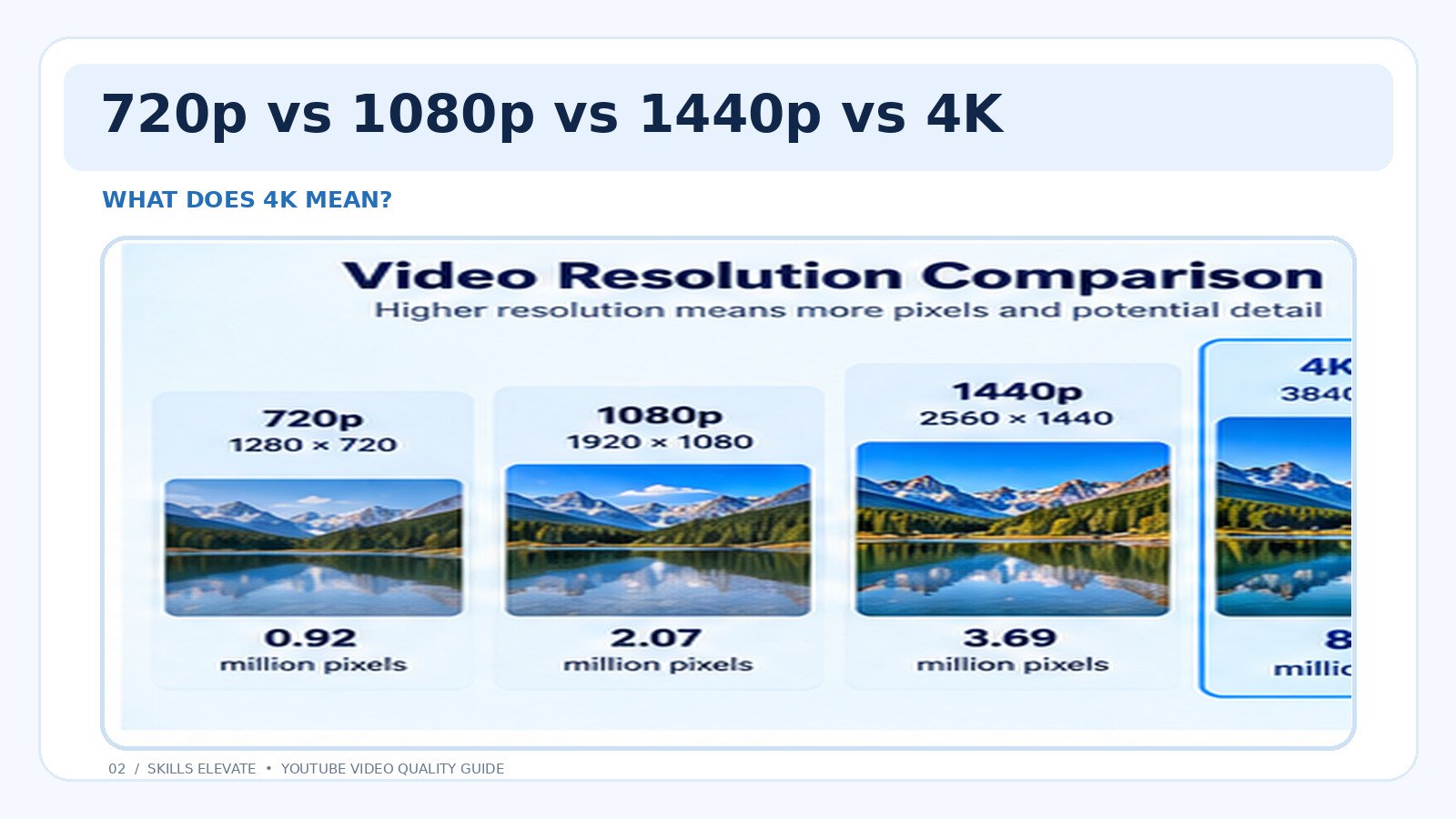
| Quality | Dimensions | Pixels | Best Use |
|---|---|---|---|
| 720p HD | 1280 × 720 | 0.92 Million | Small screens |
| 1080p Full HD | 1920 × 1080 | 2.07 Million | Everyday videos |
| 1440p QHD | 2560 × 1440 | 3.69 Million | Larger screens |
| 2160p 4K | 3840 × 2160 | 8.29 Million | 4K displays |
Interactive: Explore Video Resolutions
Select a resolution to see its pixel count and current availability in Skills Elevate.
This selector explains video resolutions. It does not download or convert videos.
Here's something worth remembering: more pixels do not automatically mean better-looking video.
A clean, high-bitrate 1080p recording can look better than heavily compressed 4K footage.
Step 1: How to Check Whether a YouTube Video Is Available in 4K
Before searching for a YouTube downloader 4K option, check whether YouTube offers 2160p playback for that particular video.
This quick check can save you time and prevent unrealistic expectations.
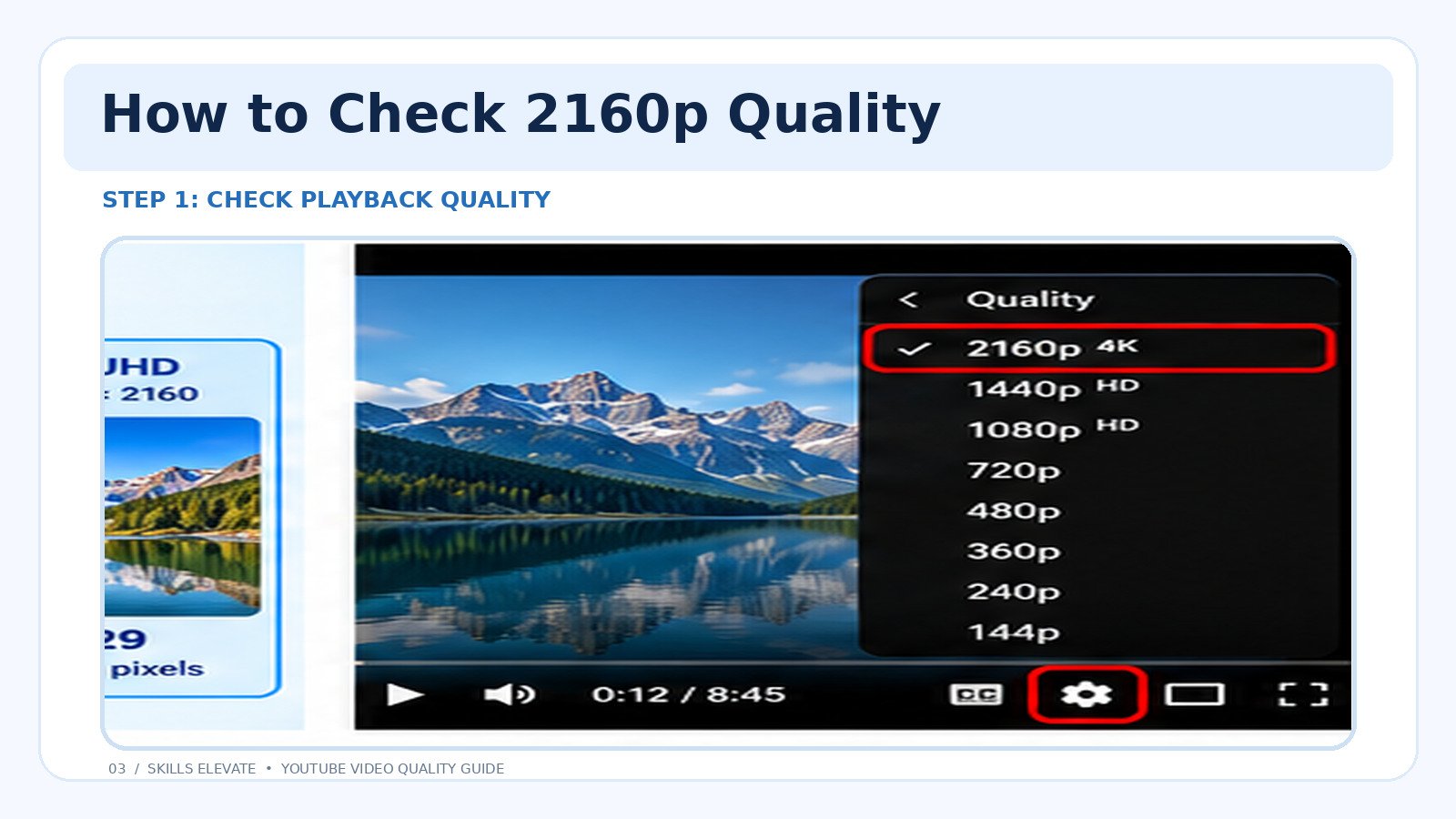
- Open the YouTube video you want to watch or save.
- Click the Settings gear in the video player.
- Select Quality.
- Look for 2160p or 2160p 4K.
- Take note of the highest available resolution.
What if 2160p Is Missing?
If the maximum available playback quality is 1080p, there are several possible explanations.
- The video might originally have been uploaded at 1080p.
- YouTube may still be processing the higher-resolution version.
- Your device or browser may not support the required playback format.
- The creator's source might not contain genuine 4K detail.
Step 2: Choose the Right Way to Download a YouTube Video
Alex has confirmed the video's playback resolution. Now he needs to find the appropriate way to obtain a copy.
The best method depends on whether the video belongs to you, whether you have permission to save it, and which download options are available.
Method 1: Keep Your Original 4K Video File
If you created the video and still have the original camera recording or exported project file, that's usually the best source for preserving quality.
An original 3840 × 2160 file can retain its recorded detail, whereas a copy downloaded from a video platform may have undergone compression or resolution changes.
Check your computer, external storage drive, editing project, or cloud backup before attempting to retrieve the video from YouTube.
Method 2: Use YouTube's Official Offline Viewing
For eligible accounts and videos, YouTube offers offline playback.
This is useful when you want to watch a video during travel or without a continuous internet connection.
However, an official offline download is generally stored for playback within YouTube rather than appearing as an ordinary MP4 file in your gallery or downloads folder.
Method 3: Use a Supported Video Download Tool
If you own the content or have permission to save it, a compatible downloader may let you obtain a video in one of its supported formats.
Just remember that a website advertising a 4K downloader does not automatically guarantee 4K availability for every video.
Step 3: How to Download Supported YouTube Videos Using Skills Elevate
Let's say Alex only needs a high-quality tutorial to watch on a laptop.
Rather than chasing 4K unnecessarily, he chooses Full HD because it provides enough clarity for his intended use.
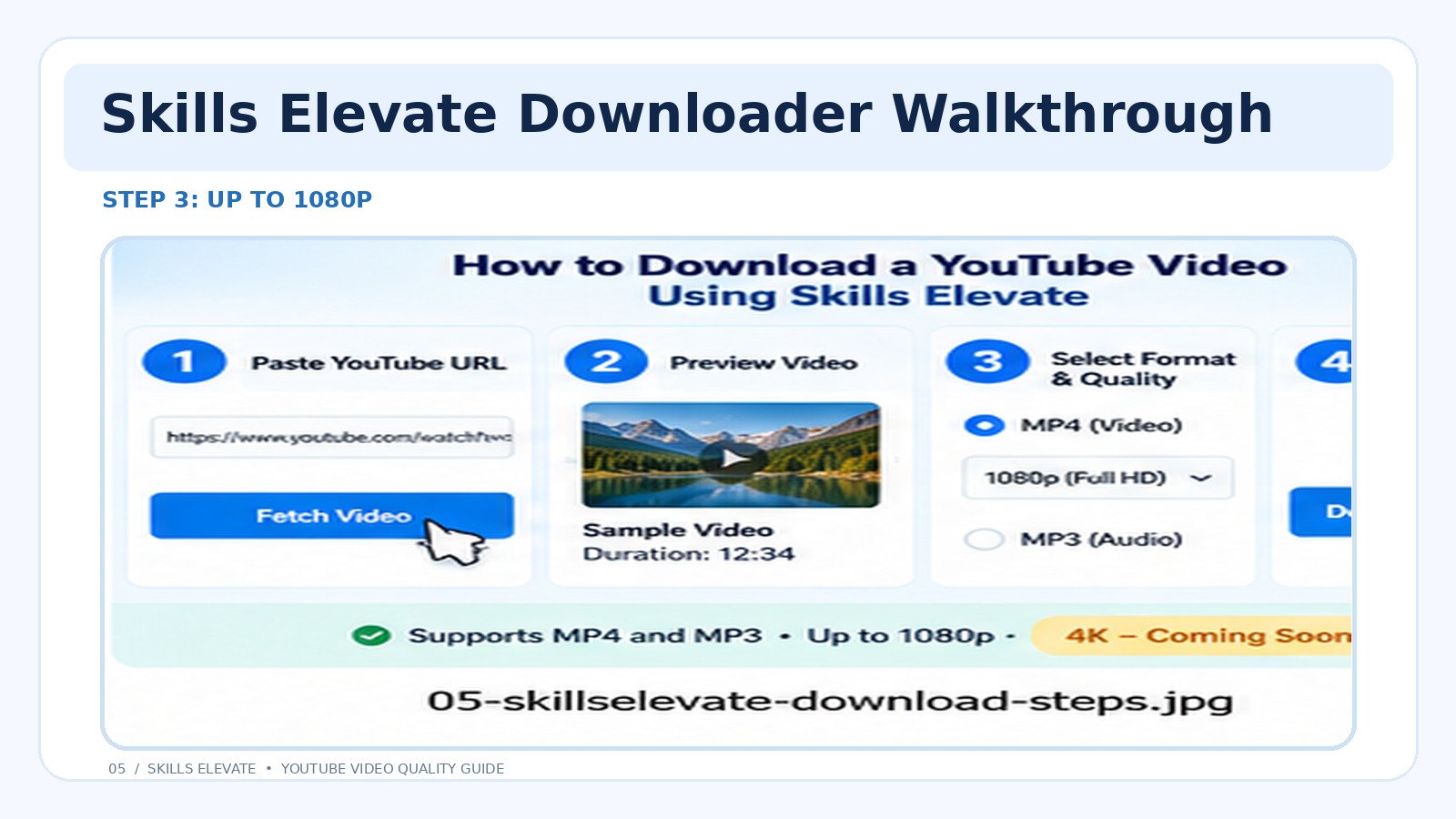
Here's how to use the Skills Elevate downloader for eligible content.
Download Videos in Available Quality
- Open a YouTube video that you own or have permission to download.
- Copy the video URL using YouTube's Share option or your browser address bar.
- Visit the Skills Elevate YouTube Video Downloader.
- Paste the copied URL into the downloader's input field.
- Fetch the available video information.
- Review the video preview and available download formats.
- Select MP4 and choose the preferred supported resolution.
- Prepare and download the file.
Skills Elevate currently supports available video download resolutions up to 1080p. Higher resolutions such as 1440p and 2160p are not available.
These are potential future features. No launch date has been announced.
4K vs. 1080p: Can You Really See the Difference?
Imagine opening the same landscape video on two screens.
On a smartphone, the 1080p version might already look excellent.
Now move to a large 4K monitor and examine the same scene using genuinely detailed 4K footage.
You may notice smaller branches, textures, distant objects, and fine details that are less distinct in the Full HD version.
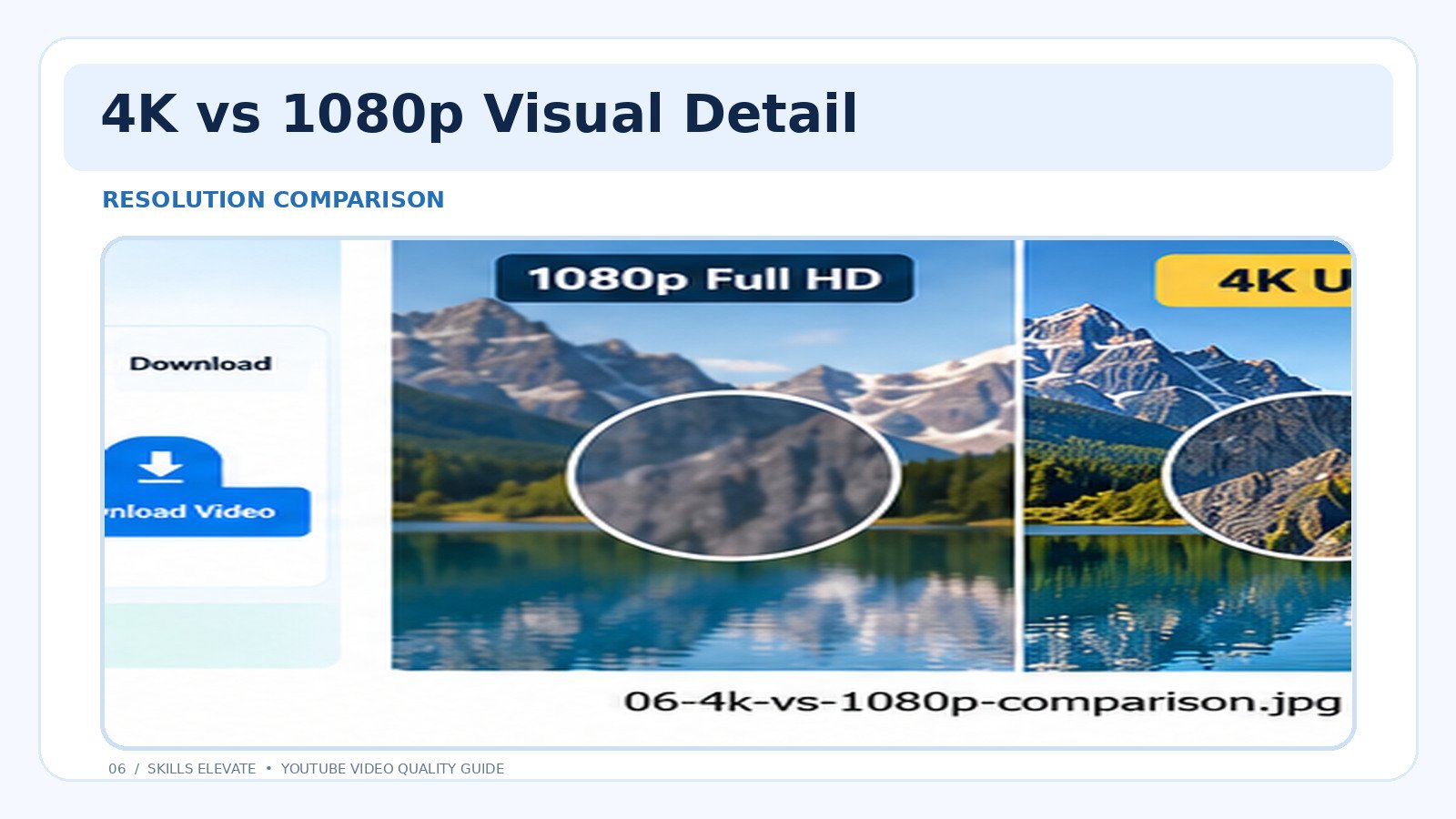
However, resolution alone doesn't determine visual quality.
Four other factors matter:
- Source quality: Was the original footage genuinely detailed?
- Bitrate: How much encoded data is used to represent the video?
- Compression: How much visual information has been discarded?
- Viewing conditions: How large is the screen, and how far away are you?
| Feature | 1080p | 4K UHD |
|---|---|---|
| Pixels | 2.07 Million | 8.29 Million |
| Potential detail | High | Higher |
| Typical storage | Lower | Often higher |
| Common use | Everyday playback | Large 4K screens |
Practical advice: Choose the highest quality that makes sense for your device, available storage, and intended use.
Why Do Some 4K Video Downloads Have No Sound?
Let's return to Alex.
He finally finds a high-resolution file. The image looks fantastic.
But when he presses Play, there's no sound.
Why?
YouTube often delivers high-resolution video and audio as separate media streams.
A video-only stream contains the picture but may not include an audio track.
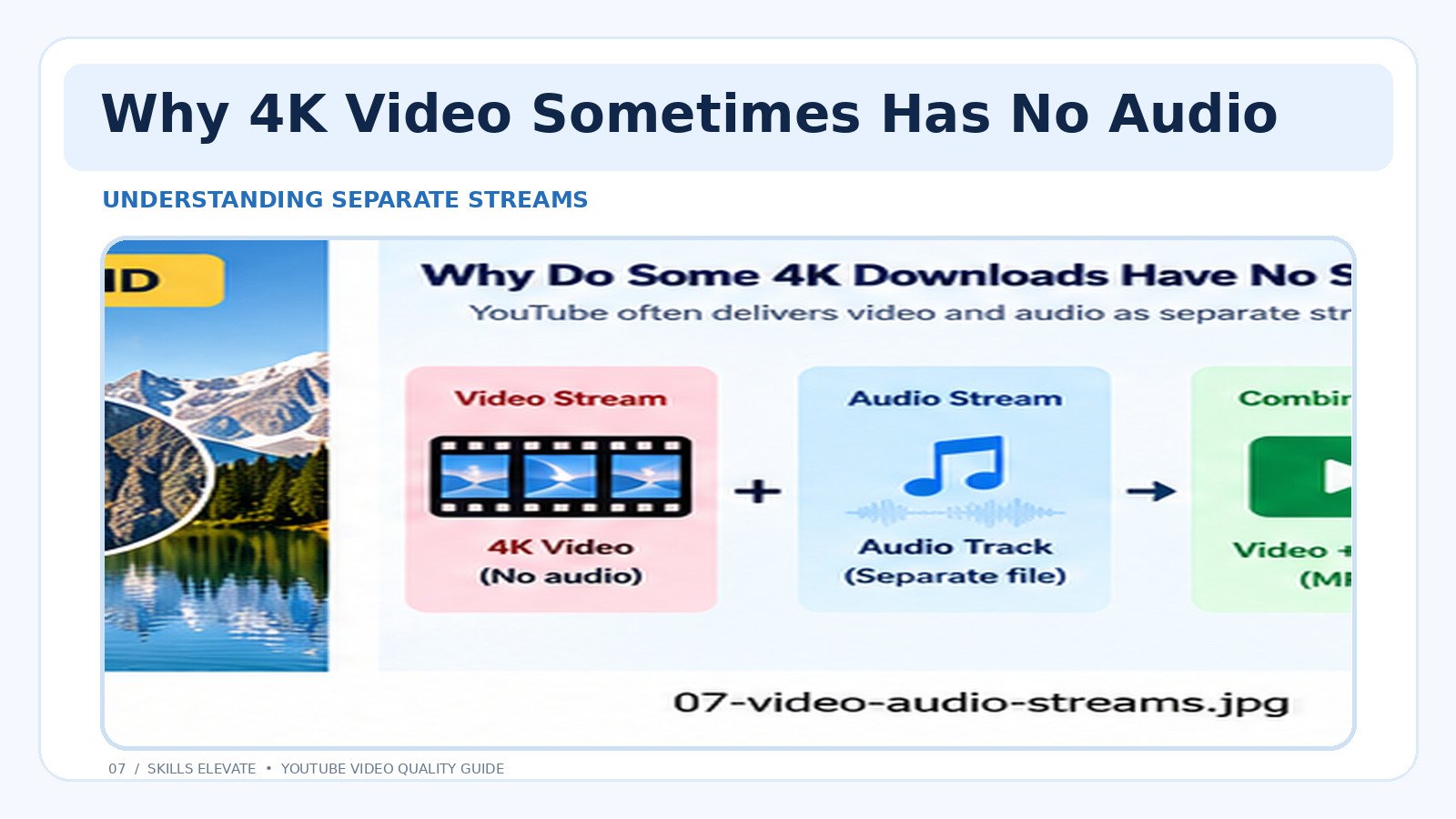
A compatible downloader may need to merge these two streams into one final video file.
That's also why seeing an MP4 extension doesn't automatically mean a file contains both video and audio.
Before downloading a video for editing or offline use, confirm that the selected format includes audio when you need it.
How Much Storage Does a 4K YouTube Video Need?
Higher-quality video can occupy significantly more storage space.
But there is no universal file size for every 4K recording.
The size depends on factors including duration, bitrate, codec, audio, and compression.
Interactive Video File Size Calculator
Want to estimate how much space a recording may occupy? Enter the video duration and total bitrate below.
Results are illustrative. Real files may differ because of variable bitrate, audio, metadata, and encoding overhead.
Here's How the Calculation Works
Suppose your video is 10 minutes long and has a total bitrate of 20 Mbps.
Convert 10 minutes into 600 seconds, multiply by 20 megabits per second, then divide by 8 to convert megabits into megabytes.
The result is approximately 1,500 MB, or 1.5 GB.
This calculation also explains why a long 1080p video can require more storage than a short 4K clip.
Can You Turn a 1080p Video Into Real 4K?
Here's a common question.
If you download a 1080p video, can't you simply convert it to 3840 × 2160 and call it 4K?
Technically, you can increase its pixel dimensions.
But that doesn't mean you've recovered the fine details that were never present in the original recording.
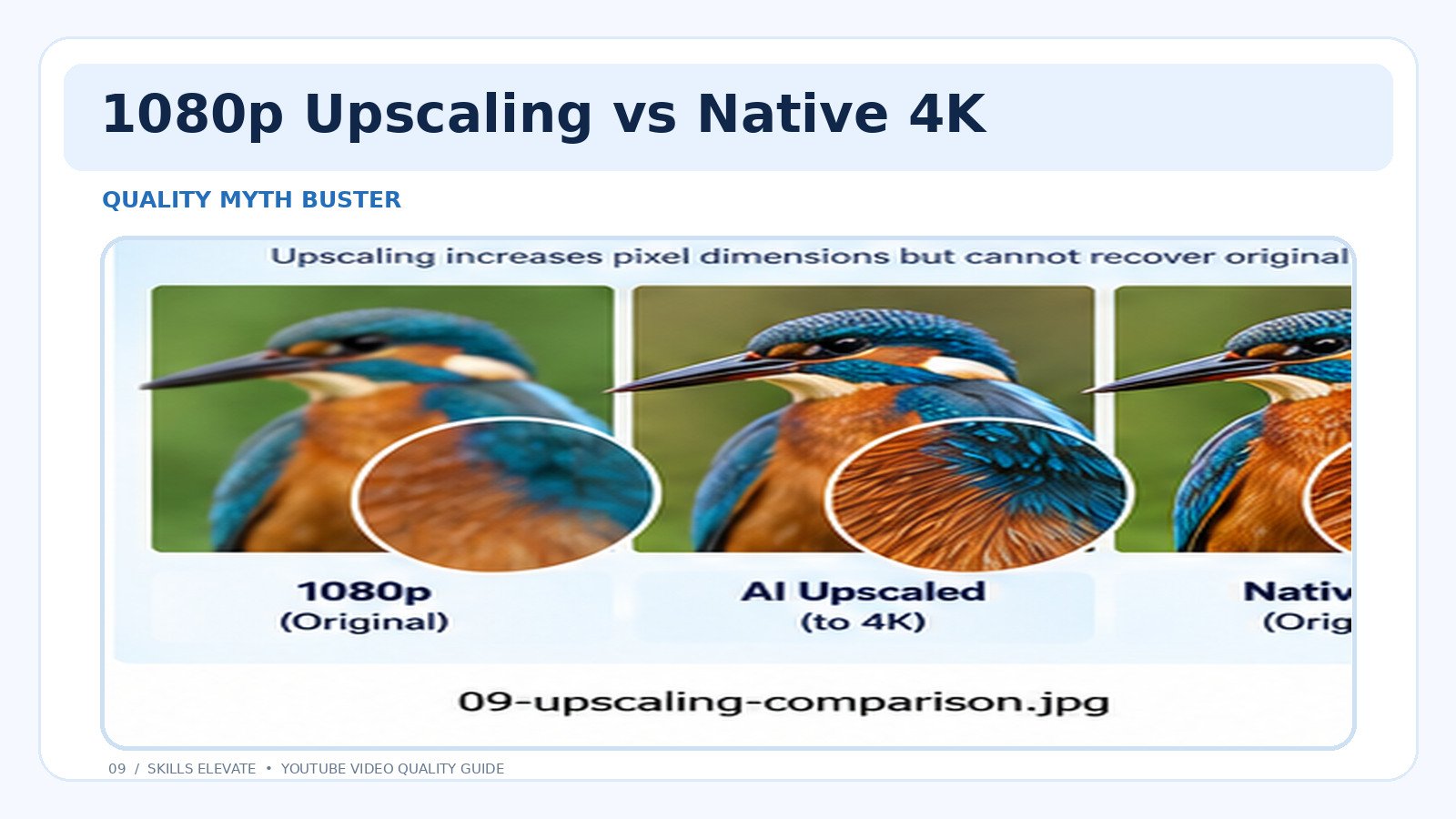
Traditional upscaling estimates the additional pixels using existing image information.
AI-based enhancement can sometimes synthesize more convincing textures and edges, but the result is not identical to genuine native 4K footage.
Think about enlarging a small photograph. You can make the image physically bigger, but that doesn't automatically make the original details more accurate.
AI upscaling is not part of the current Skills Elevate YouTube Downloader. It may be considered as a separate future feature, but no release is confirmed.
Why Is 4K Missing From My YouTube Downloader?
You've confirmed that your video looks great on YouTube, but your downloader still doesn't offer 4K.
Before trying another website, identify the actual cause.
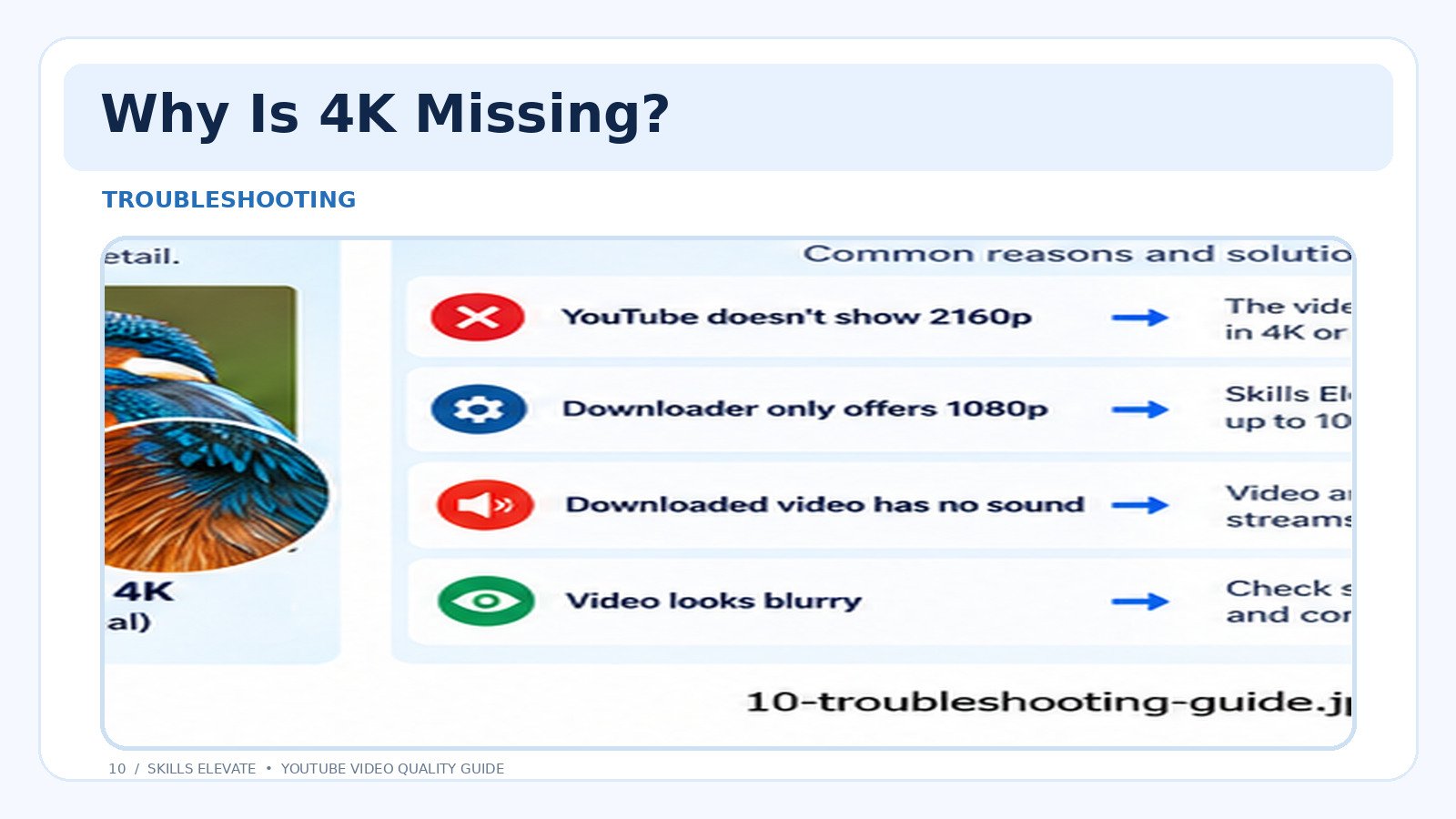
Interactive Download Troubleshooting Assistant
Select the issue you're experiencing to see a possible explanation and recommended next step.
Common Download Problems Explained
| Problem | Possible Reason | What to Do |
|---|---|---|
| 4K missing | Tool limitation | Check supported resolutions |
| Blurry image | Compression or low-quality source | Check original footage and bitrate |
| No audio | Separate media streams | Use a supported combined format |
| Video won't play | Codec or incomplete file | Check file integrity and compatibility |
What About Downloading YouTube Shorts in 4K?
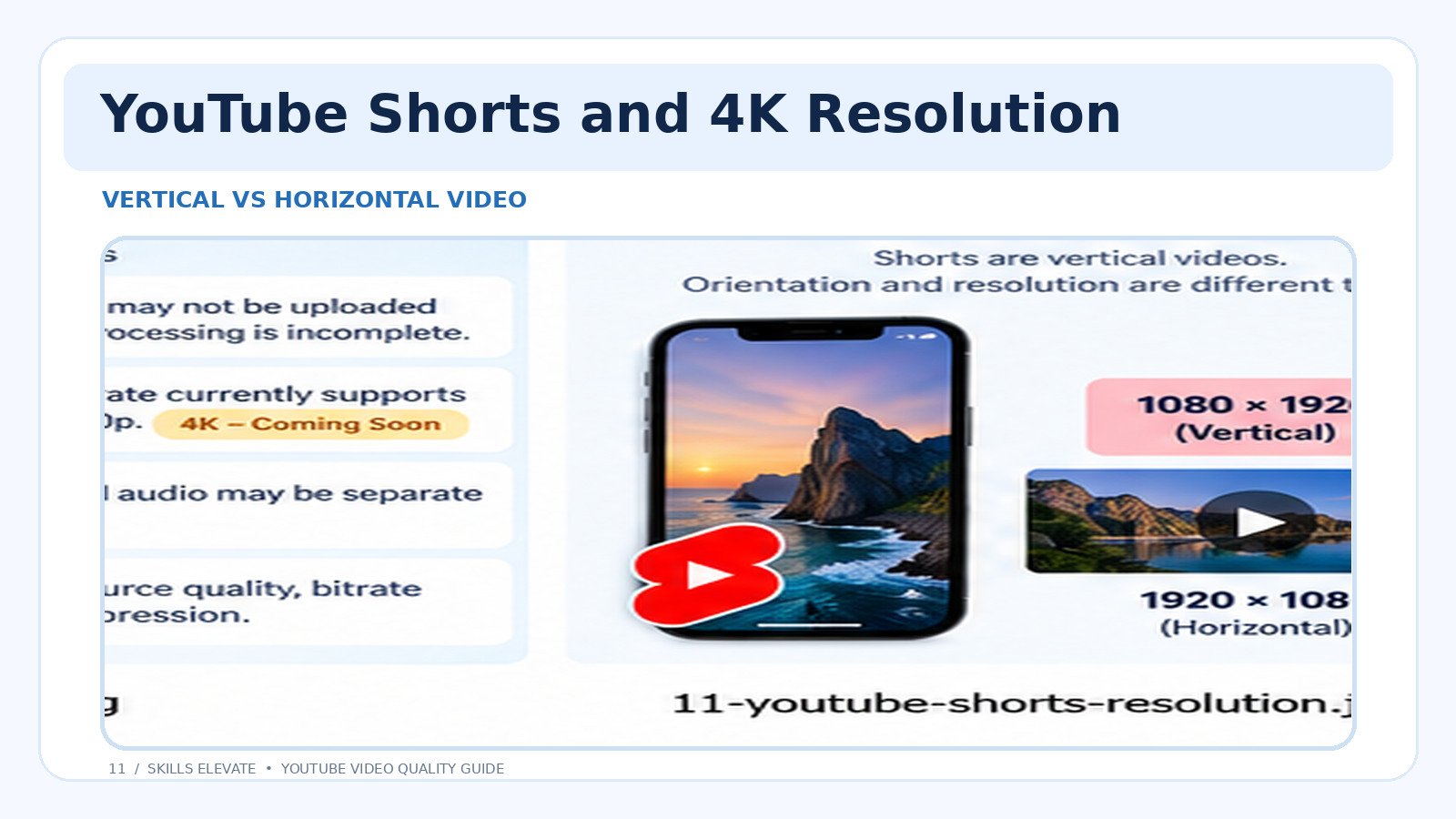
YouTube Shorts are usually designed for vertical viewing, while regular YouTube videos commonly use a horizontal layout.
But there's an important distinction: video orientation and resolution aren't the same thing.
A vertical video recorded at 1080 × 1920 has roughly the same number of pixels as a horizontal 1920 × 1080 video.
Simply rotating a video or stretching it across your phone screen doesn't turn it into genuine 4K.
If you want to learn how to save YouTube Shorts and understand the available options, read our guide to downloading YouTube Shorts .
You can also explore available video download formats using our YouTube Downloader for supported, permitted content.
Is It Safe and Legal to Download YouTube Videos?
Before saving a YouTube video, consider two separate questions: whether the download method is technically safe and whether you have permission to obtain the file.
Videos may be protected by copyright, and YouTube's terms place restrictions on downloading content outside permitted methods.
Generally, the safest situations involve your own content, creator-provided downloads, or videos you have explicit permission to save.
- Only download videos you are authorized to save.
- Never enter your YouTube password into an unfamiliar downloader.
- Avoid websites that force suspicious browser extensions or applications.
- Check the file format and quality before saving.
- Do not assume publicly viewable content is automatically free to reuse.
Frequently Asked Questions About 4K YouTube Downloads
Is 2160p the same as 4K?
Yes, in standard consumer UHD video, 2160p generally refers to 3840 × 2160 pixels. Professional digital-cinema 4K may use different dimensions.
Can every YouTube video be downloaded in 4K?
No. A genuine 4K file must be available through an authorized download method. Source resolution, formats, restrictions, and tool limitations all affect availability.
Why does Skills Elevate only offer up to 1080p?
The current downloader supports available video resolutions up to 1080p. Higher-resolution file downloads, including 4K, are not currently available.
Does MP4 automatically mean 4K?
No. MP4 is a file container, not a resolution. It can contain videos at 480p, 720p, 1080p, 4K, and other supported resolutions.
Why does a 4K video sometimes look blurry?
The source footage may be low-quality, heavily compressed, or upscaled from a lower resolution. Bitrate and encoding settings can also affect clarity.
Is 1080p good enough for YouTube tutorials?
Often, yes. Full HD can be sufficient for demonstrations, everyday learning, and general viewing. For small text, fine diagrams, or detailed editing work, a higher-quality source may be beneficial.
Can YouTube Premium downloads be used as normal MP4 files?
YouTube's official offline feature generally stores eligible downloads for playback within YouTube, rather than providing freely transferable MP4 files.
Can I convert a 1080p download into 4K?
You can upscale it to 4K dimensions, but that doesn't recreate genuine detail missing from the original recording. AI upscaling may synthesize additional details.
Final Thoughts: Download the Quality You Actually Need
Remember Alex and that beautiful mountain video?
The mystery wasn't really about disappearing pixels. It was about understanding how the original recording, YouTube playback, and supported downloadable formats differ.
A genuine 4K file can preserve more visual detail, but Full HD remains a useful choice for many tutorials, lessons, and everyday videos.

The smartest approach is to check the source, choose an authorized download method, and select a quality level that matches your actual needs.
For eligible videos you own or have permission to save, Skills Elevate provides MP4 and MP3 downloads with available video resolutions up to 1080p.
Explore YouTube Video Downloader →Higher-resolution downloads, including 4K, are not currently available. Any Coming Soon references describe potential future functionality, not a confirmed release schedule.