
Round Calculator
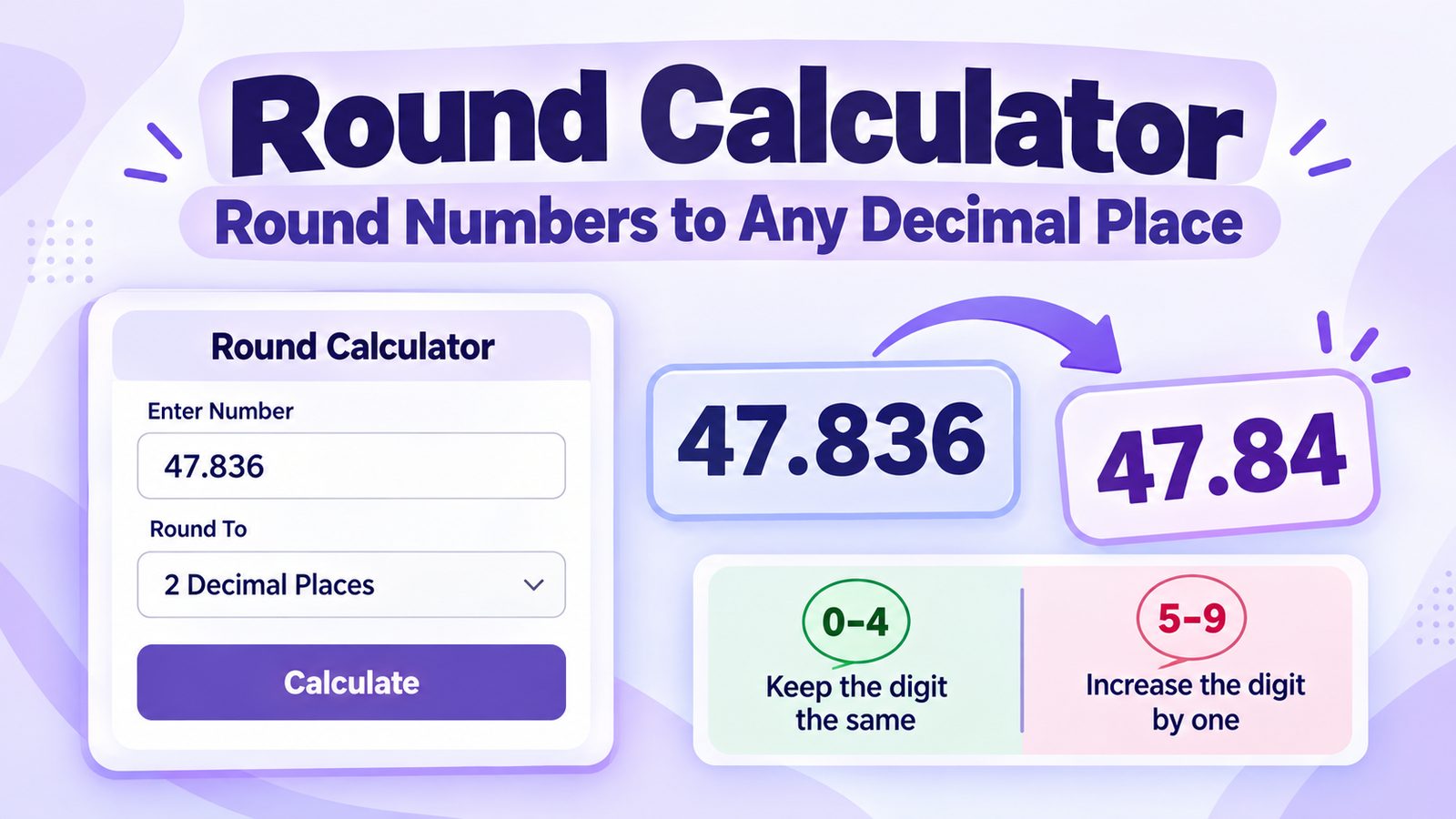
Round Calculator: Round Numbers to Any Decimal Place
Need to round a number quickly and accurately? This round calculator lets you enter a number, choose the level of precision you need, and instantly see the rounded result. You can round decimals to a selected number of decimal places or round whole numbers to the nearest 10, 100, or 1,000.
Rounding is useful in school mathematics, measurements, statistics, financial figures, reports, data presentation, and everyday calculations. The calculator also shows useful information about the rounding position and the next digit, making it easier to understand why the result changes.
A round calculator changes a number to the precision you select. For example, 47.836 rounded to two decimal places is 47.84 because the third decimal digit is 6. Digits from 0 to 4 generally leave the retained digit unchanged, while digits from 5 to 9 increase it by one.
Round Calculator
Enter a number below and select how you want to round it. The calculator works with decimal places as well as common whole-number rounding options.
What Is a Round Calculator?
A round calculator is an online tool that changes a number to a selected level of precision. Instead of manually examining the digits and applying the rounding rule yourself, you can enter the number and let the calculator produce the result.
For example, if you enter 47.836 and choose two decimal places, the calculator keeps the first two digits after the decimal point and checks the next digit. Because that next digit is 6, the result becomes 47.84.
Rounding does not mean randomly changing a number. The result is determined by the position you want to keep and the digit immediately after it.
How Does Rounding Work?
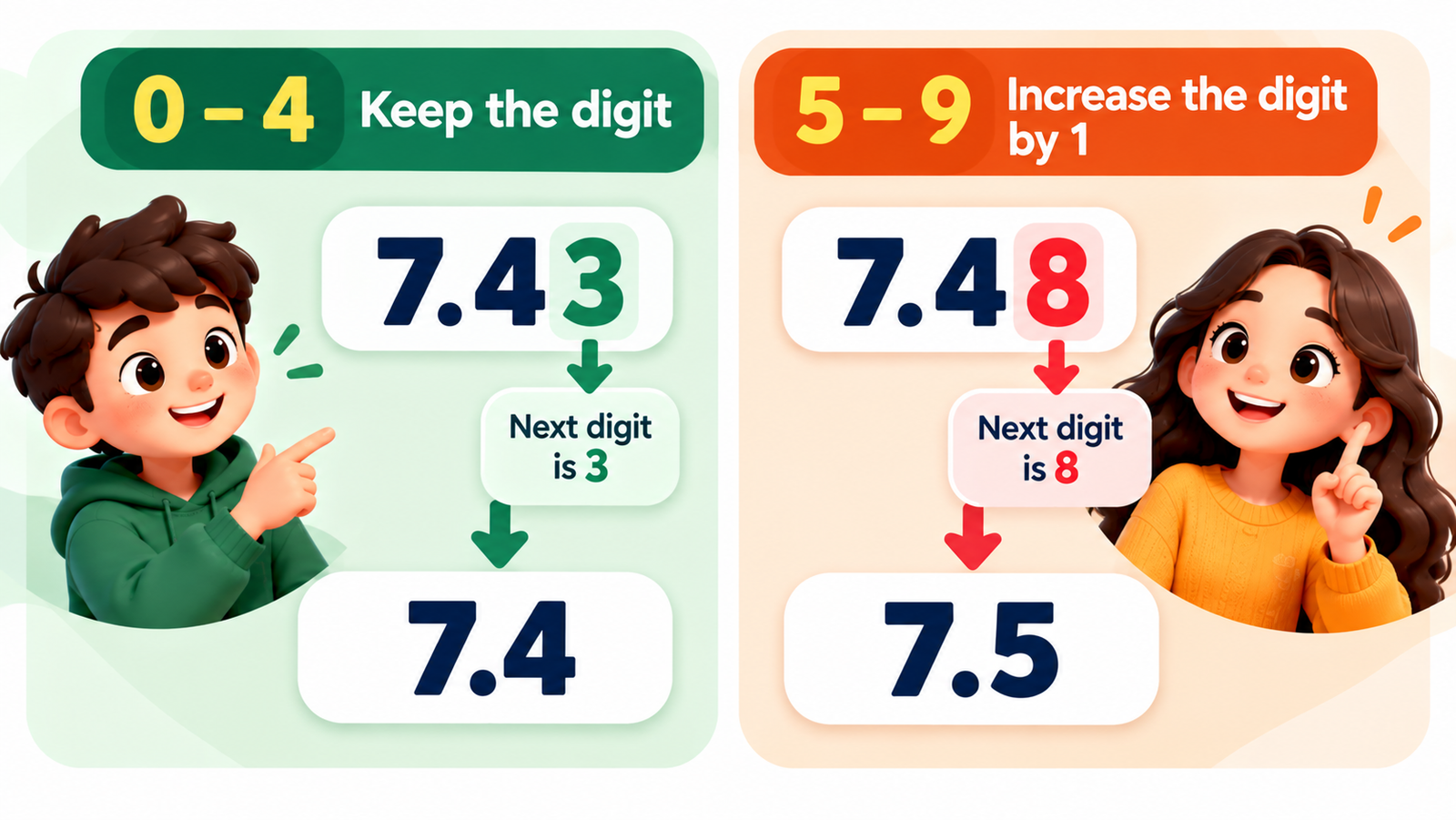
The basic rounding rule is simple. First, identify the digit you want to keep. Then look at the digit immediately to its right. That next digit determines whether the retained digit stays the same or increases.
When the Next Digit Is 0–4
If the next digit is 0, 1, 2, 3, or 4, the digit being rounded normally stays unchanged.
The next digit is 3, so the 4 remains unchanged.
When the Next Digit Is 5–9
If the next digit is 5, 6, 7, 8, or 9, the digit being retained increases by one.
The next digit is 8, so the 4 increases to 5.
Understanding Decimal Places
Decimal places describe the digits that appear after the decimal point. Understanding their positions makes rounding easier because you can identify exactly which digit should remain in the answer.
Example: 47.8362
In the number 47.8362, the first digit after the decimal point is the tenths digit. The second is the hundredths digit. The third is the thousandths digit, and the fourth is the ten-thousandths digit.
8 = Tenths
3 = Hundredths
6 = Thousandths
2 = Ten-thousandths
Round 47.8362 to 1 Decimal Place
Keep the tenths digit, which is 8. The next digit is 3, so the 8 stays unchanged.
Round 47.8362 to 2 Decimal Places
Keep the hundredths digit, which is 3. The next digit is 6, so the 3 increases to 4.
Round 47.8362 to 3 Decimal Places
Keep the thousandths digit, which is 6. The next digit is 2, so the 6 stays unchanged.
How to Round a Number Step by Step
You can round a number manually by following a few simple steps. The same process is what the calculator uses to determine the result.
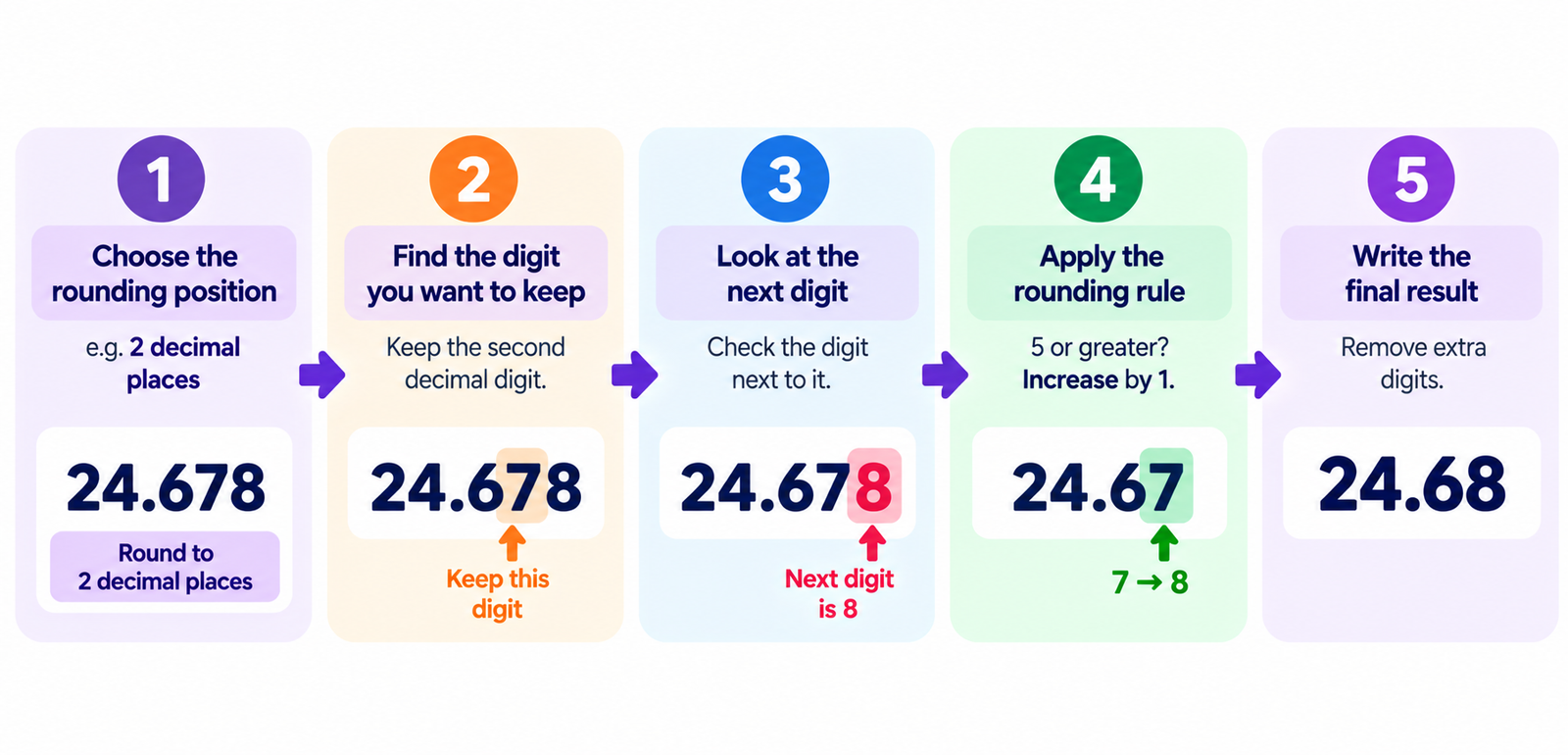
Decide whether you want a whole number, decimal place, nearest 10, nearest 100, or another level of precision.
Identify the digit that corresponds to your selected rounding position.
Check the digit immediately to the right of the digit you want to keep.
If the next digit is 0–4, keep the retained digit. If it is 5–9, increase the retained digit by one.
Remove unnecessary digits after the selected precision and write the rounded number.
Example: Round 24.678 to 2 Decimal Places
Suppose you need to round 24.678 to two decimal places. The second decimal digit is 7, so that is the digit you want to keep. The next digit is 8.
Original: 24.678
Rounding position: Hundredths
Next digit: 8
Rule: 8 is 5 or greater, so increase 7 to 8.
Final result: 24.68
How to Round to the Nearest Whole Number
When rounding to the nearest whole number, look at the first digit after the decimal point. If that digit is 0–4, keep the whole-number portion unchanged. If it is 5–9, increase the whole-number portion by one.
| Original | Next Digit | Rounded Result |
|---|---|---|
| 12.2 | 2 | 12 |
| 12.5 | 5 | 13 |
| 12.8 | 8 | 13 |
Rounding to the Nearest 10, 100, and 1,000
Rounding can also be used with whole numbers. Instead of choosing a decimal place, you can round to the nearest 10, 100, or 1,000.
Nearest 10
For 47, look at the ones digit. Since the ones digit is 7, the number rounds up to 50.
Nearest 100
For 347, look at the tens digit. Since the tens digit is 4, the number rounds down to 300.
Nearest 1,000
For 6,742, look at the hundreds digit. Since the hundreds digit is 7, the number rounds up to 7,000.
| Number | Round To | Result |
|---|---|---|
| 47 | Nearest 10 | 50 |
| 347 | Nearest 100 | 300 |
| 6,742 | Nearest 1,000 | 7,000 |
Round Calculator Examples
These examples show how the result changes depending on the selected rounding precision.
| Original Number | Rounding | Result |
|---|---|---|
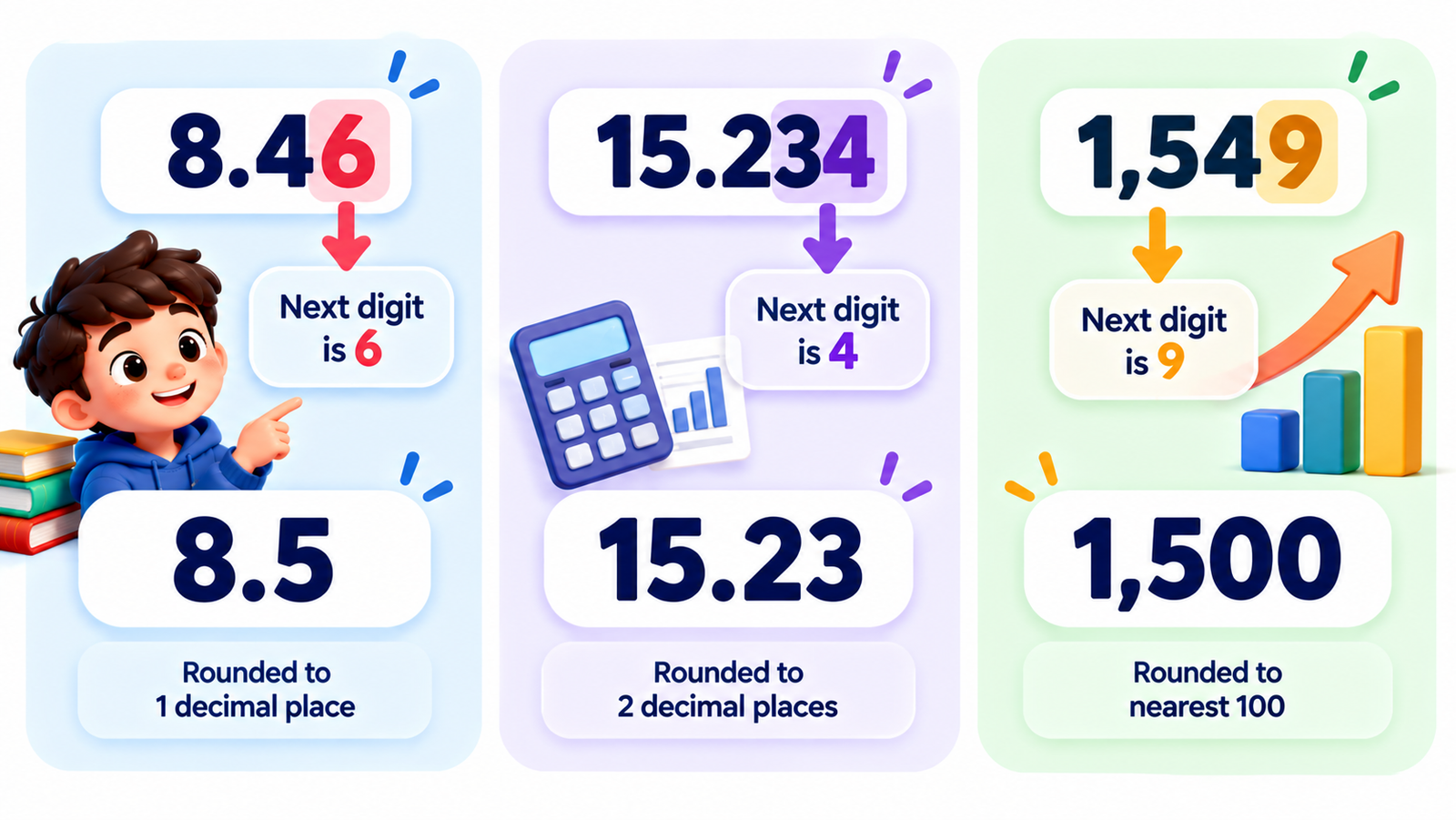
| 8.46 | 1 decimal place | 8.5 |
| 15.234 | 2 decimal places | 15.23 |
| 92.678 | 2 decimal places | 92.68 |
| 4.5678 | 3 decimal places | 4.568 |
| 746.4 | Nearest whole number | 746 |
| 1,549 | Nearest 100 | 1,500 |
Rounding vs. Truncating: What's the Difference?
Rounding and truncating are not the same operation. Rounding looks at the next digit and may increase the digit being retained. Truncating simply removes the digits beyond the selected position without considering their value.
Example: 8.79 to 1 Decimal Place
Rounded: 8.8
The next digit is 9, so the 7 increases to 8.
Truncated: 8.7
The extra digit is simply removed without changing the 7.
Common Rounding Mistakes to Avoid
Looking at the Wrong Digit
The digit immediately after the desired rounding position determines whether the retained digit changes. Looking farther to the right without first identifying the correct position can lead to mistakes.
Forgetting to Increase the Digit
When the next digit is 5 or greater, the retained digit normally increases by one. For example, 6.78 rounded to one decimal place becomes 6.8.
Confusing Decimal Places and Significant Figures
Decimal places count digits after the decimal point, while significant figures describe meaningful digits in the entire number. They are different ways of expressing precision.
Rounding Too Early
When performing several calculations in sequence, rounding intermediate values can sometimes affect the final result. When appropriate, keep additional precision during the calculation and round the final answer at the end.
Who Can Use a Round Calculator?
Students
Students can use the calculator for homework, decimal exercises, measurement problems, estimates, and checking mathematical answers.
Teachers
Teachers can use rounded-number examples to demonstrate mathematical concepts, prepare classroom exercises, or quickly verify examples.
Parents
Parents helping children with mathematics can use the calculator to check results while also using the explanation to discuss why a number rounds up or down.
Professionals
Business users, analysts, researchers, and other professionals may need rounded figures when preparing reports, tables, measurements, or presentations.
Everyday Users
Anyone working with long decimals or large numbers may use rounding to make numerical information easier to read and communicate.
When Is Rounding Useful?
Money and Prices
Financial values are often displayed to a fixed number of decimal places, depending on the context and currency.
Measurements
Measurements may need to be rounded when a particular level of precision is appropriate for the task.
Statistics and Data
Large datasets can be easier to read when values are displayed using a consistent number of decimal places.
Reports and Presentations
Rounded numbers can make tables and reports easier to scan, especially when highly precise values are not necessary for communication.
Frequently Asked Questions
What is a round calculator?
A round calculator is a tool that automatically rounds a number according to the precision you select, such as a whole number, decimal place, nearest 10, nearest 100, or nearest 1,000.
How do you round a number?
Find the digit you want to keep and look at the digit immediately after it. If the next digit is 0–4, the retained digit normally stays the same. If it is 5–9, the retained digit increases by one.
What does rounding to two decimal places mean?
Rounding to two decimal places means keeping two digits after the decimal point. For example, 12.456 becomes 12.46 because the third decimal digit is 6.
What is the difference between rounding and truncating?
Rounding checks the next digit and may increase the retained digit. Truncating simply removes digits beyond the selected position without using the next digit to change the result.
How do I round to the nearest whole number?
Look at the first digit after the decimal point. If it is 0–4, keep the whole-number portion unchanged. If it is 5–9, increase the whole-number portion by one.
What happens when the next digit is exactly 5?
Under the standard rounding convention commonly taught in basic mathematics, a next digit of 5 causes the retained digit to increase by one. Other specialized rounding conventions can exist in technical or programming contexts.
Can I round very large numbers?
Yes. You can use nearest 10, 100, 1,000, or another appropriate precision level depending on the number and the purpose of the calculation.
Final Summary
A round calculator makes it easy to reduce numbers to the level of precision you need. Enter a number, choose the rounding position, and get the rounded result instantly. The basic rule is simple: look at the next digit. Digits from 0 to 4 normally leave the retained digit unchanged, while digits from 5 to 9 increase it by one. You can use rounding for decimal places, whole numbers, measurements, statistics, reports, school mathematics, and everyday calculations.