
Random Phone Number Generator (Fake, for Testing)
Generate correctly-formatted fake phone numbers for testing — US, UK, India & more.
Last updated:
Random Phone Number Generator for Testing
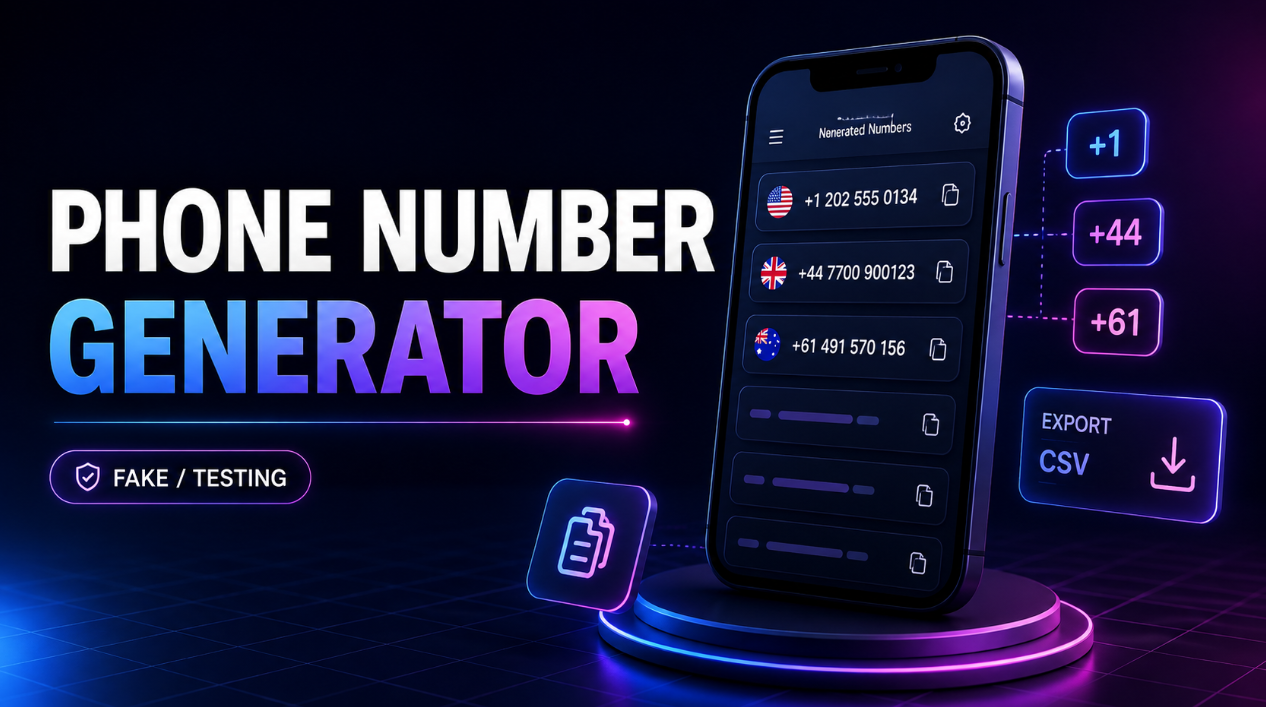
Generate fake phone numbers online for software testing, QA, development, mockups, demos, and fictional datasets. Choose a supported country, select the number type and format, choose how many results you need, and generate realistic-looking test phone numbers in seconds.
This random phone number generator is designed for developers, QA testers, app builders, students, UX designers, automation specialists, product managers, and anyone who needs sample phone numbers without using real people's contact information.
The workflow is simple:
Select Country → Choose Quantity → Generate → Copy or Download
Generated numbers are intended for testing, development, demos, prototypes, and fictional data only. They should not be treated as verified, active, or reachable phone numbers.
How to Generate Fake Phone Numbers
Creating sample phone numbers takes only a few steps:
- Select a supported country.
- Choose the available phone number type.
- Select national, international, or digits-only formatting.
- Choose how many numbers you want.
- Click Generate Phone Numbers.
- Copy individual numbers or copy the full list.
- Download the generated data as TXT or CSV if needed.
You can generate multiple phone numbers at once, making the tool useful for testing forms, datasets, databases, imports, and application interfaces.
Free Fake Phone Number Generator
You should not need to use a real person's phone number just to test a form or application.
This fake phone number generator provides sample data specifically for development and fictional use.
It can help you quickly generate phone numbers for:
- Signup forms
- Checkout flows
- CRM demos
- Development databases
- Test user accounts
- Application prototypes
- UI mockups
- QA workflows
- Import/export tests
- Classroom projects
No registration or complicated setup is required.
Generate Random Phone Numbers by Country
Phone-number formats vary between countries.
This tool provides country-specific formatting for supported regions so developers can test how interfaces handle different number structures.
Current supported options include:
- United States
- Canada
- United Kingdom
- Australia
Available number types depend on the selected country.
Rather than generating unrestricted random digits, the tool is designed around fictional or test-number ranges where available to reduce the risk of presenting real subscribers' numbers as test data.
Generate Fake US Phone Numbers
Developers testing US forms often need phone numbers that look realistic without entering an actual person's contact information.
Use the tool to generate sample US numbers in formats such as:
National format
(202) 555-01XX
International format
+1 202 555 01XX
Digits-only format
120255501XX
These formats are useful for testing:
- US signup forms
- Contact forms
- CRM fields
- Checkout pages
- Phone-number validation
- Database schemas
- Application mockups
Generate Fake Canadian Phone Numbers
Canadian phone numbers use the North American Numbering Plan, so their general formatting is similar to US numbers.
You can generate Canadian test data for:
- Form validation
- Customer profiles
- CRM demonstrations
- Application testing
- Database development
- UI prototypes
Select Canada from the country menu and choose the format needed for your test case.
Generate Fake UK Phone Numbers
UK applications may need to handle both mobile and landline-style formats.
The generator can provide supported fictional UK number formats for testing workflows such as:
- Registration forms
- Ecommerce checkouts
- Customer profile screens
- Telephone-field validation
- CRM demonstrations
- Import/export testing
Choose between the available UK number types before generating your results.
Generate Fake Australian Phone Numbers
Australian forms use different formatting conventions for geographic and mobile numbers.
The generator includes supported fictional Australian examples suitable for development and testing.
Use them for:
- Application prototypes
- Test databases
- Checkout forms
- Phone-number validation
- Customer profile mockups
- CRM demonstrations
- Spreadsheet test data
National vs International Phone Number Format
The tool lets you choose how generated numbers should appear.
National Format
National format displays the phone number as it would commonly appear within the selected country.
This is useful for:
- UI mockups
- Local forms
- Documentation
- Customer-profile screens
International Format
International format includes the appropriate country code.
For example:
+44 ...
or
+61 ...
This format is useful for:
- International applications
- APIs
- Global contact databases
- CRM systems
- Cross-country validation testing
Digits-Only Format
Digits-only output removes spaces, parentheses, and other formatting characters.
This is useful for:
- Database fields
- API payloads
- CSV imports
- Automated test scripts
- Validation logic
Include Country Code
Enable the country-code option when your test case needs internationally formatted phone numbers.
Country codes are particularly useful when testing:
- International signup forms
- Contact databases
- APIs
- CRM software
- User profile systems
- Data normalization workflows
For local test scenarios, you can leave the country code disabled.
Generate Multiple Fake Phone Numbers
Need more than one sample number?
Choose a quantity and generate multiple test phone numbers in one batch.
Bulk generation is useful for:
- Populating development databases
- Creating sample datasets
- Load-testing interfaces
- QA test cases
- CRM demos
- Spreadsheet imports
- Prototypes
- Classroom projects
Results are displayed one number per row for easy copying.
Generate Unique Test Numbers
Enable Unique Results to reduce duplicates within the generated batch.
This is especially useful when you need sample records for:
- User databases
- CRM contacts
- Test accounts
- Data imports
- Spreadsheet datasets
- Automated testing
Unique results make fictional datasets easier to work with when each record should contain a different phone-number value.
Copy Individual Phone Numbers
Each generated result has its own Copy button.
This is useful when you only need one number for:
- A signup form
- A checkout test
- A user profile
- A QA scenario
- A design mockup
You can copy the number directly without selecting the text manually.
Copy All Generated Phone Numbers
For larger datasets, use Copy All to copy every generated phone number at once.
Numbers are copied one per line so they can easily be pasted into:
- Spreadsheets
- Text editors
- Development tools
- Database seed files
- Test scripts
- Mock data
- CRM systems
Download Fake Phone Numbers as TXT
The TXT download provides a simple one-number-per-line format.
This is convenient for:
- Test scripts
- Plain-text datasets
- Quick imports
- Development documentation
- Temporary sample data
TXT is often the easiest option when you only need the phone numbers themselves.
Download Phone Numbers as CSV
Developers and QA teams can also download generated results as CSV.
A structured CSV file is useful for:
- Excel
- Google Sheets
- Database imports
- CRM testing
- Automated QA
- Seed data
- Data transformation workflows
The CSV can include information such as the number, country, type, and test-data status.
Random Phone Numbers for Form Testing
Phone-number fields can behave differently depending on the format entered.
Use fake phone numbers to test:
- Required fields
- Minimum and maximum length
- Country codes
- Formatting masks
- Spaces and parentheses
- Validation messages
- Mobile responsiveness
- Database storage
This lets developers test forms without exposing a real person's contact details.
Fake Phone Numbers for Signup Forms
When building a registration flow, developers often need sample profiles.
Instead of entering a real phone number every time, generate fictional numbers for:
- User registration
- Account creation mockups
- Development environments
- Staging websites
- QA test cases
- Product demonstrations
These numbers are intended as sample data, not for receiving verification messages.
Fake Phone Numbers for Checkout Testing
Checkout forms frequently request phone numbers for billing, shipping, or contact information.
A test phone number can help QA teams check:
- Field formatting
- Error messages
- Mobile layouts
- Database storage
- Order summaries
- Customer records
Use test data only in environments where real communication is not required.
Phone Numbers for Database Testing
Developers often need realistic-looking sample data when building databases.
Generated phone numbers can be used in fictional records alongside:
- Fake names
- Fake addresses
- Test emails
- Sample order data
- Demo customer profiles
This helps avoid unnecessarily placing real personal information into development datasets.
Phone Numbers for UI Mockups and Prototypes
UX designers and product teams frequently need believable content when creating interfaces.
Fake numbers can make designs look realistic without displaying someone's actual contact information.
Use sample numbers in:
- Mobile app prototypes
- CRM dashboards
- Contact cards
- Checkout screens
- Profile pages
- Admin panels
- Design systems
Fake Phone Numbers for CRM Demos
CRM demonstrations often require multiple fictional contacts.
Generate sample numbers to populate:
- Lead records
- Customer profiles
- Sales pipelines
- Contact tables
- Demo dashboards
- Training environments
Clearly labeling sample contacts as fictional helps prevent confusion during demonstrations.
Random Phone Numbers for QA Testing
QA teams can use generated phone numbers to create repeatable test scenarios.
Common cases include:
- Testing valid-looking input
- Testing national formatting
- Testing international formatting
- Testing phone-number storage
- Testing imports and exports
- Testing responsive form layouts
- Testing bulk records
For edge cases such as invalid numbers, empty values, unusual lengths, or unsupported country codes, create separate negative test cases.
Why Use Fake Numbers Instead of Real Numbers?
Using real contact information in development can create unnecessary privacy and testing problems.
Fake numbers are better suited to many non-production workflows because they can help:
- Avoid using someone's personal information
- Keep mock datasets fictional
- Reduce accidental contact attempts
- Create repeatable QA data
- Make demonstrations safer
- Separate test records from real customers
Production systems should still use appropriate real-world verification when required.
Are These Phone Numbers Real?
No. The generator is intended to produce fake or designated test phone numbers for development and fictional use.
Generated results should not be considered:
- Verified
- Active
- Reachable
- Owned by a real user
- Suitable for OTP verification
- Suitable for calls or messages
Their purpose is to simulate phone-number data inside software and designs.
Can I Use These Numbers for SMS Verification?
No.
This tool is not designed to provide working SMS numbers or temporary telephone services.
Generated numbers are intended for:
- Development
- Testing
- Mockups
- Demos
- Fictional profiles
- Sample datasets
They should not be used to bypass phone verification systems.
Can I Use Generated Numbers for Calling or Messaging?
No.
Do not use generated test data for unsolicited calls, messaging, impersonation, or attempts to contact real individuals.
The purpose of the generator is to provide safe-looking sample values for software and fictional-data workflows.
Who Is This Phone Number Generator For?
Developers
Generate sample phone numbers for forms, databases, APIs, and development environments.
QA Testers
Create consistent test data for validation, formatting, signup, and checkout workflows.
App Developers
Populate prototypes, staging apps, and test user profiles.
UX Designers
Use realistic-looking fictional contact information in mockups and prototypes.
Product Managers
Prepare believable demo data for product walkthroughs and internal testing.
Automation Specialists
Create sample datasets for workflow and integration testing.
Students
Generate fictional records for programming, database, and classroom projects.
Tips for Better Testing
For more useful phone-number testing:
- Test both national and international formats.
- Include digits-only values when testing APIs.
- Test one number and bulk datasets.
- Keep test data separate from production records.
- Clearly label fictional contacts.
- Test invalid values separately.
- Do not use generated values for OTP verification.
- Avoid contacting generated numbers.
- Use country-specific formatting where supported.
Frequently Asked Questions
What is a random phone number generator?
A random phone number generator creates sample phone-number values that can be used in software testing, mockups, databases, demos, and fictional datasets.
Are these phone numbers fake?
Yes. This tool is specifically intended for fake and test data.
Can I generate multiple phone numbers?
Yes. Choose the number of results you need and generate a batch at once.
Can I generate phone numbers by country?
Yes. Select one of the supported countries before generating your numbers.
Which countries are currently supported?
The tool currently includes test-number options for the United States, Canada, the United Kingdom, and Australia.
Can I generate fake US phone numbers?
Yes. Select United States to generate US-style fictional test numbers.
Can I generate fake UK mobile numbers?
Yes. The UK option includes supported mobile-style test numbers.
Can I include the country code?
Yes. Enable the country-code option or choose international formatting.
Can I generate numbers without spaces?
Yes. Choose Digits Only for a compact output suitable for APIs, databases, and CSV data.
Can I copy all numbers at once?
Yes. Use Copy All to copy the generated list as plain text.
Can I download the results?
Yes. Generated results can be downloaded as TXT or CSV.
Are the generated numbers verified or active?
No. They are sample data and should never be assumed to be active, verified, reachable, or assigned to a real contact.
Can I use these numbers for account verification?
No. This generator is intended for software testing and fictional data, not SMS or account verification.
Can I use generated numbers for calling people?
No. The generated values should not be used for calling, messaging, unsolicited outreach, or impersonation.
Do I need to register?
No. You can generate test phone numbers directly through the tool.
Generate Fake Phone Numbers Now
Select a supported country, choose the number type and output format, set the quantity, and click Generate Phone Numbers.
Whether you're testing a signup form, building an app prototype, populating a development database, preparing a CRM demo, or creating fictional user profiles, this free random phone number generator gives you practical sample data without relying on real people's phone numbers.