
Calculate Your Loan Payoff Date and Interest Savings
Use the Loan Payoff Calculator above to estimate your payoff date, interest savings, and time saved with extra loan payments.
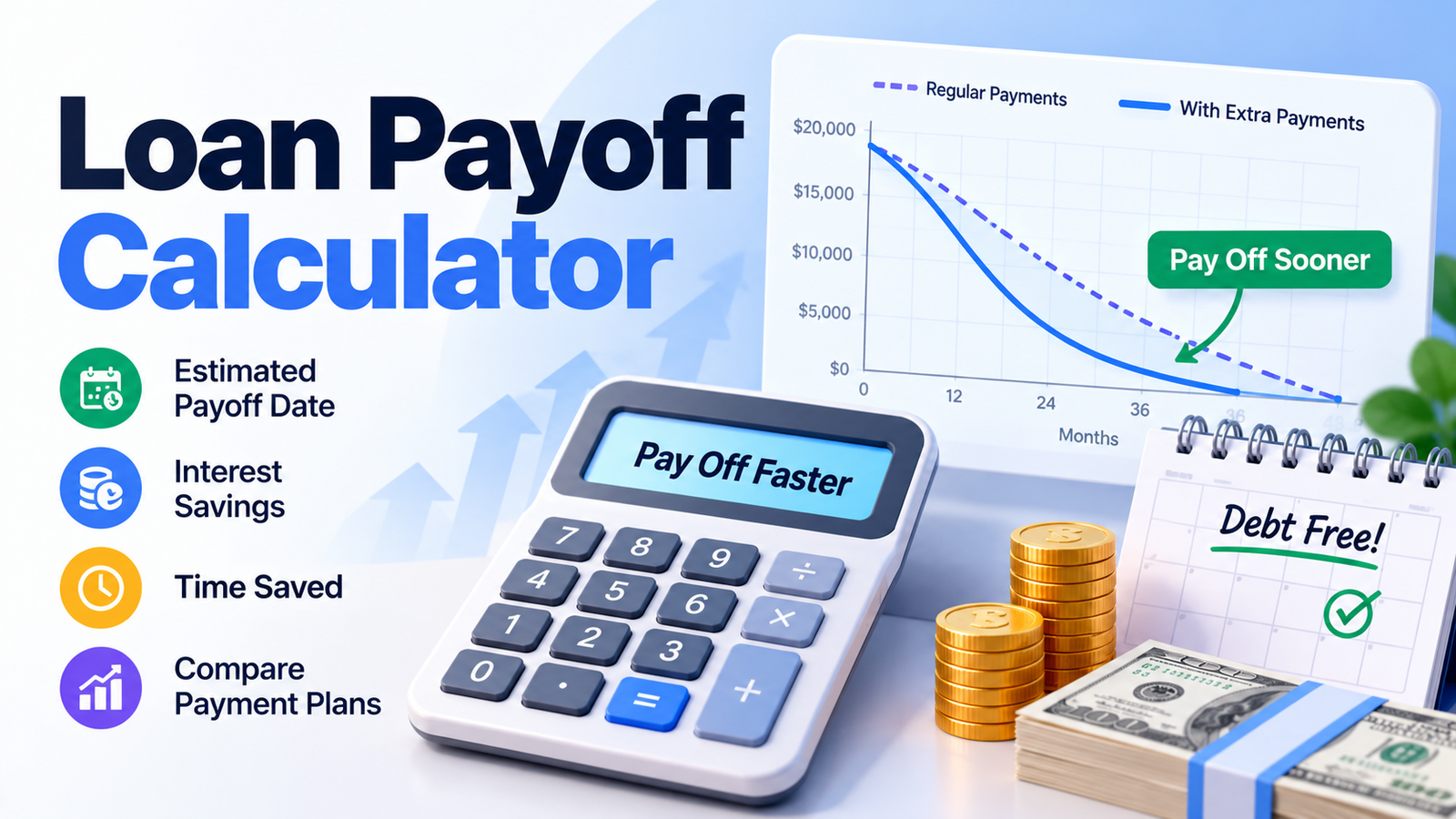
How to Use the Loan Payoff Calculator
Our free Loan Payoff Calculator helps you understand how quickly you could repay an existing loan and how much interest you might save by paying more than the required monthly amount.
Step 1: Enter Your Remaining Loan Balance
Enter the amount you currently owe on your loan, not the original amount borrowed.
For example, if your outstanding balance is $18,000, enter 18000.
Step 2: Enter Your Annual Interest Rate
Enter your loan's contractual annual interest rate, such as 11%.
Use the interest rate charged on the outstanding principal, rather than automatically using a disclosed APR that may include additional fees.
Step 3: Enter Your Monthly Payment
Enter your current scheduled principal-and-interest payment.
For example, enter $420 if that is your regular monthly loan payment.
If you know the remaining loan term instead, switch to Remaining Term and enter the number of months or years left.
Step 4: Add an Extra Monthly Payment
Enter the additional amount you want to pay toward principal each month.
For example, enter $100 to calculate the effect of paying $520 instead of $420.
Step 5: Calculate Your Loan Payoff
Click Calculate Loan Payoff to view your estimated payoff date, interest savings, remaining interest, and months saved.
Step 6: Explore Advanced Payment Options
You can also add annual extra payments, one-time lump sums, a hypothetical prepayment penalty, or a target payoff date.
The calculator updates the results whenever you change valid inputs.
What Is a Loan Payoff Calculator?
A Loan Payoff Calculator estimates how long it will take to repay an outstanding loan and how additional payments may reduce the total interest charged.
Instead of calculating the cost of a brand-new loan, it focuses on the remaining balance of a loan you already have.
The calculator can help you answer questions such as:
- When will my loan be paid off?
- How much interest do I still have to pay?
- What happens if I pay an extra $100 monthly?
- How much can I save with a lump-sum payment?
- What monthly payment would eliminate my loan in two years?
This tool is designed primarily for fixed-rate installment loans that calculate interest monthly on the declining principal balance.
Understanding Your Loan Payoff Calculator Results
The calculator displays several useful results to help you evaluate your repayment strategy.
| Result | What It Means |
|---|---|
| New Payoff Date | Estimated date when the loan will be fully repaid using extra payments |
| Interest Saved | Difference between regular and accelerated future interest |
| Time Saved | Months or years removed from the remaining repayment period |
| Regular Monthly Payment | Existing scheduled principal-and-interest installment |
| Monthly Payment With Extra | Regular monthly payment plus additional monthly principal |
| Future Interest With Extras | Estimated interest remaining under the accelerated plan |
| Original Payoff Date | Estimated payoff date without additional payments |
| Net Savings After Penalty | Estimated interest savings after any modeled early-payoff fee |
New Estimated Payoff Date
This is the main result.
It shows when your remaining loan balance could reach zero under your selected extra-payment strategy.
The date is calculated using your next scheduled payment date and the number of payments required.
Interest Saved
Interest saved represents the amount of future borrowing costs potentially avoided by paying down principal faster.
Interest Saved = Future Interest Without Extras − Future Interest With Extras
For example, if your regular repayment plan would generate $4,000 in remaining interest and the accelerated plan would generate $3,000, the estimated interest savings would be $1,000.
Time Saved
Time saved is the difference between your regular payoff period and accelerated payoff period.
If your original loan requires 55 more payments and an extra-payment strategy reduces that to 42 payments, you save 13 months.
Total Future Interest
This result shows the interest you are projected to pay from now until your loan is fully repaid.
It does not include interest you already paid in previous years.
Loan Payoff Calculator Example
Suppose you have an existing personal loan with the following details:
| Loan Detail | Example |
|---|---|
| Remaining Loan Balance | $18,000 |
| Annual Interest Rate | 11.00% |
| Regular Monthly Payment | $420 |
| Extra Monthly Principal | $100 |
| Total Monthly Payment | $520 |
Assume the next scheduled payment is November 1, 2026.
The calculator produces the following results:
| Result | Regular Payments | With $100 Extra |
|---|---|---|
| Monthly Payment | $420.00 | $520.00 |
| Remaining Payoff Time | 55 months | 42 months |
| Estimated Payoff Date | May 2031 | April 2030 |
| Future Interest | $4,967.91 | $3,752.85 |
| Total Future Loan Payments | $22,967.91 | $21,752.85 |
| Interest Saved | — | $1,215.06 |
| Time Saved | — | 13 months |
In this example, paying an extra $100 each month could save approximately $1,215 in future interest and eliminate the loan 13 months earlier.
These results assume a fixed interest rate, monthly declining-balance interest, on-time payments, and additional funds applied directly to principal.
Actual lender calculations may differ.
How Do Extra Loan Payments Reduce Interest?
For a standard declining-balance installment loan, interest is calculated using the outstanding principal balance.
Each monthly payment generally covers the interest owed for that period, with the remaining amount reducing principal.
When you make an additional principal payment, the outstanding balance decreases faster.
This can reduce the interest calculated in future months.
Example of an Extra Principal Payment
Suppose your loan has:
Outstanding Balance: $18,000
Annual Interest Rate: 11%
Regular Monthly Payment: $420
Extra Monthly Payment: $100
The monthly interest rate is:
11% ÷ 12 = approximately 0.9167%
Your first month's interest would be:
$18,000 × 0.11 ÷ 12 = $165
Under the regular plan:
- Monthly payment: $420
- Interest: $165
- Principal reduction: $255
- Remaining balance: $17,745
With an extra $100 applied to principal:
- Total payment: $520
- Interest: $165
- Principal reduction: $355
- Remaining balance: $17,645
The additional payment reduces the outstanding balance by another $100.
In subsequent months, interest is calculated using that lower balance, creating the potential for further savings.
Loan Payoff Formula
The calculator uses a standard fixed-rate monthly declining-balance model.
Monthly Interest Formula
[I=B\times\frac{r}{12}]
Where:
| Symbol | Meaning |
|---|---|
| I | Monthly interest |
| B | Outstanding loan balance |
| r | Annual contractual interest rate expressed as a decimal |
Remaining Balance Formula
[B_{\text{new}}=B_{\text{old}}+I-P-E]
Where:
- B = outstanding balance
- I = monthly interest
- P = scheduled payment
- E = additional principal payment
The calculation continues until the remaining loan balance reaches zero.
The final payment is limited to the remaining amount owed, so it may be smaller than the usual monthly payment.
Loan Payment Formula When the Remaining Term Is Known
If you choose the Remaining Term method, the calculator determines the regular monthly payment using:
[M=P\times\frac{i}{1-(1+i)^{-n}}]
Where:
- M = regular monthly payment
- P = remaining loan principal
- i = monthly interest rate
- n = number of remaining monthly payments
At 0% interest, the calculator divides the principal by the number of remaining payments.
How Much Can You Save by Paying Extra Every Month?
Increasing your monthly principal payment can shorten the loan and reduce borrowing costs.
Consider an $18,000 loan at 11% annual interest with a regular payment of $420.
| Extra Monthly Payment | Total Monthly Payment | Payoff Time | Interest Saved |
|---|---|---|---|
| $0 | $420 | 55 months | $0 |
| $100 | $520 | 42 months | $1,215.06 |
| $200 | $620 | 34 months | $1,943.72 |
These examples assume no annual extras, lump sums, or prepayment fees.
The larger monthly payment reduces principal faster and shortens the repayment period.
However, the most appropriate extra-payment amount depends on your budget and other financial obligations.
Monthly Extra Payments vs. Lump-Sum Loan Payments
The calculator supports three extra-payment methods.
Extra Monthly Loan Payments
This option adds a recurring amount to your scheduled monthly payment.
For example:
Regular Payment: $420
Extra Principal: $100
Total Monthly Payment: $520
The extra amount is applied to the principal each month under the calculator's assumptions.
Extra Annual Loan Payments
You can also enter an additional amount to be applied once every 12 payments.
For example, if you receive an annual bonus, you might use $1,000 of it to reduce your loan balance.
The calculator applies the annual payment at every 12th scheduled installment.
One-Time Lump-Sum Payment
A lump sum is a single additional contribution toward your loan.
For example, you might apply $2,500 from savings, a bonus, or another source.
Enter the amount and select the payment number when the money will be applied.
Can You Combine Different Extra Payments?
Yes.
You can combine monthly extras, annual contributions, and one-time lump sums in the same loan payoff calculation.
The calculator applies these amounts according to the selected timing and caps the final payment at the amount owed.
Is It Better to Pay Extra Monthly or Make a Lump-Sum Payment?
The timing of additional principal payments can affect total interest savings.
When a loan calculates interest using the outstanding balance, paying down principal earlier generally reduces the balance on which future interest is charged.
For example, applying $1,200 throughout the year as an extra $100 monthly may produce different results from applying $1,200 near the end of the year.
The outcome depends on when the lender credits the payments and how interest accrues.
The Loan Payoff Calculator lets you compare different strategies using a consistent monthly repayment model.
Before making additional payments, verify how your lender will apply the funds.
How to Pay Off a Loan in 24 Months
If your goal is to eliminate a loan by a specific date, the Target Loan Payoff feature calculates the additional monthly payment needed.
Suppose your current loan details are:
| Loan Detail | Value |
|---|---|
| Remaining Balance | $18,000 |
| Annual Interest Rate | 11.00% |
| Current Monthly Payment | $420 |
| Target Payoff Period | 24 months |
With no annual or lump-sum extras, the calculator estimates:
| Target Result | Amount |
|---|---|
| Regular Monthly Payment | $420.00 |
| Required Extra Monthly Payment | $418.95 |
| Total Required Monthly Payment | $838.95 |
Under the calculator's monthly interest assumptions, paying approximately $838.95 per month would repay the loan within 24 payments.
How to Use the Target Payoff Feature
Open Target Loan Payoff and choose either:
Payoff Period: Enter a target number of months.
Payoff Date: Select the date by which you want to eliminate the loan.
The calculator estimates the smallest additional recurring monthly payment, rounded up to cents, needed to meet the selected goal.
If your regular payments and existing annual or lump-sum extras already meet the goal, the additional required monthly payment is $0.
What Is an Early Loan Payoff Penalty?
Some loan agreements include a prepayment penalty or other charge when a borrower repays a loan ahead of schedule.
The amount and circumstances depend on the loan contract.
Not all installment loans have prepayment penalties.
Our calculator includes an optional Early Payoff Penalty field to illustrate how a user-entered fee might affect the financial benefit of an accelerated payoff.
Early Payoff Penalty Example
Suppose your extra-payment strategy produces the following results:
| Calculation | Amount |
|---|---|
| Interest Saved | $1,215.06 |
| Assumed Prepayment Penalty | $150.00 |
| Estimated Net Savings | $1,065.06 |
The calculation is:
Net Savings = Interest Saved − Applicable Prepayment Penalty
The fee is modeled separately from the amortization schedule and is applied only when the selected strategy finishes earlier than the regular repayment plan.
The tool does not determine whether your loan actually has such a penalty.
Check your loan agreement or request clarification from your lender.
What Is the Difference Between Loan Balance and Payoff Amount?
Your remaining loan balance and your actual lender payoff amount may be different.
Remaining Loan Balance
This is the principal amount still outstanding on the loan.
Loan Payoff Amount
This is the amount the lender requires to settle the loan completely as of a particular date.
Depending on the loan, the official payoff amount may include:
- Outstanding principal
- Accrued interest
- Applicable unpaid fees
- An early-payoff penalty, if required
The calculator estimates how future scheduled payments could eliminate your loan.
It does not generate an official settlement quote.
For the exact amount required to close your account on a specific day, contact your lender.
Loan Payoff Calculator vs. Loan Payment Calculator
These calculators answer different questions.
| Feature | Loan Payoff Calculator | Loan Payment Calculator |
|---|---|---|
| Primary Purpose | Repay an existing loan faster | Estimate payments on a loan |
| Main Input | Remaining balance | Amount borrowed |
| Focus | Payoff time and interest savings | Scheduled monthly payment |
| Extra Payment Scenarios | Yes | Depends on the tool |
| Target Payoff Planning | Yes | Not always included |
| Repayment Schedule | Available | Often available |
Use a Loan Payoff Calculator when you already have a loan and want to understand how extra payments change its remaining cost.
Use a Loan Calculator when evaluating the payment amount and total cost of a loan.
Understanding the Loan Amortization Schedule
An amortization schedule shows how a loan is repaid over time.
For a typical fixed-rate installment loan, each payment includes interest and principal.
As the principal balance decreases, the interest charged generally becomes smaller.
The Loan Payoff Calculator provides a detailed repayment schedule with:
| Column | What It Shows |
|---|---|
| Payment / Date | Scheduled installment and estimated payment date |
| Starting Balance | Outstanding principal before the payment |
| Regular Payment | Scheduled payment amount applied |
| Interest | Interest calculated for that month |
| Extra Principal | Additional amount applied to reduce the balance |
| Ending Balance | Remaining principal after the payment |
You can switch between Regular Payments and With Extras.
The first 12 payments appear initially. Select Show All Payments to review the complete schedule.
This makes it easier to understand where your payments go and how additional principal changes the repayment timeline.
How to Read the Remaining Loan Balance Chart
The Remaining Loan Balance Over Time chart compares two repayment plans.
The regular payment line shows how the balance decreases without extra payments.
The accelerated line shows how the balance changes using your selected extra-payment strategy.
A faster decline in the accelerated line indicates quicker principal repayment.
The chart updates when you change the balance, interest rate, monthly payment, or additional payments.
This visual comparison can help you understand the long-term effects of different repayment strategies.
What If You Pay More?
The calculator includes a What If You Pay More? section for comparing monthly extra-payment amounts.
It automatically calculates three scenarios:
- No extra monthly payment
- Your selected extra monthly payment
- An additional $100 above your selected extra payment
The comparison displays the estimated payoff period, payoff date, future interest, and interest saved.
If annual or lump-sum extras are enabled, those settings remain included in all three scenarios.
Interest savings are measured against the original regular repayment plan without extra payments.
Can You Use This Calculator for Different Loan Types?
The Loan Payoff Calculator is designed for existing fixed-rate loans that use monthly declining-balance interest.
| Loan Type | Suitability |
|---|---|
| Personal Installment Loan | Suitable |
| Fixed-Rate Home Improvement Loan | Suitable |
| Standard Fixed-Rate Auto Loan | Suitable when lender calculations match monthly amortization |
| Fixed-Rate Debt Consolidation Loan | Suitable |
| Fixed-Rate Installment Loan | Suitable |
| Mortgage | Dedicated Mortgage Payoff Calculator is more appropriate |
| Credit Card Balance | Not designed for revolving credit |
| Precomputed-Interest Loan | May produce inaccurate results |
| Variable-Rate Loan | Cannot predict future rate changes |
| Daily-Interest Loan | Results may differ from the lender's calculations |
For loans with unusual repayment methods, special fees, or changing interest rates, the calculator should be used only as a broad planning reference.
Should You Pay Off Your Loan Early?
Early loan repayment can reduce future interest costs and shorten the time you remain in debt.
However, whether it makes financial sense depends on your broader financial situation.
Consider the following before increasing payments:
Interest Rate: Higher-rate debts may have greater potential interest savings from faster principal repayment.
Emergency Savings: Using all available cash to pay down a loan may leave less money for unexpected expenses.
Other Debt: You may have other obligations with higher interest rates.
Prepayment Penalties: Applicable fees can reduce or eliminate the financial benefit.
Monthly Affordability: Extra payments should fit your realistic budget.
The calculator quantifies potential time and interest savings but does not determine the best financial strategy for every borrower.
Common Mistakes When Calculating Loan Payoff
Entering the Original Loan Amount
Use the amount you currently owe, not the amount borrowed when the loan began.
Entering APR Instead of the Contractual Interest Rate
The APR may include fees and other finance charges.
The calculator's amortization formula requires the interest rate charged on the outstanding balance.
Including Insurance or Other Fees in the Monthly Payment
Enter the amount attributable to loan principal and interest.
Additional charges can make the calculated repayment schedule inaccurate.
Assuming All Extra Payments Reduce Principal Automatically
Some lenders require specific instructions for applying extra funds toward principal.
Ignoring Early Payoff Fees
An applicable prepayment penalty can reduce the overall savings from early repayment.
Using the Wrong Interest Calculation Method
Daily simple-interest and precomputed-interest loans may produce results different from this monthly amortization model.
Forgetting Payment Timing
A lump-sum payment made in the first few months can have a different effect from the same payment made near the end of the loan.
How Accurate Is the Loan Payoff Calculator?
The calculator uses a standard monthly declining-balance interest model to estimate repayment schedules.
It calculates the regular and accelerated loan plans independently and displays the difference in interest and repayment duration.
Its estimates assume:
- A constant annual interest rate
- Monthly interest calculations
- On-time monthly installments
- Extra payments credited directly to principal
- No changes to the required regular installment
- A smaller final installment when necessary
Actual loan payoff results may differ because of daily interest accrual, payment posting dates, lender rounding, contract terms, fees, and other conditions.
For accurate settlement amounts, use an official payoff quote from your lender.
Related Loan & Finance Calculators
Explore these related Skills Elevate tools for additional loan repayment and interest calculations.
- Loan Calculator — estimate scheduled loan payments, interest, and total repayment costs.
- Amortization Schedule Calculator — review principal, interest, extra payments, and remaining balances in detail.
- Interest Rate Calculator — estimate the interest rate implied by loan payment details.
- Mortgage Payoff Calculator — calculate early mortgage payoff dates and extra principal savings.
- Credit Card Interest Calculator — estimate interest costs on revolving credit card balances.
Frequently Asked Questions
What is a Loan Payoff Calculator?
A Loan Payoff Calculator estimates how long it will take to repay an existing loan and how extra payments may reduce interest costs and the remaining repayment period.
How do I calculate when my loan will be paid off?
Enter your remaining loan balance, contractual interest rate, regular monthly payment, and any extra principal payments.
The calculator estimates the remaining number of installments and your payoff date.
How much interest can I save by paying an extra $100 monthly?
The savings depend on your loan balance, rate, and regular payment.
For example, on an $18,000 loan at 11% interest with a $420 regular payment, an extra $100 monthly could save approximately $1,215.06 in interest and shorten repayment by 13 months.
Is it better to make extra loan payments or save money?
The answer depends on your loan's interest rate, available cash, emergency savings, other debts, and financial priorities.
Use the calculator to estimate the interest savings, then consider those results alongside your overall finances.
Does paying extra reduce the principal?
Extra payments can reduce principal when the lender applies them that way.
Check your loan agreement and confirm how additional funds are credited.
Can I pay off a personal loan early?
Many personal loans permit early repayment.
However, the terms and any penalties depend on the individual loan agreement.
Does paying off a loan early save interest?
For many declining-balance installment loans, paying down principal early can reduce future interest.
The actual benefit depends on the interest calculation method, payment timing, and fees.
How do I calculate the monthly payment needed to pay off my loan in two years?
Open Target Loan Payoff and enter 24 months.
The calculator determines the estimated additional monthly payment needed to meet that deadline.
Can I enter a specific payoff date?
Yes. Select Payoff Date under the Target Loan Payoff section and choose your desired date.
Can I calculate a loan payoff using the remaining term?
Yes. Switch from Monthly Payment to Remaining Term and enter the number of months or years left on your loan.
The tool calculates an estimated regular payment using the loan's remaining principal and interest rate.
Can I combine monthly, annual, and lump-sum extra payments?
Yes. The calculator supports all three methods in a single accelerated repayment plan.
Can I use this calculator for an auto loan?
Yes, if the loan's interest and repayment method match the calculator's fixed-rate monthly declining-balance assumptions.
Many auto loans calculate interest daily, so your actual lender schedule may differ.
What happens if my loan has 0% interest?
The calculator estimates repayment using only the outstanding principal and scheduled payments, without interest charges.
What if my monthly payment is less than the interest?
If the regular monthly payment does not exceed the first month's interest, the calculator displays an insufficient-payment warning rather than generating a misleading payoff schedule.
Can a prepayment penalty eliminate my savings?
Yes. If the applicable fee equals or exceeds the interest saved, the net financial benefit may be zero or negative.
Does the calculator include lender fees?
The standard repayment calculation excludes lender fees. It offers an optional fixed prepayment penalty for comparing gross interest savings with illustrative net savings.
Why is my lender's payoff amount different from the calculator?
Your lender may calculate interest daily, use different rounding rules, include accrued interest through the settlement date, or charge applicable fees.
The calculator is a planning estimate rather than an official payoff quote.
Can I view every payment until the loan is paid off?
Yes. Open the Amortization Schedule and choose Show All Payments.
You can compare the regular repayment schedule with the accelerated schedule.
Can I copy my loan payoff results?
Yes. Select Copy Results to copy your estimated payoff dates, monthly payments, interest savings, time saved, and key repayment assumptions.
Is the Loan Payoff Calculator free?
Yes. The Skills Elevate Loan Payoff Calculator is free to use for estimating loan payoff dates, extra-payment savings, and different repayment strategies.