
String Length Calculator
Count characters, bytes, and length with/without spaces — instantly.
Last updated:
String Length Calculator
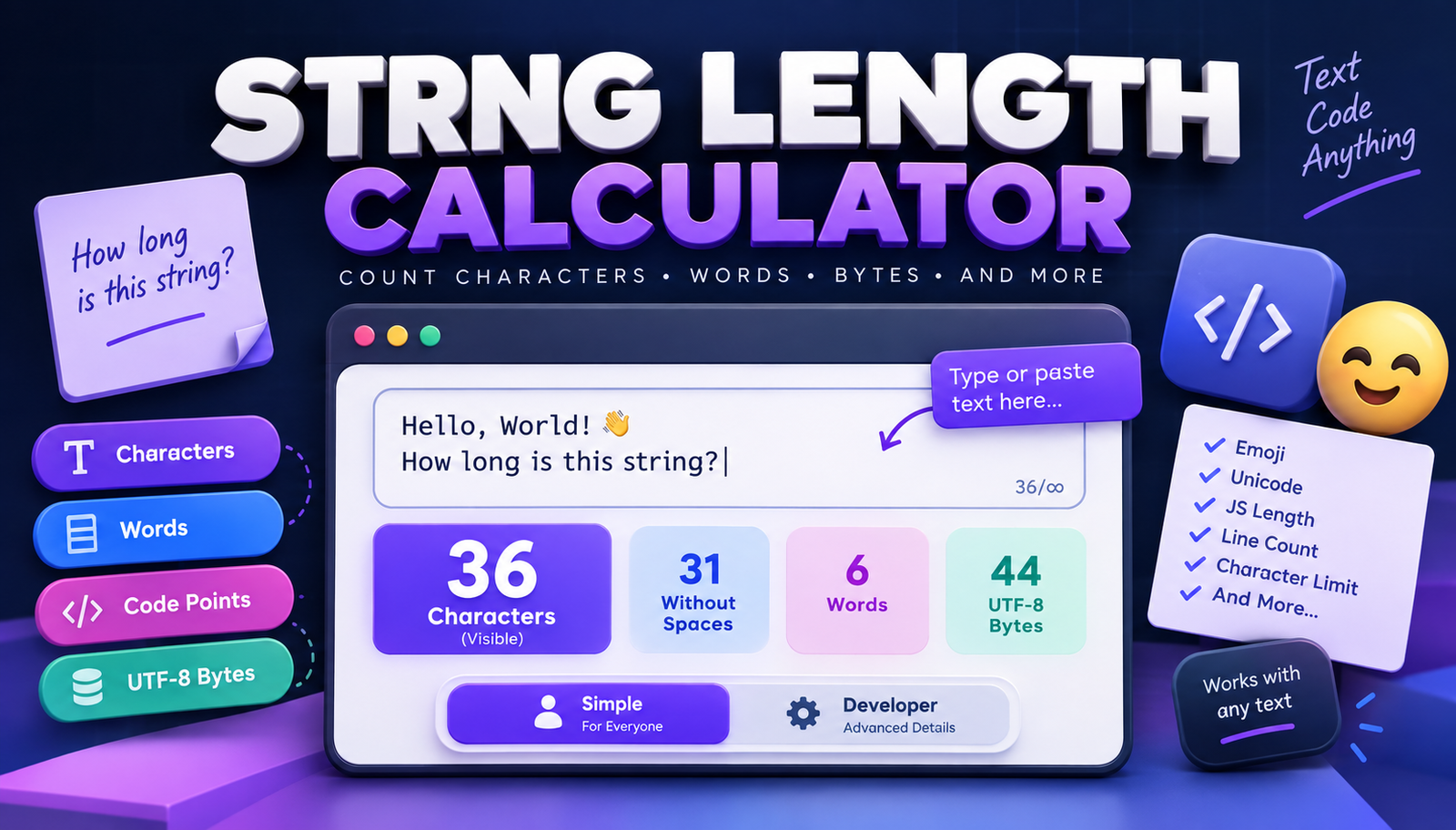
Use this free String Length Calculator to instantly measure the length of any string, sentence, paragraph, or block of text. Type or paste your content and see the character count update automatically as you write.
The tool displays your main string length, plus characters without whitespace, word count, line count, UTF-8 bytes, and additional Unicode details for technical users.
There is no Calculate button required:
Type or Paste Text → See String Length Instantly
This makes the tool useful for developers, students, writers, QA testers, SEO professionals, marketers, teachers, and anyone who needs an accurate text length quickly.
How to Calculate String Length Online
Using the string length calculator is simple:
- Type or paste your text into the input box.
- View the total string length instantly.
- Check characters without whitespace, words, lines, and bytes.
- Enter an optional maximum character limit.
- See how many characters remain or how far you are over the limit.
- Copy the calculated results when needed.
All counters update automatically whenever the text changes.
What Is String Length?
String length generally means the total number of characters contained in a string.
For everyday text, characters can include:
- Letters
- Numbers
- Spaces
- Punctuation
- Symbols
- Emojis
- Line breaks
For example:
Hello World
contains 11 characters when the space is included.
This calculator clearly shows the main character count so you do not have to count text manually.
Does String Length Include Spaces?
Yes. The primary String Length result includes spaces.
For example:
Hello World
contains:
- 11 characters including the space
- 10 characters without whitespace
The tool shows both values at the same time.
This is useful because some systems count spaces toward their limits while others may require a whitespace-free count.
Character Count Without Spaces
The secondary counter removes whitespace before calculating the result.
That means spaces, tabs, and line-break characters are excluded from this metric.
This can be useful for:
- Programming exercises
- Data cleanup
- Form validation
- Text comparison
- Content analysis
The original text is not modified.
Online Character Count Calculator
The tool also works as a fast character count calculator.
Paste text such as:
The quick brown fox jumps over the lazy dog.
and immediately see how many visible characters it contains.
You can use the character counter for:
- Usernames
- Form fields
- Database values
- Headlines
- Titles
- Descriptions
- Social posts
- API parameters
- Product names
Live Character Counter
There is no need to repeatedly press a button after editing your text.
The character count updates in real time while you:
- Type
- Delete text
- Paste content
- Add spaces
- Insert emojis
- Add new lines
This is especially useful when trying to stay within a maximum length.
Set a Maximum Character Limit
Need to check text against a specific limit?
Enter a maximum length such as:
160 characters
The tool then displays your progress as:
128 / 160
and shows:
32 characters remaining
If your text becomes too long, the calculator tells you how many characters exceed the limit.
Character Limit Checker
The built-in character-limit feature makes the tool useful as a character length checker for forms and applications.
Example:
Maximum Length: 50
If your string contains 43 characters:
43 / 50
7 characters remaining
If your string contains 58 characters:
58 / 50
8 characters over the limit
This can help you adjust text before submitting it.
String Length Calculator for Developers
Developers frequently need to check string size when working with:
- Database columns
- APIs
- Form fields
- Validation rules
- Usernames
- Tokens
- Configuration values
- Imported datasets
- JSON fields
Instead of manually counting characters, paste the string into the calculator and get the result immediately.
Check Database Field Length
Database fields often have defined maximum lengths.
For example, an application might use a field with a maximum length of:
VARCHAR(255)
You can enter 255 as the character limit and paste your test value to see whether it fits.
The tool can help during:
- Database development
- Data migrations
- Form testing
- Import validation
- QA testing
Keep in mind that database storage rules can depend on the database, encoding, column type, and configuration. Character count and storage bytes are not always identical.
String Length Calculator for API Testing
APIs may restrict the maximum size of certain text parameters.
You can use this tool to test values before sending them to an API.
Common examples include:
- Names
- Search queries
- User descriptions
- Titles
- Comments
- Reference codes
- Text parameters
The UTF-8 byte counter can also be useful when an API limit is measured in bytes rather than visible characters.
Character Counter for Form Testing
Web forms often include validation such as:
- Minimum username length
- Maximum message length
- Limited title length
- Address field limits
- Profile bio limits
QA testers can paste different test values and quickly see their exact length.
This helps when testing:
- Minimum boundaries
- Maximum boundaries
- Over-limit values
- Spaces
- Emojis
- Symbols
- Multiline input
Word Count
The calculator also displays the number of words in your text.
For example:
Learning JavaScript is useful.
contains 4 words.
Word count can be useful for:
- Writing assignments
- Blog content
- Reports
- Descriptions
- Classroom exercises
- Content editing
Line Count
The Line Count metric tells you how many lines appear in the input.
This can be useful when working with:
- Lists
- Code snippets
- CSV-style values
- Addresses
- Multiline form fields
- Imported text
Line breaks are also relevant when measuring overall string length.
UTF-8 Byte Counter
Characters and bytes are not always the same thing.
Basic English characters commonly use one byte in UTF-8, while many other Unicode characters require multiple bytes.
For example, an emoji may look like a single character while using several bytes.
The tool therefore provides a separate:
UTF-8 Bytes
result for technical users.
Characters vs Bytes
A character is a text element a user sees or works with.
A byte represents the amount of encoded data used to store or transmit that text.
For plain ASCII text:
Character count and UTF-8 byte count are often the same.
For Unicode text containing accented letters, non-Latin scripts, or emojis:
The byte count may be larger than the visible character count.
This distinction matters when working with:
- APIs
- Databases
- File formats
- Network requests
- Encoded data
Unicode Character Counting
Unicode makes the idea of a "character" more complicated than it first appears.
A visible symbol can sometimes consist of multiple underlying Unicode values.
For that reason, this tool separates several technical measurements.
Visible Unicode Characters
The primary counter aims to represent user-visible characters, also known as grapheme clusters, when supported by the browser.
Unicode Code Points
A Unicode code point represents an individual Unicode value.
Some visible characters can contain more than one code point.
UTF-16 Code Units
JavaScript internally represents strings using UTF-16.
Because of this, JavaScript's native:
string.length
returns the number of UTF-16 code units, not necessarily the number of visible characters.
UTF-8 Bytes
This tells you approximately how many bytes the text requires when encoded as UTF-8.
Keeping these values separate makes the calculator useful for both everyday users and developers.
Does JavaScript string.length Count Characters?
Not always in the way a user expects.
In JavaScript:
[object HTMLPreElement]returns the number of UTF-16 code units.
For basic English text, this often matches the visible character count.
For certain emojis and Unicode characters, it may differ.
This calculator therefore provides a separate UTF-16 code-unit count in the technical details section.
String Length With Emojis
You can paste emojis directly into the calculator.
For example:
Hello 👋
The tool attempts to count the emoji as a user-visible character in the main result while separately reporting its underlying technical representation.
This is useful for testing:
- Messaging apps
- Social media fields
- User profiles
- Comments
- Unicode-enabled forms
String Length With Special Characters
Special symbols are counted just like other characters.
Examples include:
@ # $ % & * ! ?
The calculator can therefore be used for:
- Password-related testing
- Form validation
- Data analysis
- Programming examples
- Symbol-heavy strings
String Length With Line Breaks
Line breaks are part of the input string and are included in the main length measurement.
The tool also displays the number of lines separately.
This is useful when testing multiline:
- Textareas
- Comments
- Addresses
- Descriptions
- Imported text
Text Length Calculator for Writers
Writers can use the calculator to measure:
- Headlines
- Titles
- Summaries
- Descriptions
- Captions
- Short-form content
The live counter makes it easier to shorten or expand text while watching the length change immediately.
Character Counter for SEO
SEO professionals frequently work with text fields that have practical display-length considerations.
A character counter can help when drafting:
- Meta titles
- Meta descriptions
- Page titles
- Image alt text
- Product titles
- URL-related text
However, search engines do not always display snippets based on a fixed character count alone. Pixel width, query context, device, and rewriting can also affect what users see.
Use character counts as an editing aid rather than as a guaranteed search-result display limit.
Character Counter for Social Media
Different platforms may enforce text-length limits for posts, bios, usernames, or messages.
Use the maximum-length option to compare your text against the limit you are targeting.
For example:
Current: 132 characters Maximum: 160 characters Remaining: 28 characters
Platform limits can change, so check the current requirements of the service when an exact limit matters.
String Length Calculator for Students
Students can use the tool for:
- Programming assignments
- Computer science exercises
- Writing practice
- Character-count assignments
- String manipulation lessons
- Unicode experiments
It provides both simple and technical statistics without requiring manual calculations.
Text Length Calculator for QA Testing
QA testers can quickly test strings containing:
- Empty input
- Single characters
- Very long text
- Spaces
- Leading whitespace
- Trailing whitespace
- Line breaks
- Numbers
- Symbols
- Emojis
- International characters
This makes it easier to verify how software handles different input lengths.
Paste Long Strings Instantly
You can paste large blocks of text directly into the input area.
The counters update automatically without requiring you to reformat the content first.
This is useful for:
- Database values
- Logs
- API payload fields
- Imported text
- Long descriptions
- QA test strings
Copy String Statistics
Use Copy Results when you need to save or share the calculated metrics.
The copied result can include:
- String length
- Characters without whitespace
- Words
- Lines
- UTF-8 bytes
- Unicode code points
- UTF-16 code units
- Character-limit usage
This is convenient for documentation and QA reports.
Browser-Based String Length Calculator
The counting process runs directly in your browser.
There is no need to upload a document or install additional software.
You can use the calculator on modern:
- Desktop browsers
- Laptops
- Tablets
- Mobile devices
Who Is This String Length Calculator For?
Developers
Check input length, database values, API parameters, Unicode text, and byte size.
QA Testers
Create boundary tests and verify form validation.
Students
Practice programming, strings, character counting, and Unicode concepts.
Writers
Measure titles, descriptions, captions, and other text.
SEO Professionals
Check the approximate character length of titles, descriptions, and page elements.
Marketers
Measure ad copy, campaign text, captions, and short descriptions.
Teachers
Create examples for programming and language exercises.
Everyday Users
Quickly count characters without manually checking every letter and space.
String Length vs Word Count
String length and word count measure different things.
For example:
Hello world
has:
- 11 characters
- 2 words
The space contributes to the character count but does not create another word.
Both measurements are displayed independently.
String Length vs Text Length
For most everyday purposes, string length and text length refer to the same basic idea: how many characters appear in the input.
Technical environments may define length differently depending on:
- Unicode handling
- Encoding
- Programming language
- Database configuration
That is why this calculator includes technical counters in addition to the primary visible-character count.
Frequently Asked Questions
What is a string length calculator?
A string length calculator measures how many characters are contained in a string or text block.
Does string length include spaces?
Yes. The primary result includes spaces, punctuation, emojis, and line breaks.
Can I count characters without spaces?
Yes. The tool includes a separate count that removes whitespace.
Does the counter update automatically?
Yes. Results update live while you type or paste text.
Can I count words?
Yes. Word count is displayed alongside the character count.
Can I count lines?
Yes. The calculator includes a line counter.
Can I count bytes?
Yes. The tool displays the UTF-8 byte size of the input.
Can I count emojis?
Yes. The primary counter is designed to count user-visible Unicode characters where supported by the browser.
Why can JavaScript string.length differ from the character count?
JavaScript's native string.length measures UTF-16 code units. Some Unicode symbols and emojis require more than one code unit.
Does punctuation count as a character?
Yes. Characters such as commas, periods, question marks, quotation marks, and symbols contribute to the string length.
Do line breaks count?
Yes. Line breaks are part of the input and contribute to string length.
Can I set a maximum character limit?
Yes. Enter a maximum length and the tool will show your current count plus the number of remaining or excess characters.
Can I use this for database testing?
Yes. It can help check sample strings against expected field lengths, but remember that database storage limits can depend on encoding and column configuration.
Can I use it for API testing?
Yes. Developers can check character counts and UTF-8 bytes for API input values.
Can I use it as a character counter for SEO?
Yes. It can help measure titles and descriptions, though search-engine display length is not determined by character count alone.
Do I need to sign up?
No. You can calculate text and string length without registration.
Calculate String Length Now
Type or paste your text into the String Length Calculator to see the result immediately.
Whether you're checking a database field, API input, username, form limit, SEO title, social caption, programming exercise, or ordinary block of text, this free online calculator gives you instant character, word, line, byte, and Unicode statistics without manual counting.