
How to Download YouTube Video Thumbnails
YOUTUBE THUMBNAIL GUIDE
Have you ever watched a YouTube video and wanted to save its thumbnail? Perhaps you liked the design, needed an image for research, or wanted to retrieve a thumbnail from your own video.
A YouTube thumbnail downloader helps you retrieve available thumbnail images without taking blurry screenshots or installing complicated software.
This guide explains how YouTube thumbnail URLs work, how to download available HD images, how to save them on different devices, and how the Skills Elevate Video Downloader helps you preview supported video information.
Quick Answer
To download a YouTube video thumbnail, copy the video URL, identify its video ID, and insert that ID into YouTube's thumbnail image URL:
https://img.youtube.com/vi/VIDEO_ID/hqdefault.jpg
Replace VIDEO_ID with the actual video identifier. Open the resulting address in your browser and save the image if it is available.
What Is a YouTube Thumbnail Downloader?
A YouTube thumbnail downloader is an online tool or method that retrieves the preview image associated with a YouTube video.
Thumbnails are the images displayed before viewers open videos. Creators use them to communicate topics, highlight important visual elements, and attract viewer attention.
Downloading a thumbnail differs from downloading an entire video. A thumbnail is an individual image file, while a video includes moving images and often audio.
Content creators may retrieve their own thumbnail designs, marketers can study visual styles, and students may use permitted thumbnail images in educational research.
How to Download a YouTube Video Thumbnail
You can retrieve many publicly available YouTube thumbnails through their image URLs. The following method works in a compatible web browser and does not require a dedicated application.
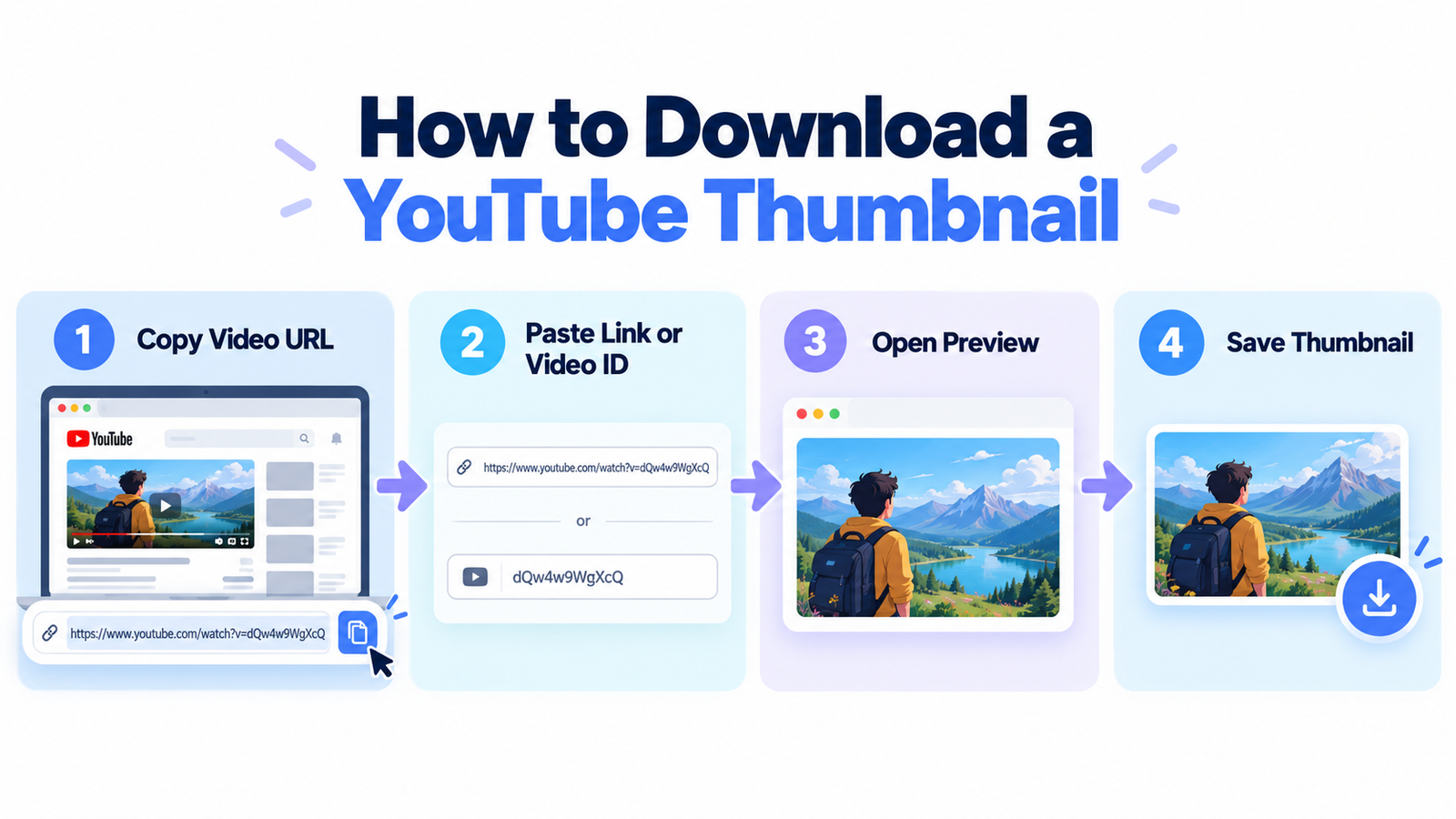
Step 1: Copy the YouTube Video URL
Open the desired YouTube video and copy its link from your browser's address bar or the Share menu.
Step 2: Identify the Video ID
Each YouTube video has a unique identifier. For example:
https://www.youtube.com/watch?v=dQw4w9WgXcQ
The video ID is dQw4w9WgXcQ.
Step 3: Generate the Thumbnail URL
Insert the video ID into the thumbnail URL format:
https://img.youtube.com/vi/dQw4w9WgXcQ/hqdefault.jpg
Step 4: Open the Thumbnail
Paste the image URL into your browser's address bar and press Enter. If the image is available, it will open directly.
Step 5: Save the Image
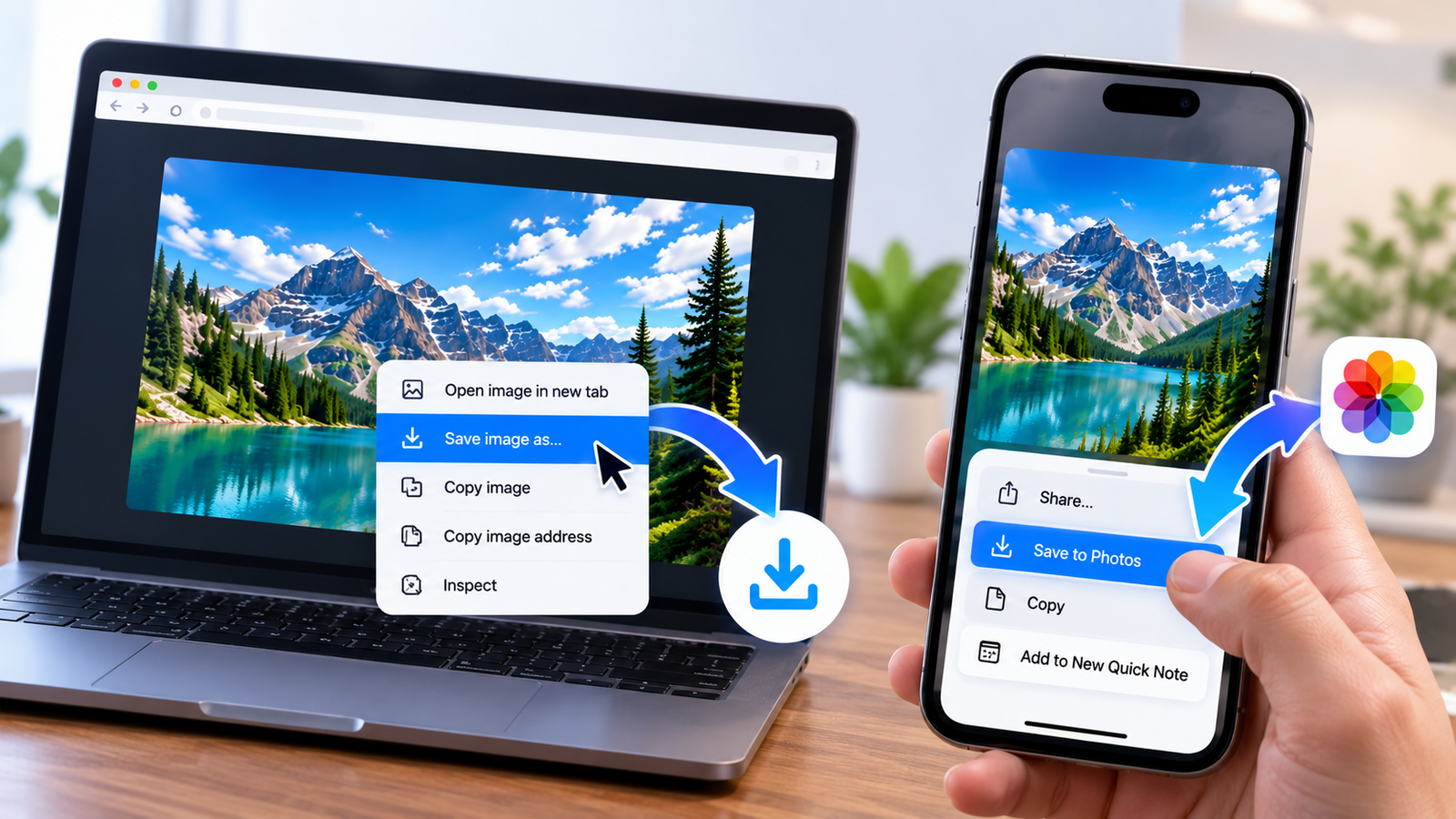
On desktop, right-click the image and select Save image as. On mobile, use the available save-image or sharing option.
How YouTube Thumbnail URLs Work
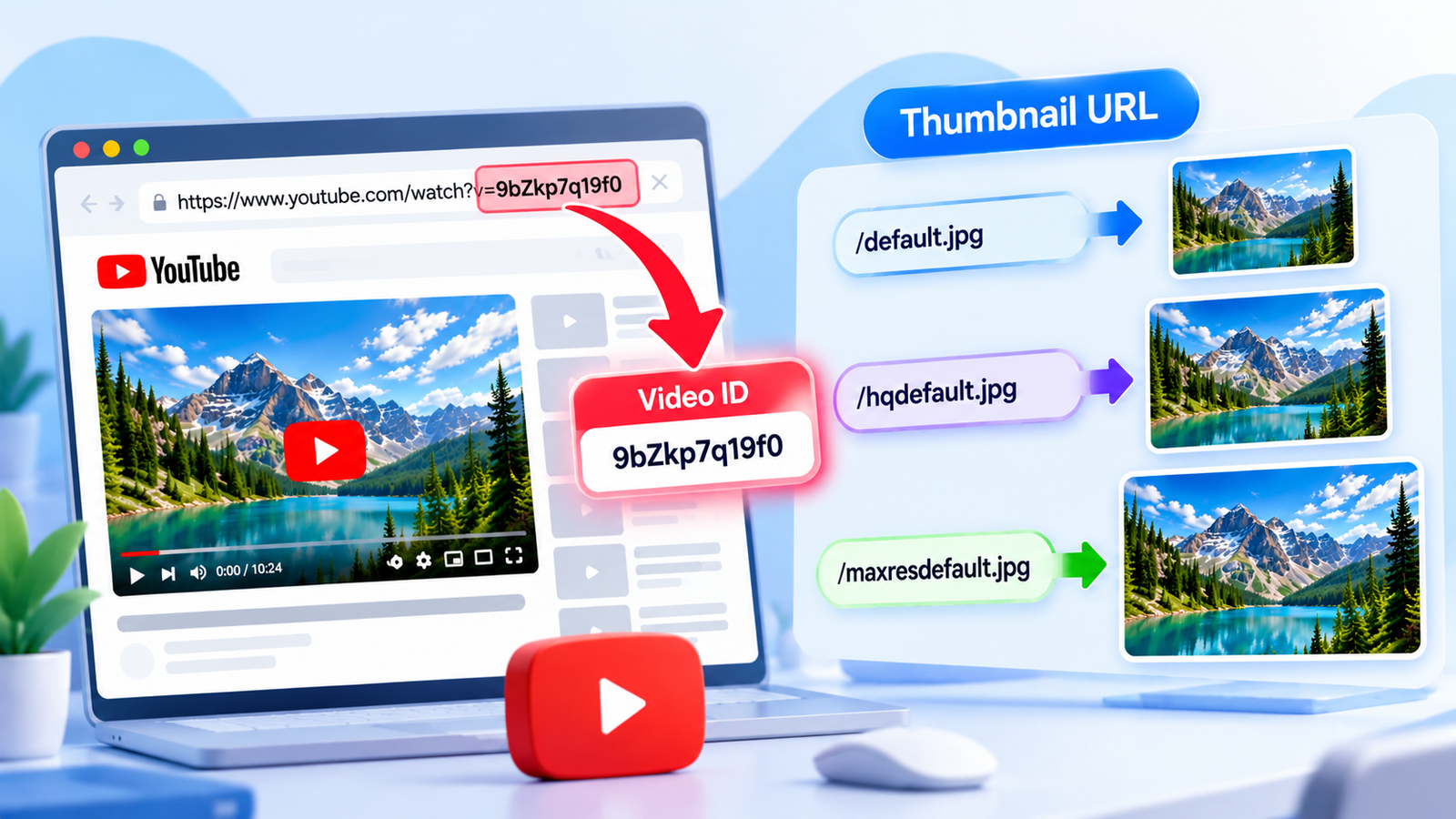
YouTube thumbnail URLs use a video's unique ID along with a filename identifying a particular image variant.
Learning this URL structure allows you to access available thumbnail images through your browser.
Basic Thumbnail URL Format
https://img.youtube.com/vi/VIDEO_ID/IMAGE_NAME.jpg
VIDEO_ID: The unique identifier associated with the video.
IMAGE_NAME: The requested thumbnail variant, such as hqdefault.jpg.
Common YouTube Thumbnail URLs
| Image Filename | Description |
|---|---|
default.jpg | Small thumbnail |
mqdefault.jpg | Medium-quality image |
hqdefault.jpg | High-quality image |
sddefault.jpg | Standard-definition image |
maxresdefault.jpg | Maximum-resolution variant when available |
Not all videos have every variant. An image endpoint can also return a placeholder rather than the requested thumbnail.
YouTube Thumbnail Sizes and Resolutions
YouTube thumbnails are available through several commonly used image-size variants. Choosing a suitable resolution helps preserve clarity for your intended use.
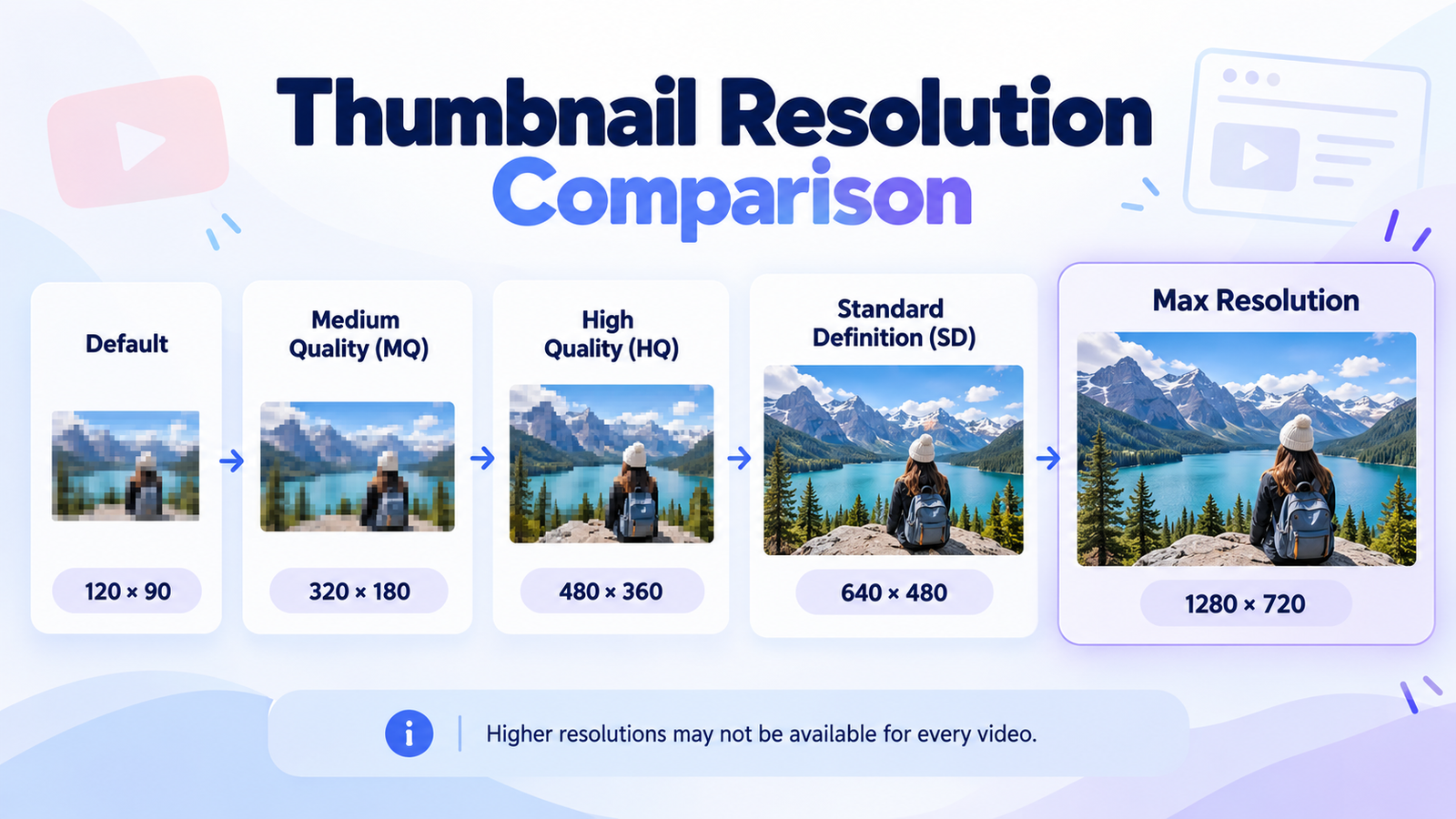
| Thumbnail Variant | Common Size | Use |
|---|---|---|
| Default | 120 × 90 | Small previews |
| Medium Quality | 320 × 180 | Compact previews |
| High Quality | 480 × 360 | General viewing |
| Standard Definition | 640 × 480 | Larger previews |
| Maximum Resolution | Often 1280 × 720 | HD viewing when available |
These are common endpoint dimensions. Actual image availability and dimensions can vary.
Choose the highest genuinely available resolution when image clarity matters. A larger requested image size does not guarantee greater detail if the source is low quality.
How to Save YouTube Thumbnails on Mobile and Desktop
Once you've opened an available thumbnail image URL, you can save it using your browser's normal image-saving features.
Save on Windows
Open the image in Chrome, Edge, Firefox, or another compatible browser. Right-click the picture, choose Save image as, and select the destination folder.
Save on Mac
Open the thumbnail in Safari or another browser. Control-click or right-click the image and use the available save-image option.
Save on Android
Open the image URL in your mobile browser. Touch and hold the image, then select the available download or save-image option.
Save on iPhone
Open the thumbnail in Safari. Touch and hold the image, then choose Save to Photos if available, or use the sharing options to save it to Photos or Files.
Can You Download YouTube Shorts Thumbnails?
YouTube Shorts are short-form videos commonly displayed vertically. Like standard YouTube videos, Shorts have video IDs that may be used to access available thumbnail images.
A Shorts URL commonly follows this structure:
https://www.youtube.com/shorts/VIDEO_ID
You can try the public thumbnail URL format using the Shorts video ID. However, the retrieved image may have a different crop, resolution, or appearance than the preview displayed in the Shorts feed.
Not every YouTube Short has a maximum-resolution thumbnail. Check the actual image instead of assuming HD availability.
How Skills Elevate Helps You Preview Video Thumbnails
The Skills Elevate Video Downloader offers a browser-based workflow for checking supported video information and preparing authorized MP3 or MP4 downloads.
When video information is successfully fetched, the tool displays details including the video title, thumbnail preview, and duration.

Step 1: Open Skills Elevate
Visit the video downloader page using a compatible browser.
Step 2: Paste a Supported Video Link
Enter an eligible video URL and select Fetch Video.
Step 3: Check the Video Preview
Review the recognized thumbnail, title, and duration to verify the correct video was found.
A dedicated thumbnail download button is a proposed enhancement and has not been verified as an existing feature. Until it becomes available, use the thumbnail image URL method explained earlier in this guide.
Explore the Video Downloader
Preview supported video information and explore available MP3 and MP4 download options for content you are authorized to save.
Open Skills Elevate Downloader →Why Is My YouTube Thumbnail Not Loading?
Sometimes an image will not load or a requested quality will be unavailable. This can happen because of incorrect video IDs, unavailable image variants, restrictions, or browser-related problems.
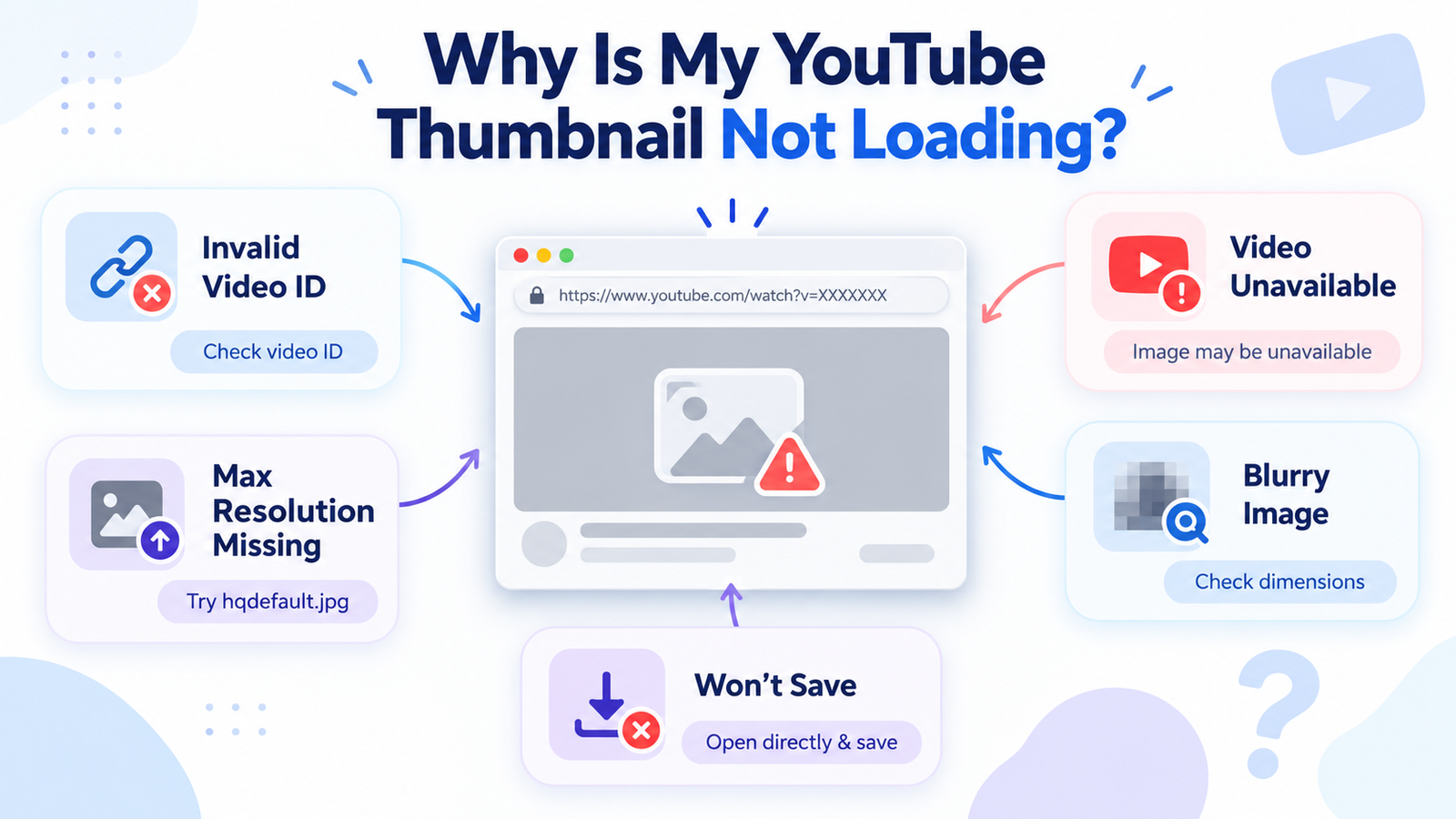
| Problem | Possible Solution |
|---|---|
| Invalid video ID | Check the ID copied from the video URL. |
| Maximum resolution missing | Try hqdefault.jpg or another available variant. |
| Video removed or unavailable | The associated thumbnail may no longer be accessible. |
| Image looks blurry | Check the actual image dimensions and original quality. |
| Image will not save | Open the image directly and use the browser's save option. |
A low-resolution or missing image cannot be restored simply by changing its filename or enlarging it.
Best Uses for Downloaded YouTube Thumbnails
Thumbnail images can be useful in several legitimate situations, depending on your rights to access and reuse them.

1. Thumbnail Design Research
Creators can study composition, contrast, typography, color combinations, and visual storytelling to inspire their own original thumbnail designs.
2. Managing Your Own Video Assets
Channel owners can retrieve available preview images from their own videos for records, backups, and content organization.
3. Educational Research
Students and educators can use authorized thumbnail images as references when studying digital media, content presentation, and communication techniques.
4. Marketing Analysis
Marketers can compare thumbnail styles to understand how visual composition and messaging communicate video topics.
Can You Legally Download and Reuse YouTube Thumbnails?
A YouTube thumbnail may contain copyrighted photography, illustrations, graphics, or other protected creative elements.
Downloading a thumbnail for reference does not automatically grant the right to republish, modify, or commercially reuse it. Permissions depend on the image, intended use, applicable licensing, platform rules, and relevant law.
Responsible Thumbnail Usage
Use images you own or have permission to reproduce.
Respect copyright and the original creator's rights.
Avoid misleading reuse of other creators' thumbnail designs.
Check whether permission or another legal basis is required before publishing protected imagery.
Frequently Asked Questions
Select a question below to expand its answer.
What is a YouTube thumbnail downloader?
A YouTube thumbnail downloader is a tool or method for retrieving the preview image associated with a YouTube video. It lets users save an available image without downloading the entire video.
How can I download a YouTube thumbnail in HD?
Find the video ID and try its maxresdefault.jpg image URL. If that variant is unavailable, check other sizes such as hqdefault.jpg.
Can I download a thumbnail without installing software?
Yes. Many publicly accessible thumbnail images can be retrieved through their image URLs using a compatible browser, without installing separate software.
Can I download YouTube thumbnails on my phone?
Yes. Open the available thumbnail image in a mobile browser and use the device's save-image or sharing options. The exact steps differ between Android and iPhone.
What is the best YouTube thumbnail resolution?
The best downloadable resolution is the highest genuine image variant available for the video. Maximum-resolution endpoint images are often 1280 × 720, although not all videos offer this version.
Can I download a YouTube Shorts thumbnail?
You can try the public thumbnail image URL structure using the Shorts video ID. Image resolution, availability, and cropping may vary.
Why is my YouTube thumbnail blurry?
A thumbnail may appear blurry if you opened a low-resolution variant or the original image contains limited detail. Try another available image size and check its actual dimensions.
Does Skills Elevate directly download thumbnails?
Skills Elevate currently offers a video thumbnail preview when fetching supported video information. A dedicated thumbnail-download button has not been verified as available.
Can I reuse someone else's YouTube thumbnail?
Downloading an image does not automatically provide permission to republish or commercially reuse it. You may need permission or another applicable legal basis.
Final Thoughts
Using a YouTube thumbnail downloader or a public thumbnail image URL can help you retrieve available video preview images without taking screenshots.
The process starts with identifying the correct video ID, selecting an available image variant, and saving the file using your browser. Always check the image's true resolution and respect the original creator's rights.
If you want to preview supported video information or explore authorized MP3 and MP4 downloads, Skills Elevate provides a convenient browser-based video downloader.
Explore Skills Elevate Video Downloader →