
Add a Border to an Image Online
Add a solid color border of any thickness to your image.
Last updated:
Upload an Image
Choose the image you want to add a border around.
Drop an image here, or click to browse
Add a clean border around JPG, PNG or WebP images without stretching or cropping the original.
Choose Your Border
Adjust the border thickness and color.
Preview & Download
Check the final dimensions before downloading your image.
Upload an image to see your border preview.
Upload an image to begin.
Add a Border to an Image Online Free
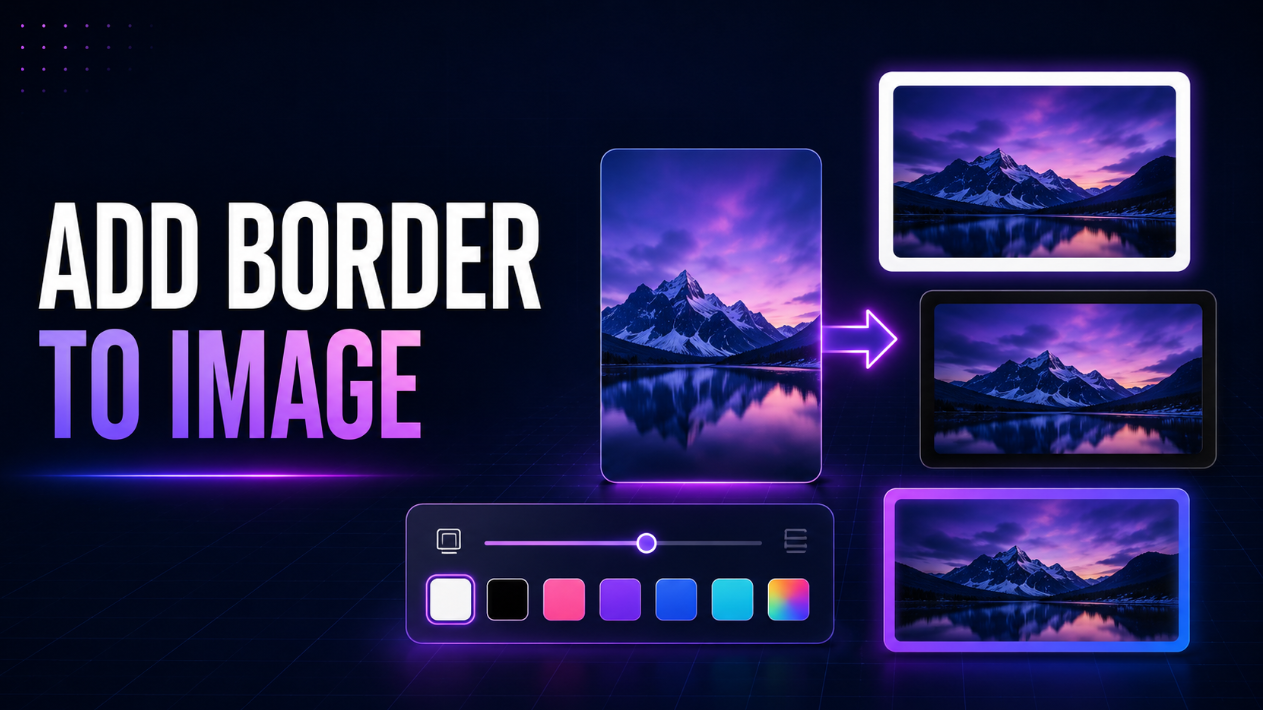
Add a clean, customizable border to an image online for free without Photoshop or complicated editing software. Upload a JPG, PNG, or WebP image, choose your border thickness and color, preview the result instantly, and download your finished image.
This online photo border maker is designed for content creators, bloggers, students, ecommerce sellers, photographers, marketers, designers, small-business owners, and everyday users who need a quick way to frame an image.
The workflow is simple:
Upload Image → Choose Border → Download
How to Add a Border to an Image Online
Adding a border takes only a few steps:
- Upload your JPG, PNG, or WebP image.
- Adjust the border thickness.
- Choose white, black, or any custom border color.
- Preview the result instantly.
- Download your bordered image.
The border is added evenly around all four sides without stretching or cropping the original image.
Free Online Image Border Maker
You do not need a professional photo editor just to add a simple frame around a picture.
Our image border tool gives you the essential controls without unnecessary menus, filters, or advanced settings.
You can quickly:
- Add a border to a photo
- Choose exact border thickness
- Add a white image border
- Add a black photo border
- Pick a custom border color
- Preview changes instantly
- Keep the original image centered
- Download the finished image immediately
Add a White Border to an Image
White borders are popular for social media, product photography, portfolios, and minimalist image layouts.
Choose the White preset to instantly create a clean white frame around your image.
A white image border can be useful for:
- Instagram photos
- Ecommerce product images
- Portfolio photography
- Blog graphics
- Marketplace listings
- Profile images
- Artwork
- Social media posts
You can make the white border thin and subtle or increase the thickness for more spacing around your photo.
Add a Black Border to a Photo
A black border can give photographs, artwork, posters, and digital graphics a stronger framed appearance.
Select the Black preset and adjust the thickness until the border looks right for your image.
Black borders work particularly well with:
- Photography
- Artwork
- Posters
- Dark-themed designs
- Portfolio images
- Social graphics
- Product photography
Add a Custom Color Border
Need a border that matches your brand or design?
Use the built-in color picker to choose virtually any border color.
Custom colors are useful for:
- Brand graphics
- Marketing images
- Social media themes
- Product listings
- Promotional graphics
- Blog images
- Presentation visuals
The selected color is applied evenly around all four sides of the image.
Choose Exact Border Thickness
Different images need different amounts of spacing.
Use the border thickness slider or enter a precise pixel value to control the size of the frame.
You can create:
- Thin borders for a subtle outline
- Medium borders for balanced spacing
- Thick borders for a framed appearance
- Large borders for social-media layouts
The tool applies the same thickness to the top, bottom, left, and right sides.
Add a Border Without Cropping Your Image
This tool does not crop or stretch your original image.
Instead, the border is added outside the existing image.
For example, if your original image is:
1000 × 800 px
and you add a:
20 px border
the finished image becomes:
1040 × 840 px
This keeps all of the original image content visible while creating equal spacing around it.
Instant Image Border Preview
You do not need to repeatedly download files just to see how a border looks.
As you adjust the thickness or choose a different color, the preview updates so you can see the result before downloading.
This makes it easier to experiment with different border styles and choose the one that fits your image.
Add a Border to JPG Images
Upload a JPG or JPEG photo and quickly add a colored frame around it.
This can be useful for:
- Website photos
- Product images
- Social media posts
- Portraits
- Portfolio photos
- Email graphics
- Marketing assets
The edited image can be downloaded as a JPG file.
Add a Border to PNG Images
PNG files are supported as well.
This is especially useful for:
- Logos
- Graphics
- Illustrations
- Product cutouts
- Design elements
- Transparent PNG graphics
If your PNG contains transparent areas within the original image, those areas can remain transparent in PNG output while the selected solid-color border is added around the outside.
Add a Border to WebP Images
You can also upload WebP images and add a border without first converting them to another format.
This makes the tool useful for website owners and developers working with modern web image formats.
Add a Border to Instagram Photos
White borders and extra spacing are commonly used to create cleaner social-media layouts.
With this tool, you can add an even border around an Instagram image while keeping the complete original photo visible.
It is useful when you want:
- More breathing room around a photo
- A consistent visual feed
- A minimalist white frame
- A branded colored border
- A black artistic frame
For changing the entire canvas to a square 1:1 format, use a dedicated square-image tool instead.
Add Borders to Product Images
Ecommerce sellers can use borders to create more consistent-looking product photos.
A simple white or branded border can help prepare images for:
- Online stores
- Product catalogs
- Marketplace listings
- Promotional graphics
- Product pages
- Social advertisements
Because the image itself is not cropped, important product details remain visible.
Add a Frame Around Blog Images
Bloggers and website owners may want a thin border to visually separate an image from the surrounding page.
A subtle border can be useful around:
- Screenshots
- Tutorials
- Featured graphics
- Product comparisons
- Photography
- Infographics
- Examples and demonstrations
Choose a color that works with your website's design and adjust the thickness until the result feels balanced.
Supported Image Formats
The tool supports common web image formats:
| Input Format | Border Support | Download Format |
|---|---|---|
| JPG / JPEG | Yes | JPG |
| PNG | Yes | PNG |
| WebP | Yes | WebP |
The downloaded image uses the same general format as the uploaded file.
Browser-Based Image Editing
Your image is processed through your browser, so you do not need to install desktop editing software.
This makes the tool convenient on:
- Windows
- macOS
- Linux
- Android
- iPhone and iPad
- Tablets
- Chromebooks
Very large images may take longer to process depending on your device and available memory.
Who Is This Image Border Tool For?
Content Creators
Quickly frame social posts, thumbnails, graphics, and promotional images.
Ecommerce Sellers
Add consistent borders around product photographs and marketplace images.
Bloggers
Create clean borders around screenshots, photos, and article graphics.
Students
Add borders to project images, presentations, and assignments without complicated software.
Photographers
Create simple framed versions of portfolio and social-media photographs.
Marketers
Add branded colors around campaign graphics and promotional images.
Everyday Users
Add a white, black, or custom frame around any supported photo in just a few clicks.
Tips for Better Image Borders
For cleaner results:
- Use a thin border when you only need subtle separation.
- Use white borders for minimalist photos and product images.
- Use black borders for artwork and dramatic photography.
- Match custom colors with your brand palette.
- Preview the result before downloading.
- Keep your original image as a backup.
- Use larger borders when you need extra visual spacing.
- Avoid excessively thick borders unless the design specifically calls for them.
Frequently Asked Questions
How do I add a border to an image online?
Upload your image, choose the border thickness and color, preview the result, and click Download Image.
Is this image border tool free?
Yes. The tool is designed to let you add borders to supported images online for free.
Can I add a white border to a photo?
Yes. Select the White preset and choose your preferred thickness.
Can I add a black border?
Yes. A Black preset is included for quick selection.
Can I choose a custom border color?
Yes. Use the color picker to select your own border color.
Can I control the exact border thickness?
Yes. You can use the slider or enter a specific pixel value.
Does adding a border crop my image?
No. The border is added outside the original image, so the image itself is not cropped.
Does the tool stretch my photo?
No. The original image proportions are preserved.
Will the final image dimensions change?
Yes. Because the border is added outside the image, the final width and height increase according to the selected border thickness.
Can I add a border to PNG?
Yes. PNG files are supported.
Can I add a border to JPG?
Yes. JPG and JPEG images are supported.
Can I add a border to WebP?
Yes. WebP images are supported.
Can I add a transparent border?
The current tool adds solid-color borders. It does not provide a transparent-border setting.
Do I need Photoshop?
No. Everything can be done directly through your browser.
Does the tool add a watermark?
No watermark is intentionally added to the downloaded image.
Add a Border to Your Image Now
Upload your JPG, PNG, or WebP image above, choose the border thickness and color, preview the result, and download your finished image.
Whether you need a white border for Instagram, black frame for photography, custom border for branding, or clean spacing around a product image, this free online image border maker gives you a fast and simple way to frame your image without complicated editing software.