
Split an Image into a Grid Online
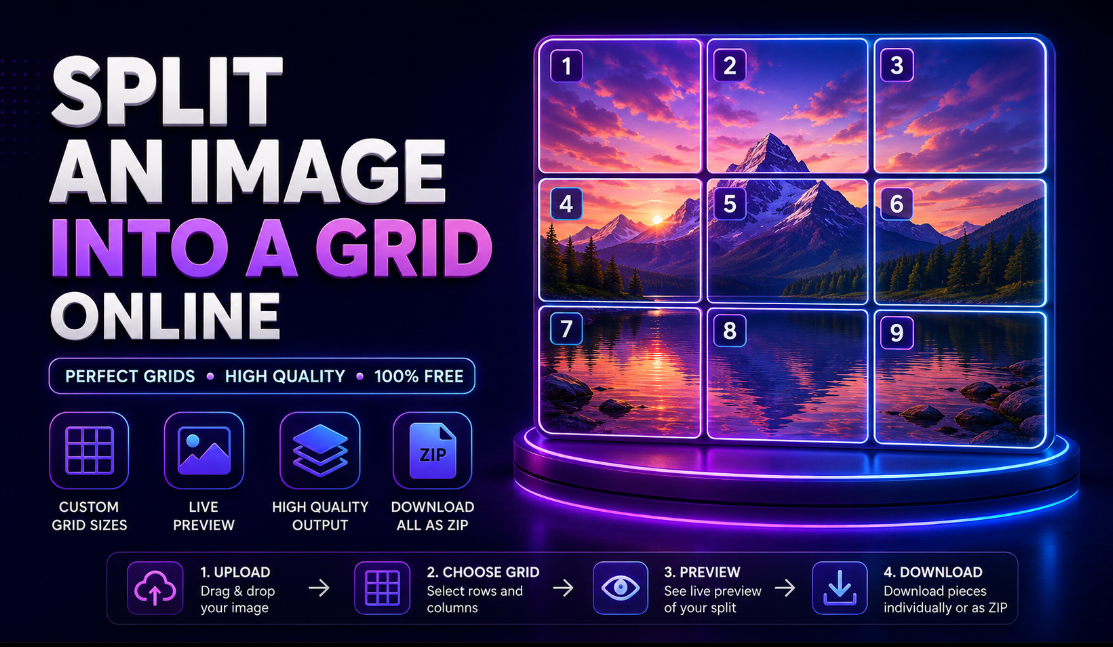
Split any image into a grid of equal tiles — perfect for Instagram grids.
Last updated:
Upload an image to split
IMAGE GRIDDrop an image here, or click to browse
Upload one image and divide it into perfectly aligned rows and columns.
Grid and output settings
CUSTOM GRIDLive grid preview
9 PIECESUpload an image to preview the grid
Grid lines and tile numbers will update automatically.
Split image pieces
0 FILESYour split image pieces will appear here.
Upload an image to begin.
Compress JPG Images Online Free
Compress JPG images online for free and reduce JPEG file size in seconds. Upload one or multiple JPG files, choose your preferred compression level, compare the original and compressed sizes, and download your optimized images individually or together as a ZIP file.
Our free JPG compressor is designed for website owners, bloggers, ecommerce sellers, photographers, students, marketers, developers, content creators, and everyday users who want smaller image files without installing complicated software.
The compressor keeps your original image dimensions while reducing JPEG file size through adjustable quality settings.
How to Compress JPG Images Online
Compressing a JPG or JPEG image takes only a few steps:
- Upload one or multiple JPG or JPEG images.
- Choose Strong Compression, Balanced, High Quality, or Custom.
- Adjust the JPG quality if needed.
- Click Compress All Images.
- Compare the original and compressed file sizes.
- Download each optimized JPG individually or download all files as a ZIP.
For most users, the Balanced setting is a practical starting point.
Free Online JPG Compressor
You do not need Photoshop or desktop image-editing software just to make a JPEG file smaller.
The workflow is simple:
Upload JPG → Choose Compression → Compress → Compare → Download
Everything is handled through your browser, making the tool convenient for quick image optimization on desktop, tablet, or mobile.
Reduce JPG File Size Without Resizing
Compression and resizing are different.
JPG compression reduces the amount of data used to store an image.
Image resizing changes its pixel dimensions, such as reducing a 4000×3000 photo to 1200×900.
This compressor preserves the original width and height of your JPG while changing its JPEG compression quality.
That makes it useful when you need a smaller file but want to keep the same image dimensions.
Choose Your JPG Compression Level
Different images require different balances between quality and file size.
Strong Compression
Choose Strong Compression when reducing file size is the main priority.
It can be useful for:
- Email attachments
- Online forms
- Quick image sharing
- Upload limits
- Temporary previews
Stronger compression can create smaller files, but it may also remove more visible detail.
Balanced Compression
Balanced compression is recommended for general use.
It works well for:
- Websites
- Blogs
- Product photos
- Social media images
- Everyday sharing
- Marketing assets
It aims to provide a practical balance between visual quality and file size.
High Quality
Choose High Quality when preserving fine image detail is more important than achieving the smallest possible file.
This is useful for:
- Product photography
- Portfolio images
- Detailed photographs
- Client previews
- Important marketing visuals
Custom JPG Quality
Need more control?
Use the quality slider to choose your own JPEG quality level.
Lower quality generally produces a smaller file, while higher quality usually preserves more visual detail.
Compress Multiple JPG Images at Once
Working with many photos?
Upload several JPG or JPEG images and compress them in one batch instead of processing each file separately.
After compression, you can:
- See the original file size
- See the optimized file size
- Check the percentage saved
- Download individual JPG files
- Download all compressed images as a ZIP
Batch compression is especially useful for bloggers, photographers, ecommerce sellers, marketers, and website managers.
Compare Original and Compressed File Size
The tool shows you exactly how compression affects each image.
For example:
2.4 MB → 720 KB
You can also see the percentage reduction, making it easier to determine whether the selected quality level gives you the result you want.
If recompressing an image would create a file larger than the original, the tool keeps the smaller original version instead.
Compress JPG Images for Websites
Large images can add unnecessary weight to webpages and increase the amount of data visitors need to download.
Compressing oversized JPG photos before publishing them can help prepare images for:
- Blog posts
- Featured images
- Landing pages
- Product pages
- Ecommerce stores
- Portfolio websites
- Website banners
- Online galleries
For the best web performance, use compression together with appropriate image dimensions and modern image formats when suitable.
JPG Compression for SEO and Page Performance
Image optimization can support a more efficient website and a better browsing experience.
Website owners and SEO professionals should consider:
- Compressing unnecessarily large JPG files
- Using suitable image dimensions
- Adding descriptive image alt text
- Using meaningful filenames
- Lazy-loading below-the-fold images
- Choosing the right image format
- Avoiding oversized source files
The goal is not to make every image as small as possible. The better approach is to reduce unnecessary file size while keeping enough quality for the image's purpose.
Compress JPG for Ecommerce Product Images
High-resolution product photos can become unnecessarily large when uploaded directly from a camera or smartphone.
Ecommerce sellers can use this JPEG compressor to prepare images for:
- Shopify
- WooCommerce
- Product pages
- Online marketplaces
- Digital catalogs
- Promotional campaigns
- Product landing pages
Use Balanced or High Quality compression when customers need to see fine product details clearly.
Compress JPG for Email
Large photo attachments can take longer to upload and may exceed email attachment limits.
Compressing JPEG files can help:
- Reduce attachment size
- Shorten upload time
- Make downloads easier
- Send more images in one message
- Reduce unnecessary storage usage
For everyday photo sharing, moderate compression is usually a useful starting point.
Compress JPG for Online Forms and Applications
Many websites place maximum file-size limits on uploaded images.
This is common with:
- Job applications
- School portals
- Registration forms
- Business applications
- Profile photo uploads
- Government forms
- Online submissions
If your JPG is too large, compressing it may help reduce the file size without changing its dimensions.
Always check the website's required format, dimensions, and maximum file size before uploading.
JPG vs JPEG: Is There a Difference?
No practical difference exists between JPG and JPEG.
Both extensions refer to the same JPEG image format.
That means this tool works as both a:
- JPG compressor
- JPEG compressor
- JPG file size reducer
- JPEG image optimizer
You can upload .jpg and .jpeg files using the same tool.
How Much Can a JPG Be Compressed?
The amount of file-size reduction varies from image to image.
Compression results depend on factors including:
- Original JPEG quality
- Image dimensions
- Amount of visual detail
- Number of colors
- Existing compression
- Selected quality level
A large high-quality camera photo may shrink significantly, while an image that has already been heavily optimized may show little additional reduction.
Does Compressing JPG Reduce Image Quality?
JPEG normally uses lossy compression, which means some image information can be removed to create a smaller file.
Moderate compression can often reduce file size while keeping the image visually suitable for web and everyday use.
Very strong compression may introduce:
- Blur
- Blockiness
- Reduced fine detail
- Visible compression artifacts
Use the quality setting that best matches how the image will be used.
Browser-Based JPG Compression
The tool processes images through your browser, so you do not need dedicated compression software.
This makes it convenient for users on:
- Windows
- macOS
- Linux
- Android
- iPhone and iPad
- Chromebooks
Very large photos or large batches may take longer depending on your browser, device memory, and hardware performance.
Who Can Use This JPG Compressor?
Website Owners and Bloggers
Compress blog photos, featured images, landing-page graphics, and other website assets.
Ecommerce Sellers
Optimize product photographs before adding them to stores and marketplaces.
Photographers
Create smaller copies of photographs for previews, email, or quick sharing.
Students
Reduce JPG files for assignments, applications, presentations, and online submissions.
Marketers
Optimize campaign images, email graphics, advertisements, and landing-page assets.
Developers
Quickly reduce JPEG asset sizes without opening desktop graphics software.
Everyday Users
Make photographs smaller for email, storage, messaging, and online uploads.
Tips for Better JPG Compression
For better results:
- Keep your original image as a backup.
- Start with Balanced compression if you're unsure.
- Use High Quality for detailed photographs.
- Use Strong Compression when file size matters most.
- Compare the before-and-after file sizes.
- Preview important images after compression.
- Avoid repeatedly compressing the same JPG.
- Resize very large images separately if full resolution is unnecessary.
Frequently Asked Questions
How do I compress a JPG online?
Upload your JPG or JPEG image, choose a compression level or quality setting, click the compression button, and download the optimized file.
Is this JPG compressor free?
Yes. The tool is designed to let you compress JPG and JPEG images online for free.
Can I compress JPEG images?
Yes. JPG and JPEG refer to the same image format, and both are supported.
Can I compress a JPG without resizing it?
Yes. This tool keeps the original image width and height while changing the JPEG compression quality.
Can I compress multiple JPG files at once?
Yes. You can upload and compress multiple JPEG images in one batch.
Can I download all compressed images together?
Yes. Multiple compressed JPG files can be downloaded together as a ZIP archive.
Can I download images individually?
Yes. Every processed image has its own JPG download option.
Will compression reduce image quality?
Some quality reduction is possible because JPEG uses lossy compression. Higher-quality settings preserve more detail, while stronger compression usually creates smaller files.
What is the best JPG compression setting?
Balanced compression is a useful starting point for most users. Choose High Quality when image detail matters or Strong Compression when reducing file size is the priority.
Will every compressed JPG be smaller?
Not necessarily. If the source JPG is already highly optimized, additional compression may provide little or no reduction. This tool keeps the smaller original file when recompression would make the output larger.
Does JPG compression change image dimensions?
No. This tool preserves the original image width and height.
Do I need to install software?
No. JPG compression works directly through your browser.
Compress JPG Images Now
Upload your JPG or JPEG images above, choose your preferred compression level, and reduce image file size in seconds.
Whether you're optimizing website photos, preparing ecommerce product images, reducing email attachments, or meeting an upload limit, this free online JPG compressor gives you a simple way to create smaller JPEG files while preserving the original image dimensions.