
Remove Image Background Online Free (AI)
Remove the background from any photo with AI — free, no signup.
Remove image background
AI • BROWSERDrop an image here, or click to upload
AI removes the background automatically. No Photoshop or manual selection needed.
Upload a photo to remove its background automatically.
Background removed
PNG READYRemove Image Background Online Free with AI
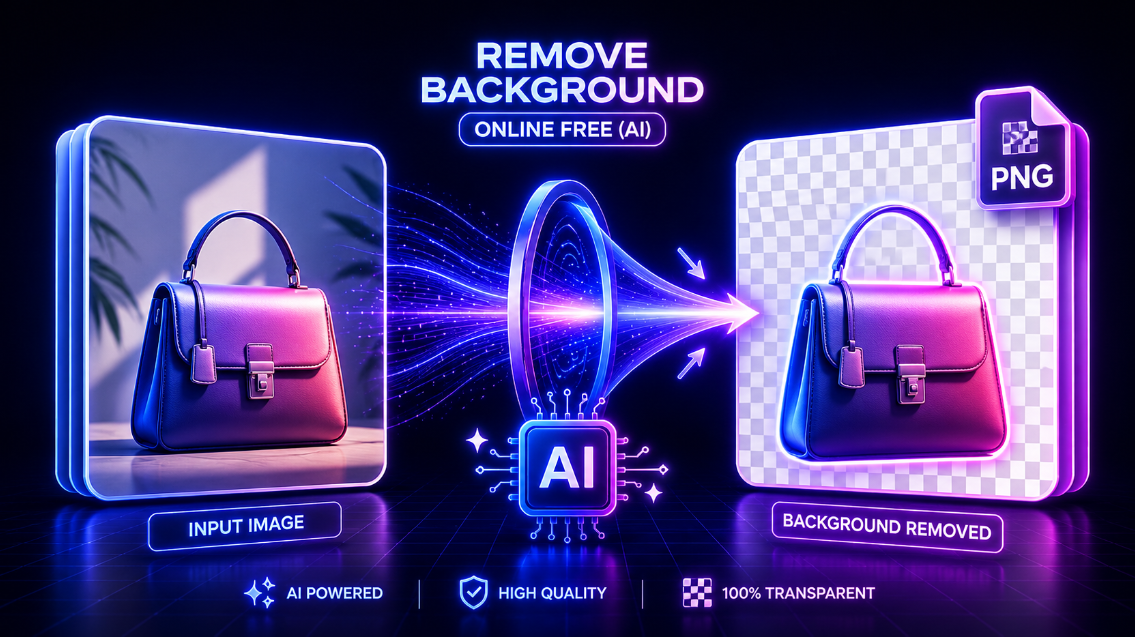
Need a clean transparent PNG for a product photo, social media post, logo, profile picture, thumbnail, or design project? Use this free AI background remover to remove the background from an image automatically in your browser.
Upload an image or paste a direct image URL, let AI detect the subject, preview the original and background-removed result, then download your image as a high-quality PNG. No Photoshop, no manual selection, no signup, and no watermark.
How to Remove Background from an Image
Using this tool is simple:
- Upload your image or paste a direct image URL.
- Wait while AI removes the background automatically.
- Preview the original image and the background-removed version.
- Keep the transparent background or choose white, black, custom color, or image background.
- Download your final PNG.
This tool is designed for quick editing, so you can remove a photo background in just a few clicks.
AI Background Remover for Product Photos
Product images often need clean backgrounds for online stores and marketplaces. This tool helps e-commerce sellers prepare photos for platforms like Shopify, Etsy, Amazon, WooCommerce, eBay, and social media shops.
You can use it to remove backgrounds from:
- Product photos
- Clothing images
- Accessories
- Handmade items
- Beauty products
- Digital product mockups
- Marketplace listing images
- Promotional banners and ads
A transparent PNG makes it easier to place your product on white, black, branded, or custom backgrounds.
Make Transparent PNG Images Online
The default output is a transparent PNG, which is ideal when you want to reuse the subject in different designs.
Transparent PNG images are useful for:
- Logos
- Profile pictures
- YouTube thumbnails
- Instagram posts
- Facebook ads
- Website graphics
- Product cutouts
- Stickers and overlays
- Canva and design projects
If you want a solid background instead, you can choose white, black, a custom color, or upload your own background image.
Upload an Image or Paste an Image URL
You can remove a background in two ways.
Upload an image directly from your device, or paste a direct image link from your website, store, blog, or media library.
Supported image formats include:
- JPG
- JPEG
- PNG
- WebP
Pasted links work best when they point directly to an image file, such as a .jpg, .png, or .webp URL. Some websites may block direct image loading, so uploading the file manually is available as a fallback.
Replace the Background After Removal
After the AI removes the original background, you can choose what to do next.
Available background options include:
- Transparent background
- White background
- Black background
- Custom color background
- Custom image background
This makes the tool useful not only for removing backgrounds, but also for creating finished visuals for product listings, profile photos, ads, posters, and social media content.
Why Use This AI Background Remover?
Manual background removal can take a lot of time, especially when an image has hair, shadows, product edges, or detailed objects. This tool uses AI to detect the main subject and separate it from the background automatically.
It is made for users who want a fast and easy workflow without needing advanced design software.
You can use it to:
- Remove background from image online
- Create transparent PNG images
- Edit product photos
- Prepare marketplace images
- Make profile photos
- Create social media graphics
- Remove distracting backgrounds
- Add a new background color
- Download a clean PNG result
Works Without Photoshop
You do not need Photoshop, Illustrator, or professional editing skills to remove a photo background.
This tool is beginner-friendly and works directly in the browser. It is useful for online sellers, content creators, marketers, students, freelancers, photographers, designers, and small-business owners who need quick image editing without complicated software.
Privacy and Browser-Based Processing
Your image is processed using an AI background-removal engine inside your browser. The first use may take a little longer while the AI model loads.
For best results, use clear images where the subject is visible and not heavily blended into the background.
Tips for Better Background Removal
AI background removal works best when the image has good lighting and a clear subject.
For better results:
- Use high-resolution images when possible.
- Avoid blurry photos.
- Choose images where the subject is not too similar to the background.
- Use simple backgrounds for product photos.
- Check edges around hair, fur, glass, shadows, and transparent objects.
- Try another image if the result is not clean enough.
AI tools are helpful, but difficult images may still need small manual touch-ups in a design editor.
Who Can Use This Tool?
This background remover is designed for practical everyday use.
It is helpful for:
E-commerce sellers who need clean product photos.
Social media managers who create posts, ads, thumbnails, and banners.
Graphic designers who need quick transparent PNG cutouts.
Photographers who want to remove distracting backgrounds.
Students and freelancers who need simple image editing without paid software.
Small-business owners who want professional-looking visuals for websites and promotions.
Frequently Asked Questions
Is this background remover free?
Yes. You can remove image backgrounds online without signup or software installation.
Can I download a transparent PNG?
Yes. The default download option creates a transparent PNG after the background is removed.
Can I paste an image URL?
Yes. You can paste a direct image link and load it into the tool. Some websites may block direct image access, so uploading the file is also supported.
Which image formats are supported?
The tool supports JPG, JPEG, PNG, and WebP images.
Can I add a white background?
Yes. After removing the background, you can choose a white background, black background, custom color, image background, or transparent background.
Does this tool add a watermark?
No. The downloaded image does not intentionally include a watermark.
Does AI background removal work perfectly every time?
No AI background remover is perfect for every image. Clear photos with strong subject contrast usually work best. Hair, fur, shadows, glass, transparent objects, and low-resolution images may need extra editing.
Do I need Photoshop?
No. This tool is built for users who want to remove backgrounds without Photoshop or professional editing skills.
Remove Your Image Background Now
Upload your photo or paste an image URL above to remove the background automatically. Preview the result, choose your background style, and download a clean PNG for your store, website, social media post, profile image, thumbnail, or design project.