
Hex to Pantone Color Converter
Find the closest Pantone® colors to any hex code.
HEX to Pantone Color Converter
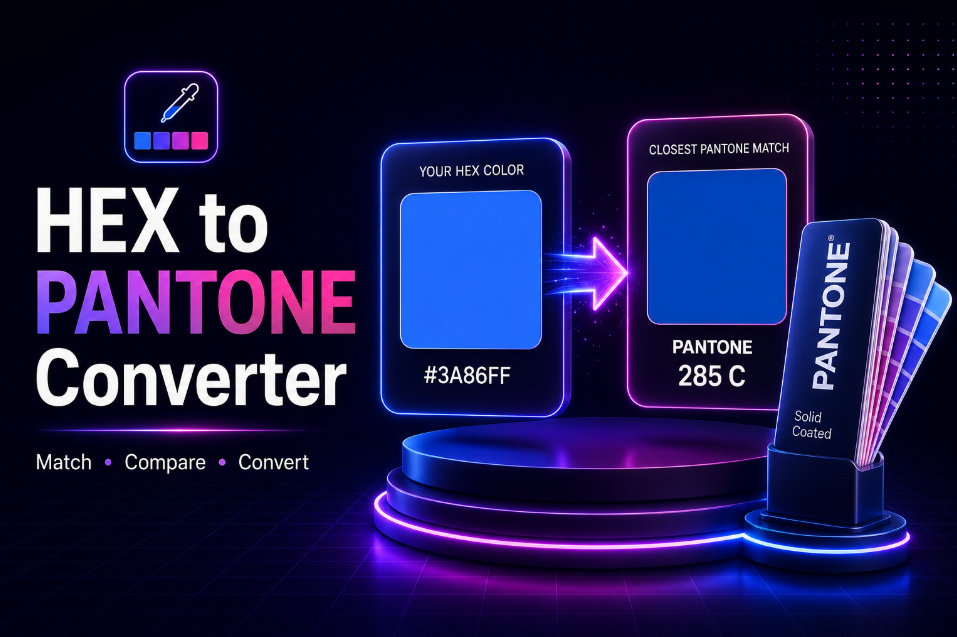
Use this HEX to Pantone Color Converter to find the closest Pantone-style color match for any digital HEX color. Enter a HEX code or choose a color visually, then compare your original color with the nearest reference match.
The tool is useful for graphic designers, web designers, marketers, brand managers, print designers, students, and small-business owners who need to translate digital brand colors into a practical print-color reference.
The workflow is simple:
Enter HEX Code → Find Closest Match → Compare Colors → Copy Values
You can also use the built-in color picker instead of typing a HEX value manually.
Important: HEX and Pantone are different color systems, so a HEX-to-Pantone result should be treated as an approximation. For production-critical printing, confirm the final color using an official physical Pantone guide.
How to Convert HEX to Pantone
Converting a HEX color takes only a few steps:
-
Enter a 6-digit HEX code such as
#3A86FF. - Or choose a color using the color picker.
- Click Convert to Pantone.
- View the closest matching color reference.
- Compare the original and matched swatches side by side.
- Check HEX, RGB, and CMYK values.
- Review alternative close matches.
- Copy any value you need.
The visual comparison makes it easier to judge whether the suggested match is suitable for your project.
Free HEX to Pantone Converter
If you already have a website or brand color in HEX format, you may need a corresponding print reference for packaging, stationery, merchandise, or brand guidelines.
This free HEX to Pantone converter helps you identify the nearest available color match without manually comparing dozens of swatches.
It is useful for:
- Brand identity work
- Logo preparation
- Packaging design
- Business cards
- Brochures
- Merchandise
- Presentation templates
- Social media branding
- Client design projects
- Print-production planning
What Is a HEX Color?
HEX is a digital color notation commonly used in websites, apps, interfaces, and graphic design.
A HEX value begins with # followed by six characters.
For example:
#3A86FF
The six digits represent the red, green, and blue components of the color.
HEX colors are mainly intended for screen-based applications.
What Is a Pantone Color?
Pantone colors are standardized color references commonly used in professional design and printing workflows.
Rather than relying only on what a monitor displays, designers and printers can refer to a standardized physical color system.
Pantone references are especially useful for:
- Brand colors
- Packaging
- Logos
- Stationery
- Product printing
- Merchandise
- Signage
Why Convert HEX to Pantone?
A brand may begin with a digital color used on a website or social media profile.
Later, the same brand may need printed materials such as:
- Business cards
- Packaging
- Flyers
- Product labels
- Signs
- Apparel
- Promotional products
A HEX value alone does not directly identify a physical ink color.
Finding the nearest Pantone reference gives designers and printers a practical starting point for matching the digital brand color in print.
HEX to Pantone for Branding
Consistent color is an important part of brand identity.
A brand style guide may include:
- HEX
- RGB
- CMYK
- Pantone reference
For example:
Digital Brand Color
HEX: #3A86FF
Closest Print Reference Pantone-style match: nearest available reference
Including several color formats helps designers use the brand consistently across web, print, presentations, and marketing materials.
HEX to Pantone for Logo Design
Logo files are often created using digital colors first.
If the logo will also be printed, designers may need a Pantone reference for:
- Business cards
- Letterheads
- Packaging
- Embroidery
- Promotional items
- Signage
Enter the logo's HEX color to find a close reference that can be discussed with the printer or client.
HEX to Pantone for Packaging
Packaging often requires more controlled color reproduction than ordinary office printing.
A HEX-to-Pantone match can provide a useful starting point when converting online branding into:
- Boxes
- Labels
- Pouches
- Bottles
- Product sleeves
- Printed inserts
For final production, always verify the selected color using the appropriate physical guide and print process.
HEX to Pantone for Business Cards
If your website uses a specific brand color, you may want your business cards to look as similar as possible.
Use the converter to identify a close Pantone reference, then provide that reference to your designer or printer for further verification.
This can help create better consistency between digital and printed brand materials.
HEX to Pantone for Merchandise
Brand colors may also need to be reproduced on:
- T-shirts
- Hats
- Bags
- Promotional products
- Printed merchandise
Because materials and printing methods affect appearance, the generated match should be considered a reference rather than a guaranteed final result.
Visual Side-by-Side Color Comparison
The converter displays the original HEX color and the closest match next to each other.
This is useful because color codes alone can be difficult to evaluate.
The comparison makes it easier to see:
- Hue differences
- Lightness differences
- Saturation differences
- Whether an alternative may be preferable
The visual swatches should be the main focus of the conversion result.
View HEX Values
The result includes the HEX value for both:
- Your original color
- The matched reference color
This makes it easy to compare the digital values and copy them into design software or documentation.
View RGB Values
RGB values describe a color using red, green, and blue components.
Example:
RGB 58, 134, 255
RGB values are useful for:
- Screen graphics
- Presentation software
- Web assets
- Digital brand guidelines
- UI design
View CMYK Values
The converter can also provide a CMYK approximation derived from the digital color.
CMYK represents:
- Cyan
- Magenta
- Yellow
- Black
These values can be useful as general references for print-oriented work.
However, RGB-to-CMYK conversion depends on color profiles and print conditions, so these numbers should not be treated as a guaranteed press result.
Find the Closest Pantone Color
A HEX value may not correspond exactly to a Pantone reference.
The converter therefore searches for the closest available match in its reference dataset.
The result may include:
- Pantone code
- Reference HEX
- RGB
- CMYK approximation
- Color-distance value
- Match-quality label
This helps you understand how close the suggested reference is to your original digital color.
What Does Color Distance Mean?
Color distance measures the difference between two colors mathematically.
A smaller value generally means the colors are more similar.
The tool can use a perceptual color-difference method to rank available references.
This is especially useful when several Pantone colors appear visually similar.
View Alternative Pantone Matches
Sometimes the mathematically closest color is not the one a designer prefers visually.
That is why the converter can also show several nearby alternatives.
You may compare:
- Closest match
- Second-nearest match
- Third-nearest match
- Additional nearby options
This is useful for brand and print work where appearance and context matter.
Why HEX to Pantone Is Not Exact
HEX and Pantone represent color in fundamentally different ways.
HEX describes light emitted by a screen.
Pantone references are intended to represent physical printed colors.
The final appearance can vary because of:
- Monitor calibration
- Display technology
- Paper color
- Coated or uncoated stock
- Ink formulation
- Printing process
- Lighting conditions
- Color profiles
Therefore, there is no universal one-to-one conversion for every HEX value.
Pantone Solid Coated vs Uncoated
Pantone libraries can contain different references depending on the intended material.
Two commonly discussed categories are:
Solid Coated
Intended for coated paper surfaces, which often make colors appear richer and more saturated.
Solid Uncoated
Intended for uncoated paper, where inks can absorb differently and colors may appear less vivid.
If your converter supports multiple libraries, always check which one is being used before choosing a final print color.
What Does the “C” Mean in a Pantone Code?
A Pantone reference ending in C generally indicates a coated-paper reference.
For example:
PANTONE 186 C
Other suffixes may indicate different reference systems or substrates.
When preparing professional print files, make sure you and your printer are referring to the same library.
HEX to PMS Converter
Pantone Matching System is often shortened to PMS.
Because of this, searches such as:
- HEX to PMS
- PMS color finder
- HEX to PMS converter
generally refer to the same type of workflow: finding a Pantone-style print reference that most closely resembles a digital color.
Pantone Color Finder From HEX
This tool can also be used as a Pantone color finder.
Simply enter a color such as:
#FF5733
and the converter compares it against the available reference palette to identify the nearest color.
You can then review alternative matches before deciding which reference best fits your project.
Convert RGB to Pantone
HEX values are ultimately based on RGB color information, so the matching process can also work from RGB internally.
A future advanced version of the tool could allow direct input such as:
RGB 58, 134, 255
and then find the nearest reference using the same color-distance approach.
Convert CMYK to Pantone
Designers sometimes start with CMYK instead of HEX.
A CMYK-to-Pantone workflow can also be useful, but accurate conversion depends heavily on the CMYK color profile and print conditions.
For this reason, production-critical matching should still be verified physically.
Pantone to HEX
The reverse workflow is also common.
A designer may have a Pantone reference and need an approximate HEX value for a:
- Website
- Mobile app
- Social profile
- Presentation
- Digital advertisement
If a reverse-conversion mode is added, it should also clearly state that the digital color is an approximation of the physical reference.
HEX to Pantone for Web Designers
Web designers often receive digital brand colors in HEX format.
When the same company later needs printed collateral, the designer may need to help identify a suitable print reference.
The converter makes it easier to move from digital branding to a print discussion without manually searching through color charts.
HEX to Pantone for Graphic Designers
Graphic designers can use the tool when working on:
- Logos
- Brand guides
- Packaging
- Brochures
- Posters
- Stationery
- Merchandise
The alternative-match section is particularly useful when several close references need to be reviewed.
HEX to Pantone for Marketers
Marketers often work across both digital and physical channels.
A campaign might include:
- Website graphics
- Social media posts
- Printed flyers
- Event banners
- Product packaging
- Presentation decks
Having digital and print color references in the same brand documentation makes cross-channel work easier.
HEX to Pantone for Small Businesses
Small-business owners may know their website color but not have a complete professional brand guide.
This tool can help provide a starting point for conversations with:
- Graphic designers
- Packaging suppliers
- Print shops
- Sign companies
- Merchandise vendors
For important jobs, ask the supplier to verify the final physical color before production.
Copy Color Codes Instantly
Each displayed color value can be copied with one click.
You can quickly copy:
- HEX
- RGB
- CMYK
- Pantone reference
- Alternative match codes
This reduces the need to manually highlight and copy individual values.
Copy All Color Values
If you need the complete result for a brand document or client note, use Copy All Values.
This can include:
- Original HEX
- Original RGB
- Original CMYK
- Closest reference
- Reference HEX
- Reference RGB
- Reference CMYK
- Color distance
- Match quality
HEX Input Validation
The converter accepts standard six-digit HEX colors such as:
#FF5733
or:
FF5733
If the value is invalid, the tool should clearly ask for a valid six-digit HEX code rather than attempting a conversion.
Use the Visual Color Picker
If you do not know the exact HEX code, use the built-in color picker.
Choose a color visually and the HEX field updates automatically.
This is useful for:
- Quick experiments
- Brand brainstorming
- Comparing shades
- Finding approximate matches
Who Is This HEX to Pantone Converter For?
Graphic Designers
Find approximate Pantone references for logos, branding, packaging, and print projects.
Web Designers
Translate existing digital HEX colors into print-oriented references.
UI/UX Designers
Document digital brand colors alongside possible physical equivalents.
Brand Managers
Build more complete brand-color systems for digital and printed materials.
Marketers
Keep campaign colors more consistent across online and offline channels.
Print Designers
Use a digital color as a starting point for selecting an appropriate physical reference.
Social Media Managers
Help translate social branding into printed promotional materials.
Students
Learn how HEX, RGB, CMYK, and Pantone-style color systems relate to each other.
Small-Business Owners
Find useful reference colors before talking with a designer or printer.
Tips for Better Color Matching
For better results:
- Start with the exact HEX value from your brand guide.
- Confirm which Pantone library is being matched.
- Compare several nearby references.
- Do not rely entirely on an uncalibrated monitor.
- Consider coated versus uncoated paper.
- Ask your printer which color system they recommend.
- Review a physical swatch before approving important print jobs.
- Test the final color on the actual material when consistency matters.
Frequently Asked Questions
What is a HEX to Pantone converter?
A HEX to Pantone converter compares a digital HEX color with a Pantone reference palette and identifies the closest available match.
Is HEX to Pantone conversion exact?
No. HEX and Pantone are different color systems, so the result is an approximation.
Can I enter a HEX code without the # symbol?
Yes. A tool can accept both #FF5733 and FF5733.
What is the closest Pantone color to my HEX code?
Enter your HEX value and the tool will compare it against its available reference palette to find the nearest match.
Can I see more than one Pantone match?
Yes. The tool can display several of the closest alternatives so you can compare them visually.
Does the tool show RGB values?
Yes. RGB values can be displayed alongside HEX and the matched color.
Does the tool show CMYK values?
Yes. It can display an RGB-derived CMYK approximation for reference.
What is color distance?
Color distance is a mathematical estimate of how different two colors are. Smaller values generally indicate a closer match.
What does Pantone C mean?
The C typically refers to a coated-paper color reference.
Can I use the result for professional printing?
Use it as a starting point. For production-critical work, confirm the final color with an official physical Pantone guide and your printer.
Why does the printed color look different from my screen?
Displays emit light, while printed colors reflect light. Monitor calibration, paper, ink, lighting, and printing processes can all affect appearance.
Can I convert Pantone back to HEX?
A reverse Pantone-to-HEX feature can provide an approximate digital value if supported.
Do I need professional design software?
No. You can find an approximate color match directly in your browser.
Do I need to create an account?
No. The converter can be used without registration.
Convert HEX to Pantone Now
Enter your HEX color or choose a shade with the color picker, then click Convert to Pantone to find the closest reference.
Whether you're preparing a logo, brand guide, business card, packaging design, presentation, merchandise artwork, or print campaign, this HEX to Pantone Color Converter gives you a fast visual way to compare digital colors with their nearest available print-color references.