
Convert HTML to JSX Online
Convert HTML markup into React-ready JSX — class→className, style objects, self-closing tags.
Last updated:
Convert HTML to JSX Online
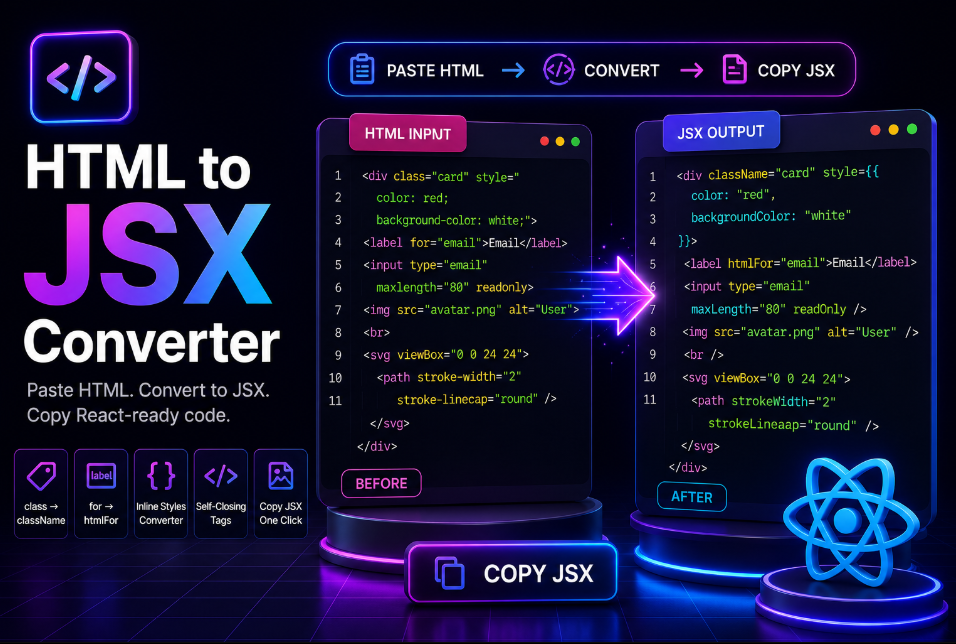
Use this free HTML to JSX Converter to quickly turn standard HTML into React-ready JSX.
Paste your HTML, click Convert to JSX, and copy the converted code in seconds.
The tool automatically handles common JSX changes such as:
-
class→className -
for→htmlFor -
maxlength→maxLength -
readonly→readOnly - Inline CSS → JSX style objects
- Self-closing HTML elements
- React-compatible SVG attributes
- Multiple root elements
- JSX formatting
The workflow is simple:
Paste HTML → Convert to JSX → Copy JSX
How to Convert HTML to JSX
- Paste your HTML into the HTML Input editor.
- Click Convert to JSX.
- Review the generated JSX.
- Check any conversion notes or warnings.
- Click Copy JSX and paste it into your React project.
You can also load sample code to see how the converter works.
HTML to JSX Example
HTML
[object HTMLPreElement]JSX
[object HTMLPreElement]The converter saves you from manually fixing these React-specific syntax differences.
Convert class to className
HTML uses:
[object HTMLPreElement]JSX uses:
[object HTMLPreElement]The converter changes the actual HTML attribute safely instead of blindly replacing every occurrence of the word class.
Convert Inline Styles to JSX
HTML inline styles use a CSS string:
[object HTMLPreElement]JSX uses a JavaScript object:
[object HTMLPreElement]With inline-style conversion enabled, CSS properties such as background-color are converted to React-friendly camelCase names such as backgroundColor.
Fix Self-Closing Tags
HTML often allows:
[object HTMLPreElement]JSX requires:
[object HTMLPreElement]The tool automatically fixes common empty elements for JSX.
Convert SVG to JSX
SVG markup often contains attributes that need React-compatible names.
For example:
[object HTMLPreElement]becomes:
[object HTMLPreElement]This makes the converter useful for SVG icons, illustrations, and code exported from design tools.
Convert HTML to a React Component
Enable React Component Mode if you want the converted markup wrapped inside a reusable function component.
Input:
[object HTMLPreElement]Output:
[object HTMLPreElement]You can also choose your own component name.
Useful for React and Next.js Developers
This HTML to JSX converter is useful when working with:
- Static HTML websites
- Bootstrap templates
- Landing pages
- Legacy front-end projects
- React components
- Next.js projects
- SVG markup
- UI templates
- Design-tool exports
Instead of manually correcting dozens of attributes, you can convert the markup first and then focus on props, state, components, and application logic.
Helpful Conversion Feedback
Some HTML cannot be converted perfectly without understanding the JavaScript around it.
For example, inline HTML event handlers may need manual review.
If the tool detects potentially incomplete or unusual markup, it provides a warning rather than silently returning an empty result.
This is especially helpful when working with copied templates or older HTML.
Why Use an HTML to JSX Converter?
Manual conversion becomes repetitive when working with large HTML snippets.
This tool helps reduce work such as:
- Replacing HTML attributes
- Fixing self-closing tags
- Converting inline styles
- Updating SVG properties
- Formatting nested markup
- Wrapping multiple root elements
- Preparing React components
That makes it useful for both experienced React developers and beginners learning JSX.
Frequently Asked Questions
What is an HTML to JSX converter?
It converts standard HTML markup into syntax that can be used inside React components.
What does class become in JSX?
class becomes className.
What does for become in JSX?
for becomes htmlFor.
Can it convert inline CSS?
Yes. Inline CSS can be converted into JSX-compatible style objects.
Does it support SVG?
Yes. Common SVG attributes can be converted into React-compatible camelCase properties.
Can I convert HTML into a complete React component?
Yes. Enable React Component Mode to wrap the JSX inside an exported function component.
Can I use the result in Next.js?
Yes. The generated JSX can be used as a starting point in Next.js components.
Do I need to sign up?
No. You can convert HTML to JSX without creating an account.
Convert HTML to JSX Now
Paste your HTML into the editor, click Convert to JSX, and copy your React-ready output.
Whether you're migrating a static page, converting a Bootstrap template, preparing SVG code, or building a React or Next.js project, this tool helps you move from HTML to JSX faster.