
Convert Image to Square Online Free
Crop or pad any image into a perfect square — free, in your browser, from a file or an image URL.
Last updated:
Upload image
MAKE SQUAREDrop an image here, or click to browse
Convert rectangular photos into perfect 1:1 square images without stretching.
Square image settings
1:1 SIZEPreview square image
READYYour square image preview will appear here after upload.
Upload an image to begin.
Convert Image to Square Online Free
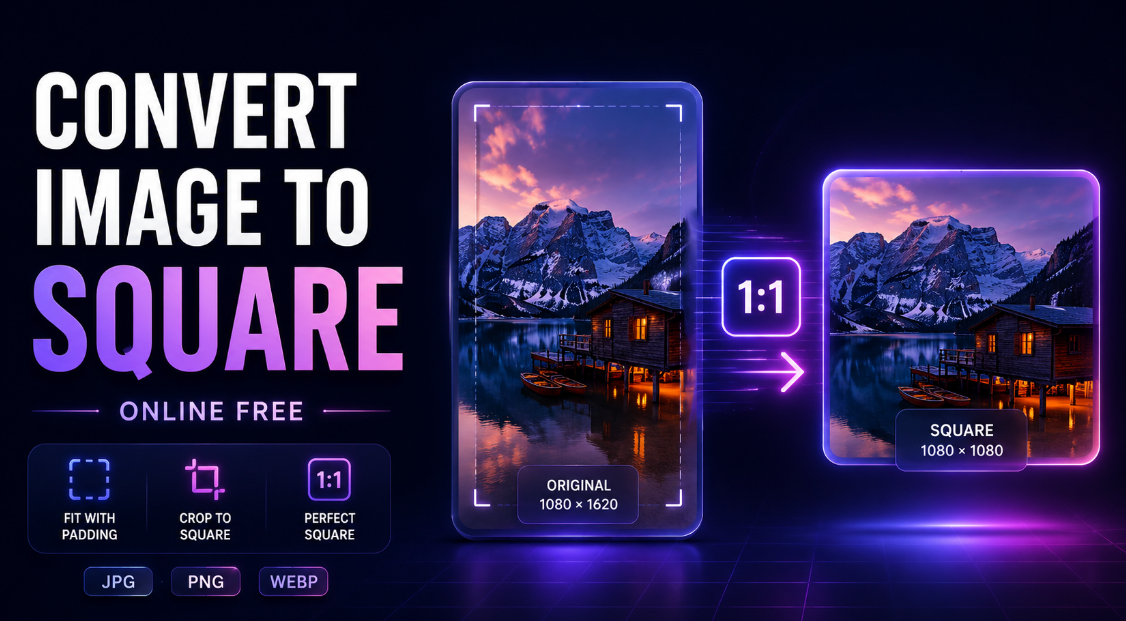
Need to make a rectangular photo square without using Photoshop? Use this free Convert Image to Square tool to turn any photo into a perfect 1:1 square image for social media, product listings, profile pictures, websites, and online marketplaces.
Upload your image, choose Fit with Padding or Crop to Square, select a square size like 500×500, 800×800, 1080×1080, or enter a custom size, then download your finished square image in JPG, PNG, or WebP format.
The tool is simple, fast, mobile-friendly, and does not add a watermark.
How to Convert an Image to Square
Making a photo square takes only a few steps:
- Upload your JPG, PNG, WebP, or BMP image.
- Choose Fit with Padding to keep the full image visible, or choose Crop to Square to fill the frame.
- Select a square size such as 1080×1080 or enter a custom square dimension.
- Choose a background: white, black, transparent, or custom color.
- Preview the square result.
- Download your final image as PNG, JPG, or WebP.
Your image is resized into a square shape without stretching or distortion.
Make an Image Square Without Cropping
If you want to keep the entire original photo visible, choose Fit with Padding.
This mode keeps the original aspect ratio and adds equal space around the image to create a square canvas. It is ideal when you do not want to cut off important parts of the image.
Use Fit with Padding for:
- Product photos
- Full-body portraits
- Landscape photos
- Website images
- Marketplace listings
- Social media posts
- Images where cropping would remove important details
You can choose a white, black, transparent, or custom color background for the added padding.
Crop an Image to Square
Choose Crop to Square when you want the image to fill the entire square frame.
This mode crops the extra sides of the image and creates a clean full-frame 1:1 result. It is useful for profile pictures, thumbnails, and social posts where a tight square layout looks better.
Use Crop to Square for:
- Instagram posts
- Profile pictures
- Headshots
- Thumbnails
- Product close-ups
- Square website graphics
- Social media ads
The tool crops the image proportionally, so it does not stretch or distort the photo.
Create 1080×1080 Square Images
The 1080×1080 size is one of the most popular square dimensions for social media and online content.
You can use this size for:
- Instagram square posts
- Facebook graphics
- Product images
- Promotional posts
- Blog graphics
- Ad creatives
- Portfolio images
The tool also includes common square sizes such as 500×500, 800×800, and 1200×1200, plus a custom size option for users who need specific dimensions.
Choose a Background for Your Square Image
When you use padding mode, the tool adds space around your image to make it square. You can control how that space looks.
Available background options include:
- White background
- Black background
- Transparent background
- Custom color background
White backgrounds are useful for ecommerce and product photos. Transparent backgrounds are useful for PNG design assets. Custom colors are helpful for branded social media posts and marketing graphics.
Download as JPG, PNG, or WebP
You can export your square image in different formats depending on your needs.
Choose JPG for photos, smaller file sizes, and general use.
Choose PNG when you need transparency or sharper graphics.
Choose WebP when you want a modern web-friendly format with good compression.
The quality slider gives you control over JPG and WebP compression, helping you balance image quality and file size.
Perfect for Social Media and Online Stores
Square images are used across many platforms because they are clean, balanced, and easy to display on different screens.
This square image converter is useful for:
- Instagram posts
- Facebook posts
- Product listings
- Shopify product photos
- Etsy images
- Amazon-style product visuals
- Website thumbnails
- Blog featured images
- Profile pictures
- Marketing banners
- Portfolio previews
Whether you are a content creator, ecommerce seller, designer, student, photographer, marketer, or small-business owner, this tool helps you prepare square images quickly.
Why Use a Square Image Converter?
Many websites, apps, and marketplaces require or recommend square images. Manually editing photos into a square format can take time, especially when you need equal padding or exact dimensions.
This tool helps you:
- Convert rectangular images to square
- Make photos 1:1
- Add padding without cropping
- Crop photos into a square
- Create 1080×1080 images
- Choose custom square dimensions
- Keep the image from stretching
- Add white, black, transparent, or custom backgrounds
- Download in JPG, PNG, or WebP
- Create square images without Photoshop
It is designed for quick results without complicated editing software.
Privacy and Browser-Based Processing
Your image is processed directly in your browser. This means you can create a square image without installing software or using a complex design app.
Processing speed depends on your device, browser, and image size. Very large images may take longer to preview or download.
Tips for Better Square Images
For the best results, choose the conversion mode based on your goal.
Use Fit with Padding when you want the whole image visible.
Use Crop to Square when you want the square image to look full and edge-to-edge.
Use PNG with transparent background when you need a clean design asset.
Use JPG when you want a simple photo file.
Use WebP when you are preparing images for websites and want a lighter file.
For ecommerce product images, a white background and a large square size such as 1080×1080 or 1200×1200 often works well.
Frequently Asked Questions
Can I make an image square without cropping?
Yes. Choose Fit with Padding to keep the full image visible and add space around it to create a square.
Can I crop a photo into a square?
Yes. Choose Crop to Square to fill the full 1:1 frame by cropping extra sides.
Can I make a 1080×1080 image?
Yes. Select 1080×1080 from the square size options.
Can I use a custom square size?
Yes. Choose the custom size option and enter your preferred dimension. The tool creates a square output.
Does the tool stretch my image?
No. The image is resized proportionally. Fit mode adds padding, and crop mode trims the image, but the photo is not stretched.
Can I add a white background?
Yes. You can choose a white background, black background, transparent background, or custom color.
Can I download a transparent square PNG?
Yes. Choose a transparent background and PNG output.
What image formats are supported?
The tool supports common image formats such as JPG, JPEG, PNG, WebP, and BMP.
Can I download as WebP?
Yes. You can export the square image as WebP for website use.
Is there a watermark?
No. The downloaded square image does not intentionally include a watermark.
Convert Your Image to Square Now
Upload your image above, choose padding or crop mode, select your square size, preview the result, and download your finished square image. Whether you need a square Instagram post, ecommerce product photo, profile picture, website thumbnail, or marketplace image, this free square image converter gives you a fast and simple way to create a clean 1:1 image.