
Convert PNG to JPG Online Free
Convert PNG images to JPG with adjustable quality — free and in your browser.
Last updated:
Convert PNG to JPG Online Free
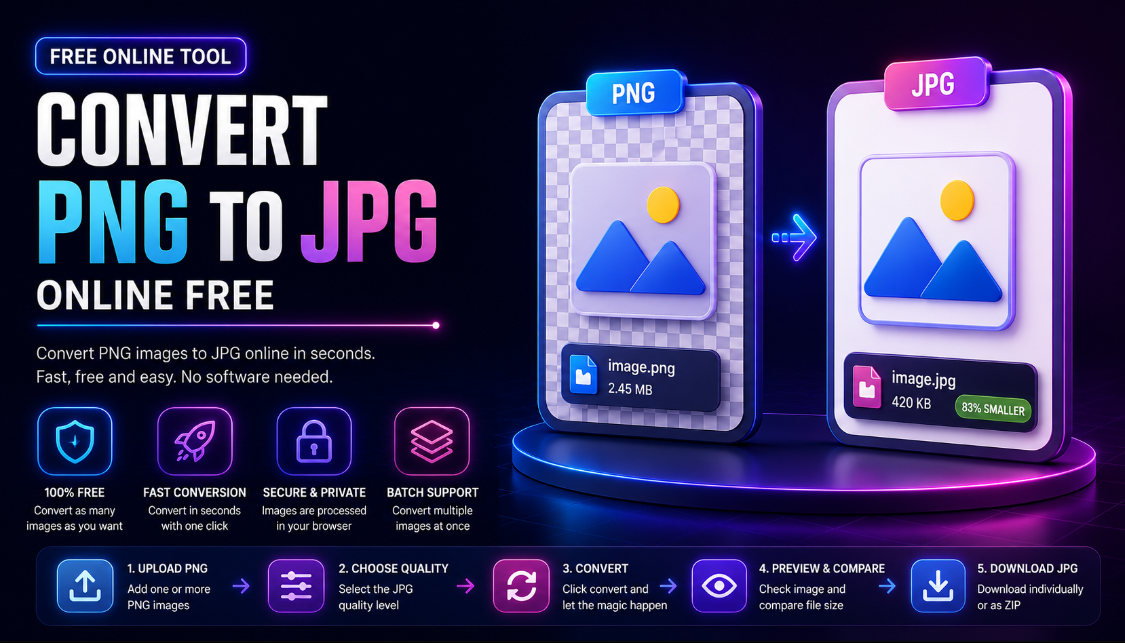
Convert PNG images to JPG online for free in just a few clicks. Upload your PNG files, choose your preferred JPG quality, convert them directly in your browser, and download the finished JPEG images.
Our PNG to JPG converter is designed for website owners, ecommerce sellers, students, photographers, content creators, marketers, designers, and anyone who needs a quick way to change a PNG image into a widely supported JPG file.
You can convert a single image or multiple PNG files at once without installing complicated image-editing software.
How to Convert PNG to JPG
Converting a PNG image to JPG is simple:
- Upload one or more PNG images.
- Choose your preferred JPG quality.
- Click Convert All to JPG.
- Compare the original and converted file sizes.
- Download each JPG individually or download multiple images as a ZIP file.
The original image dimensions are preserved during the conversion.
Free PNG to JPG Converter
You do not need Photoshop, desktop software, or advanced editing experience to convert a PNG file to JPG.
Simply:
Upload PNG → Choose Quality → Convert to JPG → Download
The tool works directly in your browser, making it useful when you need a JPG quickly for a website, online form, product listing, email, school project, or social media post.
Convert Multiple PNG Images to JPG
Have several PNG images to convert?
Upload multiple files together and process them in one batch. Each PNG is converted into its own JPG file.
After conversion, you can:
- Download each JPG separately
- Compare original and converted file sizes
- Convert multiple PNG files at once
- Download multiple converted JPG files in a ZIP archive
This is especially useful for bloggers, ecommerce sellers, website owners, and content creators working with many images.
Choose Your JPG Quality
The quality setting lets you control the balance between image quality and file size.
Lower Quality
Lower JPG quality can produce a smaller file but may introduce more visible compression.
Balanced Quality
A medium-to-high setting provides a practical balance between image appearance and file size for many everyday uses.
High Quality
Higher settings preserve more visible detail but generally create larger JPG files.
For photographs and important visual content, starting with a higher quality setting is usually a good choice.
PNG to JPG for Smaller File Sizes
PNG and JPG use different compression methods.
PNG is particularly useful for graphics, screenshots, logos, and images requiring transparency. JPG is commonly better suited to photographs and complex images where smaller file sizes are useful.
Converting a photographic PNG to JPG can sometimes significantly reduce its file size.
The exact result depends on:
- The original image
- Image dimensions
- Image complexity
- Selected JPG quality
- Amount of detail and color variation
After conversion, this tool shows the original and new file sizes so you can quickly see whether the JPG is smaller.
PNG to JPG for Websites
Large image files can increase the amount of data a webpage needs to load.
Converting suitable PNG photographs to JPG can be helpful for:
- Blog images
- Featured images
- Website banners
- Landing pages
- Portfolio photos
- Product photography
- Online catalogs
- General website content
However, PNG may remain a better choice for logos, icons, graphics with sharp text, or images requiring transparency.
Convert PNG Product Images to JPG
Online sellers often need product images in commonly accepted formats.
This PNG to JPG converter can help prepare images for:
- Ecommerce stores
- Product catalogs
- Online marketplaces
- Website product pages
- Promotional graphics
- Email campaigns
You can upload several PNG product photos at once and convert them together, which can save time when preparing a larger collection of images.
Convert PNG Screenshots to JPG
Screenshots are often saved as PNG files.
You may want to convert a PNG screenshot to JPG when you need:
- A potentially smaller image
- A JPG for an upload form
- An easier file to share by email
- A JPEG version for a website
- A different image format for a project
If the screenshot contains very small text, diagrams, or sharp interface elements, use a higher JPG quality setting because stronger JPEG compression can reduce edge clarity.
What Happens to PNG Transparency?
PNG supports transparent pixels, while JPG does not support transparency.
When a transparent PNG is converted to JPG, transparency cannot be preserved in the resulting file. If keeping a transparent background is important, you should keep the original PNG or use another format that supports transparency.
This converter focuses on straightforward PNG-to-JPG conversion and does not include a manual background-color editor.
PNG vs JPG
| Feature | PNG | JPG |
|---|---|---|
| Transparency | Yes | No |
| Best for photos | Good | Excellent |
| Logos and icons | Excellent | Limited |
| Screenshots | Excellent | Good at high quality |
| Compression | Lossless | Usually lossy |
| Typical photo file size | Often larger | Often smaller |
| Browser support | Excellent | Excellent |
Neither format is always better. The right choice depends on the type of image and how you intend to use it.
When Should You Convert PNG to JPG?
Consider JPG when:
- You do not need transparency
- Your image is mainly photographic
- A website or form requires JPG
- You want to test whether JPG creates a smaller file
- You need JPEG files for easier sharing
- You have several PNG photos to prepare for a website
When Should You Keep PNG?
PNG may be the better choice for:
- Transparent images
- Logos
- Icons
- Illustrations
- Line art
- Screenshots with small text
- Graphics with sharp edges
- Images that will be edited again
It is also a good idea to keep your original PNG file even after creating a JPG copy.
Who Is This PNG to JPG Converter For?
Website Owners
Convert PNG photographs to JPG and compare file sizes before adding images to a website.
Ecommerce Sellers
Batch-convert product and promotional images into JPG format.
Content Creators
Prepare images for blogs, social posts, thumbnails, and digital content.
Students
Convert PNG screenshots, assignments, diagrams, and project images when JPG is required.
Photographers
Create JPEG versions of PNG exports for easier sharing or uploading.
Marketers
Quickly prepare image assets for websites, emails, campaigns, and online platforms.
Everyday Users
Change a PNG file into JPG without installing dedicated image-conversion software.
Browser-Based PNG to JPG Conversion
The conversion is performed through your browser using built-in image-processing technology.
This keeps the workflow simple:
- No desktop converter required
- No complicated editing interface
- Works on modern desktop and mobile browsers
- Quick preview of uploaded images
- Batch conversion available
- Direct JPG downloads
Performance can depend on the size and number of images as well as your device and browser.
Tips for Better PNG to JPG Results
For the best results:
- Start with the highest-quality PNG available.
- Use higher JPG quality for detailed photographs.
- Avoid excessive compression on screenshots containing text.
- Keep the original PNG if you may need transparency later.
- Compare the original and converted file sizes.
- Check the converted JPG visually before using it.
- Avoid repeatedly converting the same JPEG image, as repeated lossy compression can reduce quality.
Frequently Asked Questions
How do I convert PNG to JPG online?
Upload your PNG image, select a JPG quality level, click the conversion button, and download the resulting JPG file.
Is this PNG to JPG converter free?
Yes. You can use the tool to convert PNG images into JPG files online for free.
Is JPG the same as JPEG?
Yes. JPG and JPEG refer to the same image format. The shorter .jpg extension became common because older systems historically limited file extensions to three characters.
Can I convert multiple PNG images at once?
Yes. You can upload multiple PNG files and convert them together.
Can I download all converted images together?
Yes. When multiple images have been converted, you can download them together as a ZIP archive.
Can I download just one converted image?
Yes. Every converted image has its own download option.
Can I change JPG quality?
Yes. Use the quality slider before conversion to choose the balance between visual quality and file size.
Does converting PNG to JPG reduce file size?
It often can for photographic images, but it is not guaranteed. The result depends on the original PNG and the JPG quality setting you select.
Will my image dimensions change?
The converter preserves the original width and height while changing the image format.
Does JPG support transparent backgrounds?
No. JPG does not support transparency. If you need to preserve transparent areas, keep the PNG version.
Do I need to install software?
No. The converter runs in your web browser.
Can I use this tool on mobile?
Yes. The interface is designed to work on desktop, tablet, and mobile devices.
Convert PNG to JPG Now
Upload your PNG images above, select your preferred JPG quality, and start converting. Whether you are preparing website photos, ecommerce images, screenshots, school projects, or everyday pictures, this free PNG to JPG converter provides a quick way to create downloadable JPEG files without complicated software.